Fall Up
Aktualisiert
Aktuelle Version
Angeboten von

Bei all Ihrer Leidenschaft für das Spielen von Fall Up sollten Ihre Hände nicht auf einen winzigen Bildschirm Ihres Telefons beschränkt sein. Spielen Sie wie ein Profi und übernehmen Sie die volle Kontrolle über Ihr Spiel mit Tastatur und Maus. MEmu bietet Ihnen all die Dinge, die Sie erwarten. Laden Sie Fall Up herunter und spielen Sie es auf dem PC. Spielen Sie so lange, wie Sie wollen, ohne Grenzwerte für Akku, mobile Daten und störende Anrufe. Das brandneue MEmu 9 ist die beste Wahl, um Fall Up auf dem PC zu spielen. Das exquisite voreingestellte Tastaturbelegungssystem, das mit unserem Fachwissen vorbereitet wurde, macht Fall Up zu einem echten PC-Spiel. Der MEmu Multi-Instanz-Manager ermöglicht das Spielen von 2 oder mehr Konten auf demselben Gerät. Und das Wichtigste: Unsere exklusive Emulations-Engine kann das volle Potenzial Ihres PCs freisetzen und für reibungslose Abläufe sorgen.
Mehr anzeigen
Laden Sie Play Fall Up auf dem PC mit MEmu Android Emulator. Viel Spaß beim Spielen auf großmundieren. Labi always aims for powerful and precise jumps!
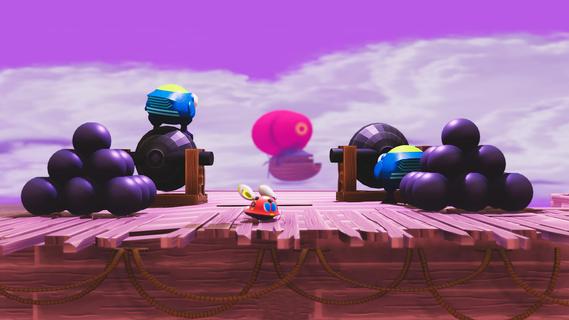
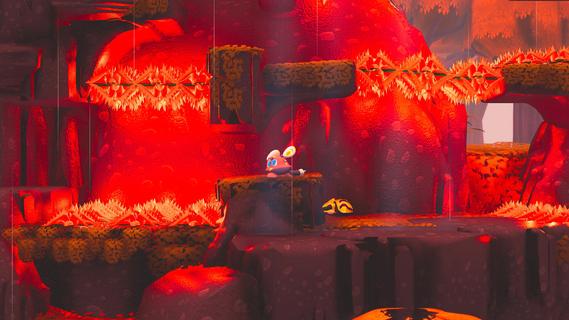
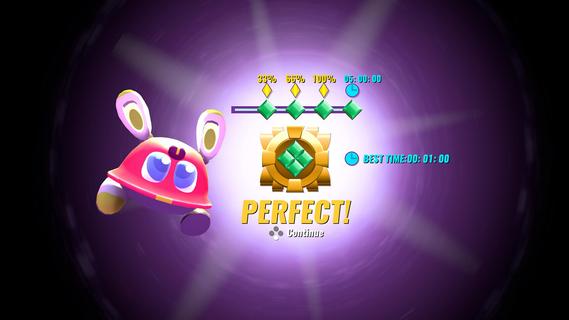
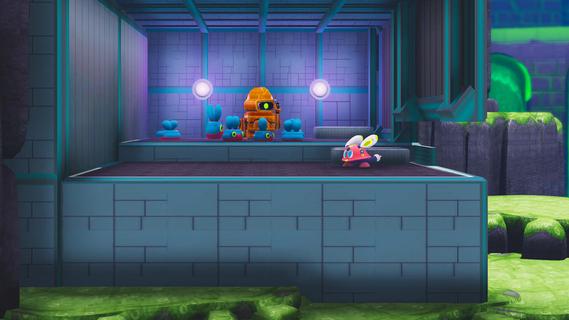
Labi always aims for powerful and precise jumps!A mistake in installing a thruster module instead of a mobility module gave Labi a pair of shortest yet most powerful legs among all robots. It has mastered the skill to Leg Launch itself like a cannonball with its powerful legs. With this advantage, Labi can Stomp with great force on enemies or bounce over walls.You know whatâs better? After Labi has found the Warp Ball, you may immediately teleport to any place where the ball lands. To beat the levels and solve the puzzles, you must plan ahead, Run, Stomp, Dash and Double Jump your way to succeed the best route. You may also Dash like a ninja, using your quick reflex to dodge all incoming dangers as they show up.GOALSThe core function of Labiâs program: seek FREEDOM!During the game, you need to collect âBatteriesâ scattered around the level. Some are lying in plain sight along the path, while others may require a little bit of exploration spirit. At the end of every level, your will get Gems based on the number of Batteries youâve found. You will need certain gems to unlock the new areas.Whatâs more, when you have found all the batteries in a level, a Time Trial will be unlocked. Complete the challenge, and you will be rewarded with the final Gem of the level. A trophy for serious challengers!FEATURESEvery being, organic or synthetic, has its own value, even robots (only the cute one counts!)What were your enemies one second ago may become your friends the next. Despite the mean look, the enemies wonât mind you stepping on their heads. You may manipulate, provoke or even guard your enemies, and use them to complete the level in ways one could never imagine.STORYAn imaginary yet realistic post-apocalyptic world.Do you wonder where do so many robots come from? Who created them? And why do those pointless assembly lines keep running indefinitely?Dive into the fantasy world made of giant fruits and adorable robots and unwrap the authentic story about humanity and identity. Traverse and explore colorful and vibrant scenes, interact with all sorts of intriguing characters, and piece by piece learn the worldâs history. Help our little hero find out what really matters, reveal everything that has been lost, and make friends with a bunch of totally huggable characters!
Mehr anzeigen

1. Laden das MEmu-Installationsprogramm herunter und beenden die Installation

2. MEmu starten und Google Play auf der Homepage öffnen

3. Suchen Fall Up in Google Play
Install
4. Herunterladen und Installieren Fall Up
5. Klicken nach Abschluss der Installation auf das Symbol, um es zu starten

6. Viel Spaß beim Spielen von Fall Up auf dem PC mit MEmu
MEmu App Player ist der beste kostenlose Android-Emulator und 50 Millionen Menschen genießen bereits seine hervorragende Android-Gaming-Erfahrung. Mit der MEmu-Virtualisierungstechnologie können Sie Tausende von Android-Spielen problemlos auf Ihrem PC spielen, selbst bei grafikintensiven Spielen.
BGrößeres Bild mit besserer Grafik; Keine unterbrechungen, keine sorgen um Akku
Komplette Tastenbelegung unterstützt mit Maus und Tastatur oder Controller
Mit dem „Multi-Instance-Manager“ können Sie mehrere Spielkonten oder Spiele gleichzeitig auf einem PC ausführen.
Play Fall Up on PC by following steps: