Find the Needle
Aktualisiert
Aktuelle Version
Angeboten von

Bei all Ihrer Leidenschaft für das Spielen von Find the Needle sollten Ihre Hände nicht auf einen winzigen Bildschirm Ihres Telefons beschränkt sein. Spielen Sie wie ein Profi und übernehmen Sie die volle Kontrolle über Ihr Spiel mit Tastatur und Maus. MEmu bietet Ihnen all die Dinge, die Sie erwarten. Laden Sie Find the Needle herunter und spielen Sie es auf dem PC. Spielen Sie so lange, wie Sie wollen, ohne Grenzwerte für Akku, mobile Daten und störende Anrufe. Das brandneue MEmu 9 ist die beste Wahl, um Find the Needle auf dem PC zu spielen. Das exquisite voreingestellte Tastaturbelegungssystem, das mit unserem Fachwissen vorbereitet wurde, macht Find the Needle zu einem echten PC-Spiel. Der MEmu Multi-Instanz-Manager ermöglicht das Spielen von 2 oder mehr Konten auf demselben Gerät. Und das Wichtigste: Unsere exklusive Emulations-Engine kann das volle Potenzial Ihres PCs freisetzen und für reibungslose Abläufe sorgen.
Mehr anzeigen
Laden Sie Play Find the Needle auf dem PC mit MEmu Android Emulator. Viel Spaß beim Spielen auf großmundieren. Find the Needle is a fun and challenging hidden-object puzzle game that puts your observation skills to the ultimate test!
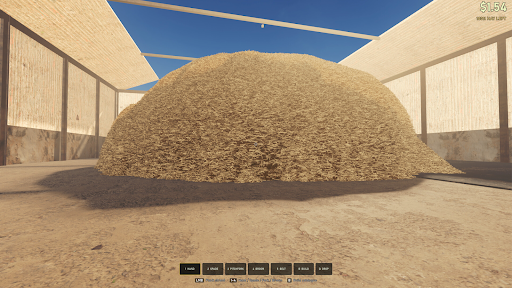
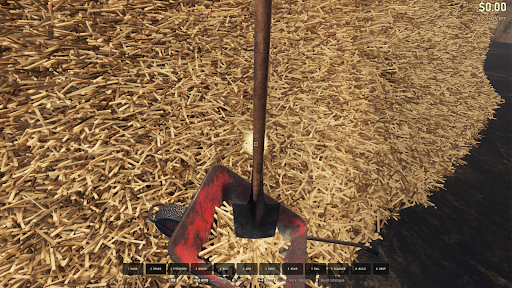
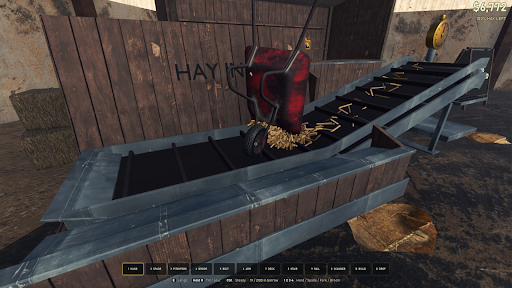
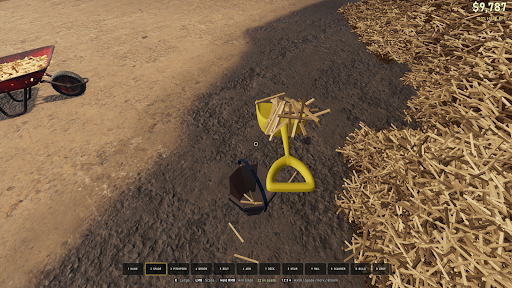
Find the Needle is a fun and challenging hidden-object puzzle game that puts your observation skills to the ultimate test! A needle is hiding somewhere inside a huge pile of colorful straws, and your mission is simple: find it!
Look closely, stay focused, and search through every corner of the messy pile. The needle can be easy to spot at first, but as the challenges become harder, finding it will require sharp eyes, patience, and quick thinking.
Search, Spot & Find
Each level gives you a pile filled with tangled, overlapping straws. Somewhere among them is the hidden needle. Can you spot the tiny difference before time runs out?
Test Your Observation Skills
Train your concentration and visual attention while playing increasingly challenging levels. The more you play, the better you'll become at spotting hidden objects in a crowded scene.
Find It Before Time Runs Out
Don't take too long! Search quickly and tap the needle as soon as you see it. Challenge yourself to find it faster with every level.
Simple Gameplay
The controls are easy for everyone. Simply look through the pile, find the needle, and tap it. No complicated controls or rules—just pure observation fun!
Mehr anzeigen

1. Laden das MEmu-Installationsprogramm herunter und beenden die Installation

2. MEmu starten und Google Play auf der Homepage öffnen

3. Suchen Find the Needle in Google Play
Install
4. Herunterladen und Installieren Find the Needle
5. Klicken nach Abschluss der Installation auf das Symbol, um es zu starten

6. Viel Spaß beim Spielen von Find the Needle auf dem PC mit MEmu
MEmu App Player ist der beste kostenlose Android-Emulator und 50 Millionen Menschen genießen bereits seine hervorragende Android-Gaming-Erfahrung. Mit der MEmu-Virtualisierungstechnologie können Sie Tausende von Android-Spielen problemlos auf Ihrem PC spielen, selbst bei grafikintensiven Spielen.
BGrößeres Bild mit besserer Grafik; Keine unterbrechungen, keine sorgen um Akku
Komplette Tastenbelegung unterstützt mit Maus und Tastatur oder Controller
Mit dem „Multi-Instance-Manager“ können Sie mehrere Spielkonten oder Spiele gleichzeitig auf einem PC ausführen.
Play Find the Needle on PC by following steps: