
Heat: Pedal to the Metal
Aktualisiert
Aktuelle Version
Angeboten von

Bei all Ihrer Leidenschaft für das Spielen von Heat: Pedal to the Metal sollten Ihre Hände nicht auf einen winzigen Bildschirm Ihres Telefons beschränkt sein. Spielen Sie wie ein Profi und übernehmen Sie die volle Kontrolle über Ihr Spiel mit Tastatur und Maus. MEmu bietet Ihnen all die Dinge, die Sie erwarten. Laden Sie Heat: Pedal to the Metal herunter und spielen Sie es auf dem PC. Spielen Sie so lange, wie Sie wollen, ohne Grenzwerte für Akku, mobile Daten und störende Anrufe. Das brandneue MEmu 9 ist die beste Wahl, um Heat: Pedal to the Metal auf dem PC zu spielen. Das exquisite voreingestellte Tastaturbelegungssystem, das mit unserem Fachwissen vorbereitet wurde, macht Heat: Pedal to the Metal zu einem echten PC-Spiel. Der MEmu Multi-Instanz-Manager ermöglicht das Spielen von 2 oder mehr Konten auf demselben Gerät. Und das Wichtigste: Unsere exklusive Emulations-Engine kann das volle Potenzial Ihres PCs freisetzen und für reibungslose Abläufe sorgen.
Mehr anzeigen
Laden Sie Play Heat: Pedal to the Metal auf dem PC mit MEmu Android Emulator. Viel Spaß beim Spielen auf großmundieren. Heat: Pedal to the Metal is the official digital adaptation of the award-winning board game from Days of Wonder, authored by Asger Harding Granerud & Daniel Skjold Pedersen, bringing its thrilling card-driven racing to life for 1-12 players in the golden age of 1960s motorsport.
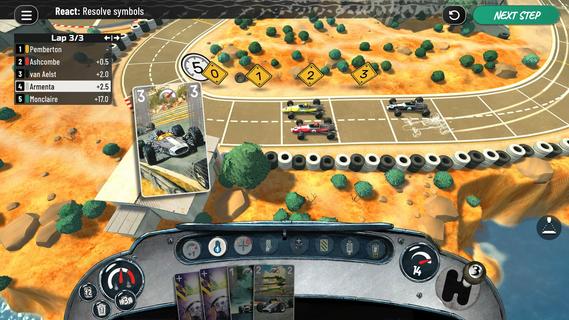
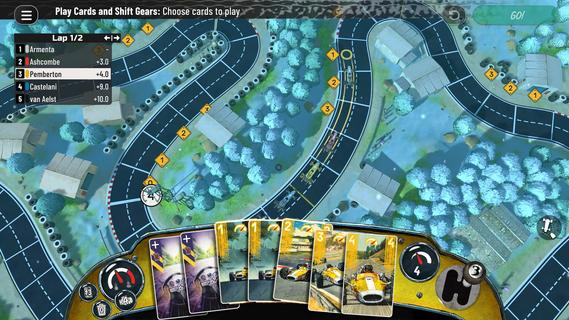
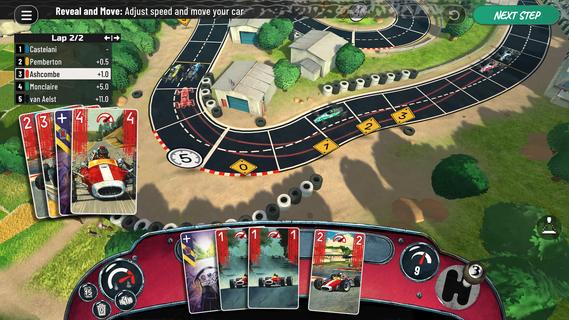
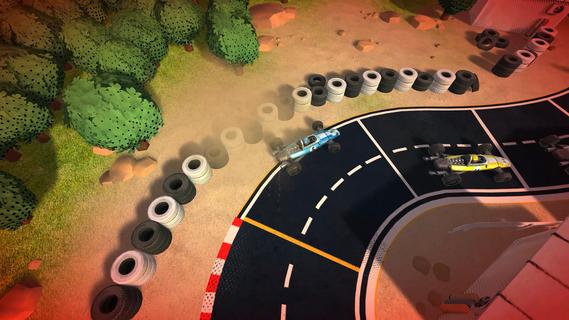
Heat: Pedal to the Metal is the official digital adaptation of the award-winning board game from Days of Wonder, authored by Asger Harding Granerud & Daniel Skjold Pedersen, bringing its thrilling card-driven racing to life for 1-12 players in the golden age of 1960s motorsport.The roar of the engine. The pressure of every corner. The split-second decision between playing it safe or pushing your car beyond its limits.Step into the cockpit of a 1960s racing driver and battle for every position across iconic circuits. Each turn, you'll strategically play cards to control your speed, navigate tight corners and push your engine to the limit. Every card is a risk-reward decision: brake at the right moment, conserve your engine, or risk overheating it for the perfect overtake. As the race unfolds, it becomes a tense contest of nerve and timing where knowing when to hold back and when to take a risk can mean the difference between victory and defeat.Race across four iconic circuits, challenge Legends, compete with friends locally or online and enjoy a wide variety of race experiences with championship mode, sponsorships, garage upgrades, weather conditions and road conditions. No two races unfold the same way, rewarding clever planning, calculated risks and perfect timing.FEATURES3D recreations of four iconic circuits: USA, France, Great Britain, and ItalyChallenge Legends in solo play or race against friends in local custom gamesPlay championships with garage upgrades, sponsorships, weather, and road conditionsCross-platform online multiplayer with private lobbies and matchmakingThe Legends expansion INCLUDED for free from day one!More official expansions coming post-launch
Mehr anzeigen

1. Laden das MEmu-Installationsprogramm herunter und beenden die Installation

2. MEmu starten und Google Play auf der Homepage öffnen

3. Suchen Heat: Pedal to the Metal in Google Play
Install
4. Herunterladen und Installieren Heat: Pedal to the Metal
5. Klicken nach Abschluss der Installation auf das Symbol, um es zu starten

6. Viel Spaß beim Spielen von Heat: Pedal to the Metal auf dem PC mit MEmu
MEmu App Player ist der beste kostenlose Android-Emulator und 50 Millionen Menschen genießen bereits seine hervorragende Android-Gaming-Erfahrung. Mit der MEmu-Virtualisierungstechnologie können Sie Tausende von Android-Spielen problemlos auf Ihrem PC spielen, selbst bei grafikintensiven Spielen.
BGrößeres Bild mit besserer Grafik; Keine unterbrechungen, keine sorgen um Akku
Komplette Tastenbelegung unterstützt mit Maus und Tastatur oder Controller
Mit dem „Multi-Instance-Manager“ können Sie mehrere Spielkonten oder Spiele gleichzeitig auf einem PC ausführen.
Play Heat: Pedal to the Metal on PC by following steps:

































