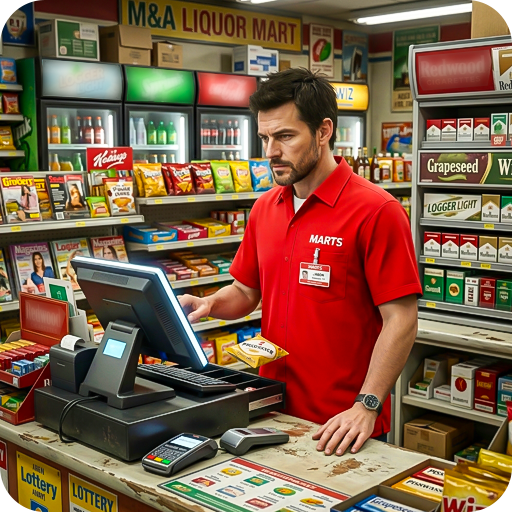
My Superstore Games Simulator
Aktualisiert
Aktuelle Version
.3
Angeboten von

Bei all Ihrer Leidenschaft für das Spielen von My Superstore Games Simulator sollten Ihre Hände nicht auf einen winzigen Bildschirm Ihres Telefons beschränkt sein. Spielen Sie wie ein Profi und übernehmen Sie die volle Kontrolle über Ihr Spiel mit Tastatur und Maus. MEmu bietet Ihnen all die Dinge, die Sie erwarten. Laden Sie My Superstore Games Simulator herunter und spielen Sie es auf dem PC. Spielen Sie so lange, wie Sie wollen, ohne Grenzwerte für Akku, mobile Daten und störende Anrufe. Das brandneue MEmu 9 ist die beste Wahl, um My Superstore Games Simulator auf dem PC zu spielen. Das exquisite voreingestellte Tastaturbelegungssystem, das mit unserem Fachwissen vorbereitet wurde, macht My Superstore Games Simulator zu einem echten PC-Spiel. Der MEmu Multi-Instanz-Manager ermöglicht das Spielen von 2 oder mehr Konten auf demselben Gerät. Und das Wichtigste: Unsere exklusive Emulations-Engine kann das volle Potenzial Ihres PCs freisetzen und für reibungslose Abläufe sorgen.
Mehr anzeigen
Laden Sie Play My Superstore Games Simulator auf dem PC mit MEmu Android Emulator. Viel Spaß beim Spielen auf großmundieren. Welcome to Crazy Escape presents the Supermarket Store Games offline.
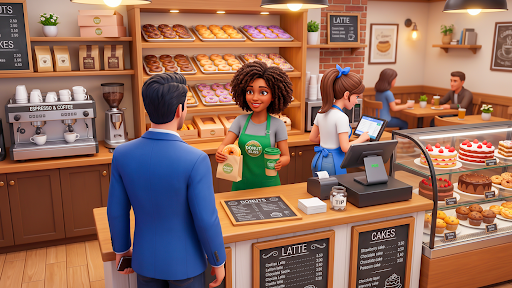
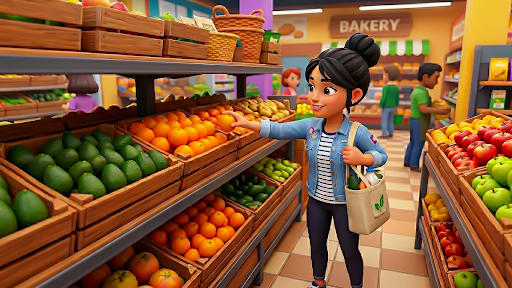
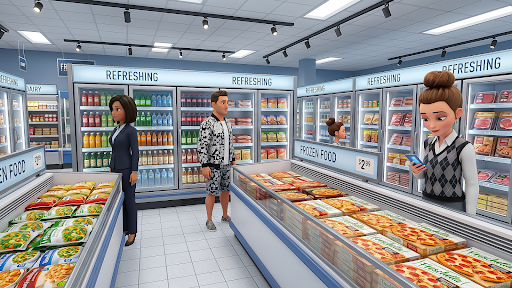

Welcome to Crazy Escape presents the Supermarket Store Games offline. Now you can design the layout of your City Supermarket 3D Simulator, choose different decorative styles, and create a Supermarket shopping environment that matches your personal taste in this fun Supermall Shopping Game 2026. Play a Comprehensive Business Simulation Game experience that allows you to realize your business dreams in the Virtual Simulator Games world. Supermarket Games lover are you ready to embrace the challenges and embark on your journey to a Supermarket Empire Games? For Fun and joy, download the My Superstore Games Simulator now and start your journey to becoming a Supermarket Manager. Supermarket Store Game 2026: Supermarket Manager your Superstore Game effectively, delight your customers, and watch your business flourish in this immersive and exciting Shop Simulator Game.
Key Features of My Superstore Games Simulator is that:
• Fun and easy to play Supermarket Game
• Efficient Staff Management Game
• Beautiful graphics and friendly UI of Super Store Market
• Attractive animations and sound effects
• Keep Managing Your Store
• Expand Your Business Empire Beyond
Store Manager hire and Train Staff Improve your store's operations by hiring skilled employees. Train your team to perform various tasks efficiently and keep the super store running seamlessly in this supermarket tycoon games Offline.
Step into the role of a Supermarket 2026 Store Manager in Retail Superstore Simulator. Build, manage, and expand your store while making smart decisions to keep your customers happy and your Superstore Business growing. Manage Your Superstore Organize and run different departments, from fresh produce to home goods, ensuring smooth and efficient operations. Expand Your Business Empire beyond Groceries, ready for more? Grow your Grocery Business Games by unlocking exciting new departments. Upgrade your facilities to include a fresh bakery, a busy pizza station, or even a luxury hotel nearby. Play Supermarket Store Game 2026 and transform your Mini Super Mart into a massive Shopping Mall Tycoon.
Mehr anzeigen

1. Laden das MEmu-Installationsprogramm herunter und beenden die Installation

2. MEmu starten und Google Play auf der Homepage öffnen

3. Suchen My Superstore Games Simulator in Google Play
Install
4. Herunterladen und Installieren My Superstore Games Simulator
5. Klicken nach Abschluss der Installation auf das Symbol, um es zu starten

6. Viel Spaß beim Spielen von My Superstore Games Simulator auf dem PC mit MEmu
MEmu App Player ist der beste kostenlose Android-Emulator und 50 Millionen Menschen genießen bereits seine hervorragende Android-Gaming-Erfahrung. Mit der MEmu-Virtualisierungstechnologie können Sie Tausende von Android-Spielen problemlos auf Ihrem PC spielen, selbst bei grafikintensiven Spielen.
BGrößeres Bild mit besserer Grafik; Keine unterbrechungen, keine sorgen um Akku
Komplette Tastenbelegung unterstützt mit Maus und Tastatur oder Controller
Mit dem „Multi-Instance-Manager“ können Sie mehrere Spielkonten oder Spiele gleichzeitig auf einem PC ausführen.
Play My Superstore Games Simulator on PC by following steps: