Pizza Boy A Basic
Aktualisiert
Aktuelle Version
1.12.18
Angeboten von

Bei all Ihrer Leidenschaft für das Spielen von Pizza Boy A Basic sollten Ihre Hände nicht auf einen winzigen Bildschirm Ihres Telefons beschränkt sein. Spielen Sie wie ein Profi und übernehmen Sie die volle Kontrolle über Ihr Spiel mit Tastatur und Maus. MEmu bietet Ihnen all die Dinge, die Sie erwarten. Laden Sie Pizza Boy A Basic herunter und spielen Sie es auf dem PC. Spielen Sie so lange, wie Sie wollen, ohne Grenzwerte für Akku, mobile Daten und störende Anrufe. Das brandneue MEmu 9 ist die beste Wahl, um Pizza Boy A Basic auf dem PC zu spielen. Das exquisite voreingestellte Tastaturbelegungssystem, das mit unserem Fachwissen vorbereitet wurde, macht Pizza Boy A Basic zu einem echten PC-Spiel. Der MEmu Multi-Instanz-Manager ermöglicht das Spielen von 2 oder mehr Konten auf demselben Gerät. Und das Wichtigste: Unsere exklusive Emulations-Engine kann das volle Potenzial Ihres PCs freisetzen und für reibungslose Abläufe sorgen.
Mehr anzeigen
Laden Sie Play Pizza Boy A Basic auf dem PC mit MEmu Android Emulator. Viel Spaß beim Spielen auf großmundieren. Looking for an advanced 32bit handheld emulator for Android?
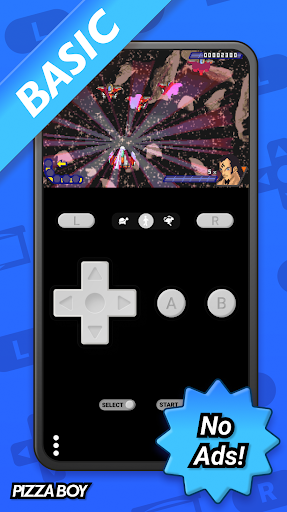
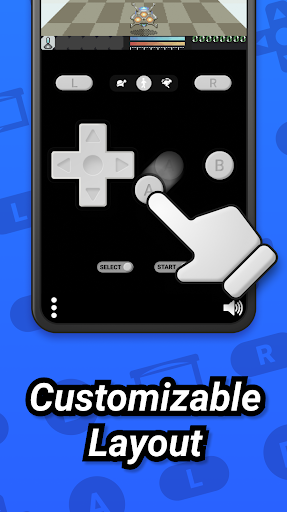
Looking for an advanced 32bit handheld emulator for Android? Smooth, light, fast and battery friendly. Enjoy your favorite retro games and never have problems with enjoying your roms!
THE ULTIMATE ADVANCED 32BIT HANDHELD EMULATOR
Do you have bunch of roms on your SD card and are you a fan of retro gaming? Then you need a reliable and precise advanced 32bit handheld emulator for Android that will load your roms fast, precisely and with ease. Search no more, you’ve found the most precise, consistent & easy to use ads free emulator.
60 FPS EVEN ON OLD HARDWARE
Pizza Boy A emulator will guarantee 60 fps even on old hardware. There are some great additional features too, like the ability for fast forward or slow motion, or the ability to save and restore states.
PIZZA BOY A BASIC FEATURES:
✅ Advanced 32bit handheld emulator with NO advertising!
✅ Totally written in C and Assembly for incredible performance and low battery consumption
✅ Take advantage of OpenGL and OpenSL native libraries for video and audio performance to the top
✅ 60 FPS granted even on old hardware
✅ Save and restore states
✅ Slow motion/Fast forward
✅ Buttons size and position total customization
✅ Hardware joypads support
✅ Shaders
✅ Capture screenshots in Jpg
✅ Retroachievements support
----------------------------------------------
Warning! Games (also known as ROMs) are not included!
Warning 2! This emulator can run only Advanced 32bit handheld roms and NOT 8bit handheld roms
Bugs? Features request? Email me at: davide_berra@yahoo.it
Mehr anzeigen

1. Laden das MEmu-Installationsprogramm herunter und beenden die Installation

2. MEmu starten und Google Play auf der Homepage öffnen

3. Suchen Pizza Boy A Basic in Google Play
Install
4. Herunterladen und Installieren Pizza Boy A Basic
5. Klicken nach Abschluss der Installation auf das Symbol, um es zu starten

6. Viel Spaß beim Spielen von Pizza Boy A Basic auf dem PC mit MEmu
MEmu App Player ist der beste kostenlose Android-Emulator und 50 Millionen Menschen genießen bereits seine hervorragende Android-Gaming-Erfahrung. Mit der MEmu-Virtualisierungstechnologie können Sie Tausende von Android-Spielen problemlos auf Ihrem PC spielen, selbst bei grafikintensiven Spielen.
BGrößeres Bild mit besserer Grafik; Keine unterbrechungen, keine sorgen um Akku
Komplette Tastenbelegung unterstützt mit Maus und Tastatur oder Controller
Mit dem „Multi-Instance-Manager“ können Sie mehrere Spielkonten oder Spiele gleichzeitig auf einem PC ausführen.
Play Pizza Boy A Basic on PC by following steps: