Ragnarok M: Eternal Love
Aktualisiert
Aktuelle Version
1.4.6
Angeboten von

Bei all Ihrer Leidenschaft für das Spielen von Ragnarok M: Eternal Love sollten Ihre Hände nicht auf einen winzigen Bildschirm Ihres Telefons beschränkt sein. Spielen Sie wie ein Profi und übernehmen Sie die volle Kontrolle über Ihr Spiel mit Tastatur und Maus. MEmu bietet Ihnen all die Dinge, die Sie erwarten. Laden Sie Ragnarok M: Eternal Love herunter und spielen Sie es auf dem PC. Spielen Sie so lange, wie Sie wollen, ohne Grenzwerte für Akku, mobile Daten und störende Anrufe. Das brandneue MEmu 9 ist die beste Wahl, um Ragnarok M: Eternal Love auf dem PC zu spielen. Das exquisite voreingestellte Tastaturbelegungssystem, das mit unserem Fachwissen vorbereitet wurde, macht Ragnarok M: Eternal Love zu einem echten PC-Spiel. Der MEmu Multi-Instanz-Manager ermöglicht das Spielen von 2 oder mehr Konten auf demselben Gerät. Und das Wichtigste: Unsere exklusive Emulations-Engine kann das volle Potenzial Ihres PCs freisetzen und für reibungslose Abläufe sorgen.
Mehr anzeigen
Laden Sie Play Ragnarok M: Eternal Love auf dem PC mit MEmu Android Emulator. Viel Spaß beim Spielen auf großmundieren. Ragnarok M × Onkel aus einer anderen Welt – jetzt verfügbar!
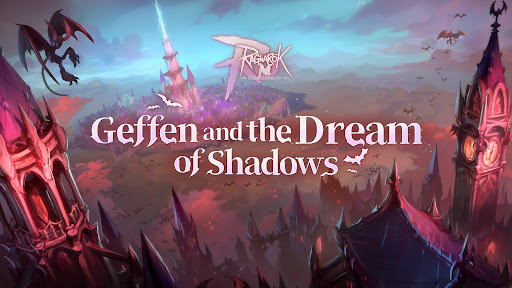
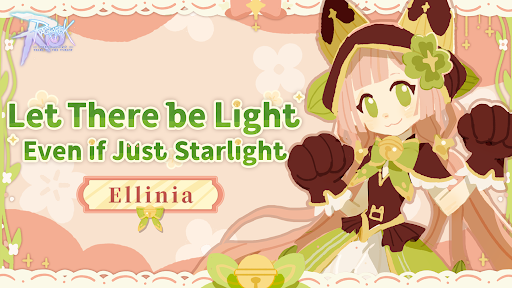
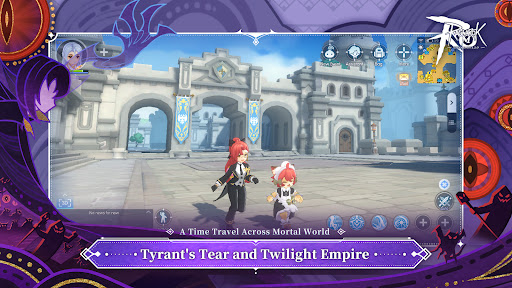
Ragnarok M × Onkel aus einer anderen Welt – jetzt verfügbar!
Offiziell von Ragnarok Online, der Fortsetzung des klassischen Abenteuers
Das neue Erweiterungspaket „Land der Schneeflocken“ ist erschienen. Unter dem ewigen Urfrost flüstert eine Elegie auf eine verlorene Krone. Das gefrorene Land spiegelt das Schimmern der Geister wider, deren Wege sich kreuzen. Im Inneren des abgründigen Ofens schlägt ein künstliches Herz schwach. Der Wind des Schicksals ist eingetroffen. Hörst du den Ruf aus einer anderen Welt?
===Spielfunktionen===
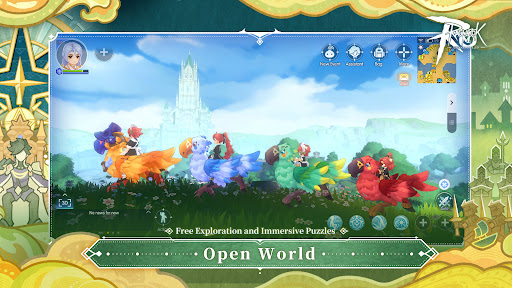
◈ Fortsetzung des Klassikers, Originalgetreue Umsetzung ◈ Ein Free-to-Play-Spiel mit dem authentischen, niedlichen Grafikstil, einfachem Wechsel zwischen 3D und 2,5D, Tausenden von Kopfbedeckungen und kostenlosem Handel!
◈ Erlebe spannende Kämpfe mit deiner Lieblingsklasse ◈ In Ragnarok M stehen dir alle Klassen des ursprünglichen RO zur Verfügung. Stelle dein Können mit verschiedenen Jobkombinationen und Fortschrittsstufen unter Beweis! Dank des schnellen Jobwechsels musst du nicht mehr lange überlegen!
◈ Finde Gefährten, gründe Gilden ◈
Abenteuer verbinden Abenteurer. Gründe eine Gilde mit anderen Abenteurern, helft einander und stärkt eure Bindungen! Du wirst im MVP-Wettkampf und in GvG-Schlachten gebraucht!
◈ Ein praktischer Aufholmodus erleichtert dir den Einstieg ◈ Schließe tägliche Quests schnell ab, erhalte als Anfänger mehr EP, profitiere von schnellem serverübergreifendem PvE-Teaming und erhalte als zurückkehrender Spieler Vorteile. RagnarokM wird dir immer viel Freude bereiten!
◈ Gemeinsam zum Sieg ◈ Zahlreiche PvP- und GvG-Modi für Gelegenheitsspieler und Wettkampfspieler stellen deine individuellen und Teamstrategien auf die Probe. Teile die Aufgaben klug auf und finde die besten Strategien für den Sieg!
◈ Vielfältige kosmetische Gegenstände und Reittiere ◈
Tausende Skins und Kopfbedeckungen stehen dir zur Auswahl. Zahlreiche sammelbare Reittiere für ein oder zwei Spieler. Jeder Abenteurer kann ein einzigartiges Aussehen haben!
===Systemvoraussetzungen===
Erfordert iOS 10.0 oder höher
Mindestanforderungen: iPhone 6s oder höher, 2 GB RAM
Empfohlene Anforderungen: iPhone XS oder höher, 4 GB RAM
===Kontakt===
Facebook:www.facebook.com/PlayRagnarokMGlobal
Discord:discord.gg/romofficial
Mehr anzeigen

1. Laden das MEmu-Installationsprogramm herunter und beenden die Installation

2. MEmu starten und Google Play auf der Homepage öffnen

3. Suchen Ragnarok M: Eternal Love in Google Play
Install
4. Herunterladen und Installieren Ragnarok M: Eternal Love
5. Klicken nach Abschluss der Installation auf das Symbol, um es zu starten

6. Viel Spaß beim Spielen von Ragnarok M: Eternal Love auf dem PC mit MEmu
MEmu App Player ist der beste kostenlose Android-Emulator und 50 Millionen Menschen genießen bereits seine hervorragende Android-Gaming-Erfahrung. Mit der MEmu-Virtualisierungstechnologie können Sie Tausende von Android-Spielen problemlos auf Ihrem PC spielen, selbst bei grafikintensiven Spielen.
BGrößeres Bild mit besserer Grafik; Keine unterbrechungen, keine sorgen um Akku
Komplette Tastenbelegung unterstützt mit Maus und Tastatur oder Controller
Mit dem „Multi-Instance-Manager“ können Sie mehrere Spielkonten oder Spiele gleichzeitig auf einem PC ausführen.
Play Ragnarok M: Eternal Love on PC by following steps: