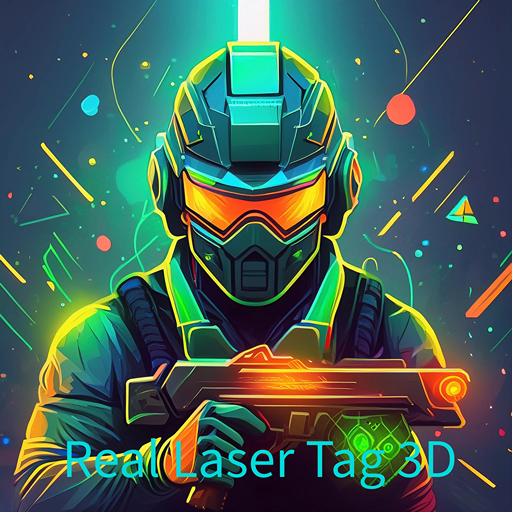
Real Laser Tag 3D
Aktualisiert
Aktuelle Version
1.9
Angeboten von

Bei all Ihrer Leidenschaft für das Spielen von Real Laser Tag 3D sollten Ihre Hände nicht auf einen winzigen Bildschirm Ihres Telefons beschränkt sein. Spielen Sie wie ein Profi und übernehmen Sie die volle Kontrolle über Ihr Spiel mit Tastatur und Maus. MEmu bietet Ihnen all die Dinge, die Sie erwarten. Laden Sie Real Laser Tag 3D herunter und spielen Sie es auf dem PC. Spielen Sie so lange, wie Sie wollen, ohne Grenzwerte für Akku, mobile Daten und störende Anrufe. Das brandneue MEmu 9 ist die beste Wahl, um Real Laser Tag 3D auf dem PC zu spielen. Das exquisite voreingestellte Tastaturbelegungssystem, das mit unserem Fachwissen vorbereitet wurde, macht Real Laser Tag 3D zu einem echten PC-Spiel. Der MEmu Multi-Instanz-Manager ermöglicht das Spielen von 2 oder mehr Konten auf demselben Gerät. Und das Wichtigste: Unsere exklusive Emulations-Engine kann das volle Potenzial Ihres PCs freisetzen und für reibungslose Abläufe sorgen.
Mehr anzeigen
Laden Sie Play Real Laser Tag 3D auf dem PC mit MEmu Android Emulator. Viel Spaß beim Spielen auf großmundieren. Real Laser Tag: Battle Arena is an exhilarating mobile game that brings the thrill of laser tag to your fingertips.
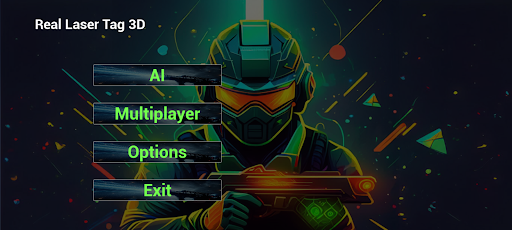
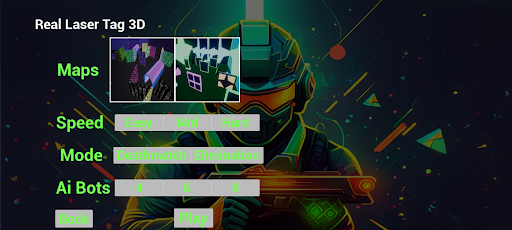
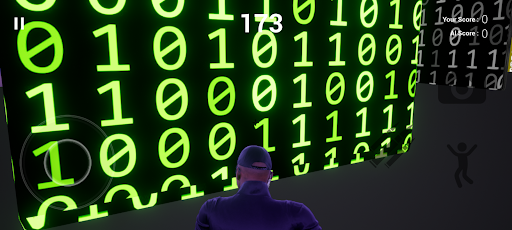
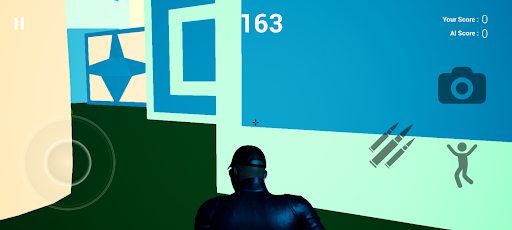
Real Laser Tag: Battle Arena is an exhilarating mobile game that brings the thrill of laser tag to your fingertips. Dive into intense battles with friends or challenge cunning AI opponents in this action-packed offline multiplayer experience.
Key Features:
Multiplayer Mayhem: Engage in fast-paced laser tag matches with up to four friends on a single device. Battle it out in a variety of immersive arenas and see who can claim the title of Laser Tag Champion.
Smart AI Opponents: When friends aren't around, sharpen your skills against intelligent AI opponents. Each AI player has unique strategies and difficulty levels, ensuring an exciting challenge every time you play.
Variety of Arenas: Explore a range of dynamic arenas, each with unique layouts and obstacles. From neon-lit urban landscapes to futuristic space stations, each arena offers a different strategic challenge.
Team Battles: Form alliances with friends or AI teammates in thrilling team-based matches. Coordinate your strategies, cover your teammates, and dominate the battlefield together.
Offline Play: No internet? No problem! Laser Tag: Battle Arena is designed for offline play, allowing you to enjoy all the action without needing a connection.
Intuitive Controls: Smooth and responsive touch controls make it easy to jump into the action. Whether you're a seasoned gamer or a newcomer, you'll be tagging opponents in no time.
Stunning Graphics: Experience high-quality graphics and effects that bring the laser tag arenas to life. Every match is a visual treat that enhances the excitement of the game.
Game Modes:
Ai Mode: Play anytime with Ai opponents.
Team Deathmatch: Join forces with your friends or AI allies to outscore the opposing team. Teamwork and strategy are key to victory.
Mehr anzeigen

1. Laden das MEmu-Installationsprogramm herunter und beenden die Installation

2. MEmu starten und Google Play auf der Homepage öffnen

3. Suchen Real Laser Tag 3D in Google Play
Install
4. Herunterladen und Installieren Real Laser Tag 3D
5. Klicken nach Abschluss der Installation auf das Symbol, um es zu starten

6. Viel Spaß beim Spielen von Real Laser Tag 3D auf dem PC mit MEmu
MEmu App Player ist der beste kostenlose Android-Emulator und 50 Millionen Menschen genießen bereits seine hervorragende Android-Gaming-Erfahrung. Mit der MEmu-Virtualisierungstechnologie können Sie Tausende von Android-Spielen problemlos auf Ihrem PC spielen, selbst bei grafikintensiven Spielen.
BGrößeres Bild mit besserer Grafik; Keine unterbrechungen, keine sorgen um Akku
Komplette Tastenbelegung unterstützt mit Maus und Tastatur oder Controller
Mit dem „Multi-Instance-Manager“ können Sie mehrere Spielkonten oder Spiele gleichzeitig auf einem PC ausführen.
Play Real Laser Tag 3D on PC by following steps: