Road to Vostok
Aktualisiert
Aktuelle Version
Angeboten von

Bei all Ihrer Leidenschaft für das Spielen von Road to Vostok sollten Ihre Hände nicht auf einen winzigen Bildschirm Ihres Telefons beschränkt sein. Spielen Sie wie ein Profi und übernehmen Sie die volle Kontrolle über Ihr Spiel mit Tastatur und Maus. MEmu bietet Ihnen all die Dinge, die Sie erwarten. Laden Sie Road to Vostok herunter und spielen Sie es auf dem PC. Spielen Sie so lange, wie Sie wollen, ohne Grenzwerte für Akku, mobile Daten und störende Anrufe. Das brandneue MEmu 9 ist die beste Wahl, um Road to Vostok auf dem PC zu spielen. Das exquisite voreingestellte Tastaturbelegungssystem, das mit unserem Fachwissen vorbereitet wurde, macht Road to Vostok zu einem echten PC-Spiel. Der MEmu Multi-Instanz-Manager ermöglicht das Spielen von 2 oder mehr Konten auf demselben Gerät. Und das Wichtigste: Unsere exklusive Emulations-Engine kann das volle Potenzial Ihres PCs freisetzen und für reibungslose Abläufe sorgen.
Mehr anzeigen
Laden Sie Play Road to Vostok auf dem PC mit MEmu Android Emulator. Viel Spaß beim Spielen auf großmundieren. Road to Vostok is a hardcore single-player survival game that plunges players into a bleak, post-apocalyptic world set along the volatile border between Finland and Russia.
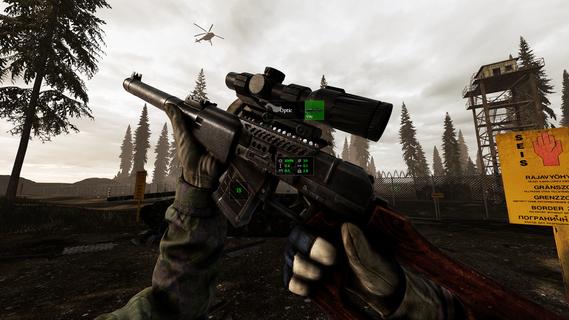
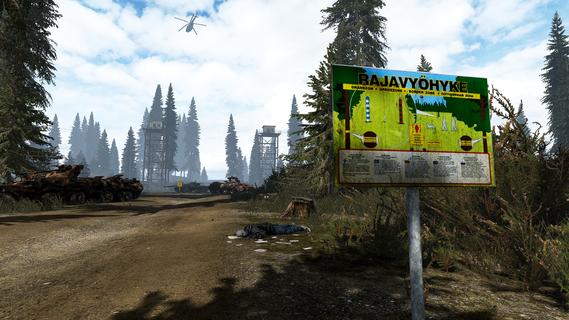
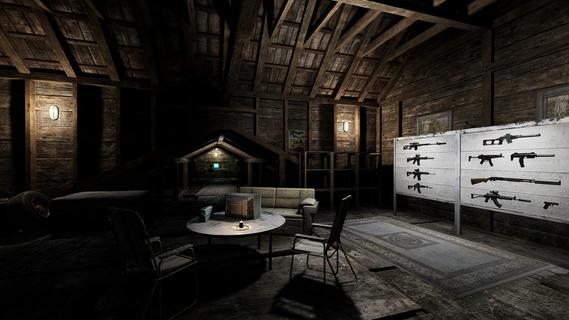
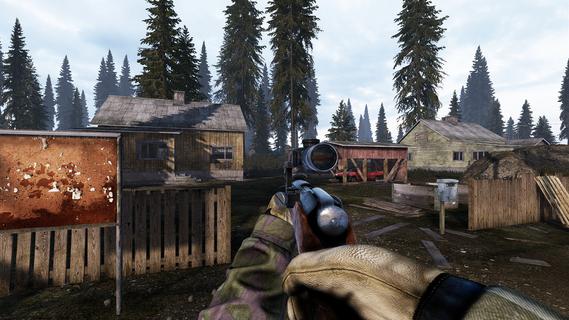
Road to Vostok is a hardcore single-player survival game that plunges players into a bleak, post-apocalyptic world set along the volatile border between Finland and Russia. This unforgiving environment is a harsh wasteland where danger lurks around every corner, and survival depends on careful planning, resourcefulness, and quick reflexes. The core challenge of Road to Vostok lies in its permadeath mechanic: one wrong move can mean the end of your journey. The game’s setting—a desolate border zone—adds a layer of tension and realism, as players must navigate through hazardous terrain, hostile enemies, and scarce resources while attempting to cross into Vostok, a mysterious and deadly area rumored to hold both great risk and potential reward. Players start with minimal equipment and must scavenge for supplies such as food, weapons, and medical kits. Looting abandoned buildings, vehicles, and campsites is essential, but each expedition carries the risk of encountering hostile survivors or dangerous wildlife. The game’s atmosphere is thick with suspense, emphasizing stealth and strategy over brute force. Engaging enemies recklessly often leads to quick death, encouraging players to think tactically about every encounter. The survival mechanics in Road to Vostok are deep and realistic. Players must manage hunger, thirst, stamina, and health, all while dealing with environmental hazards like radiation zones, extreme weather, and toxic areas. Crafting plays a vital role, allowing players to combine scavenged materials into useful tools, weapons, and protective gear. Preparation is key—venturing into Vostok without adequate supplies or a well-thought-out plan is a recipe for failure. The game’s narrative unfolds subtly through environmental storytelling and encounters with other survivors. These NPCs can be hostile or friendly, and interactions often require careful dialogue choices or combat readiness. The story is not handed to players on a silver platter; instead, it is pieced together through exploration and observation, enhancing the immersive experience. Graphically, Road to Vostok employs a gritty, realistic art style that reinforces the bleakness of its world. The sound design complements the visuals with ambient noises that heighten the sense of isolation and danger—wind howling through ruined buildings, distant gunfire, and the unsettling silence of abandoned zones. Road to Vostok is designed for players who crave a challenging and immersive survival experience. Its unforgiving permadeath system, combined with strategic combat and resource management, creates a tense atmosphere where every decision matters. The game rewards patience, careful planning, and adaptability, making each successful crossing into Vostok a hard-earned triumph. In summary, Road to Vostok offers a gripping survival adventure set in a harsh post-apocalyptic borderland. It challenges players to survive against overwhelming odds by scavenging, crafting, and making strategic choices in a world where death is permanent and danger is ever-present. For fans of hardcore survival games who appreciate atmospheric storytelling and tactical gameplay, Road to Vostok promises a memorable and intense journey.
Mehr anzeigen

1. Laden das MEmu-Installationsprogramm herunter und beenden die Installation

2. MEmu starten und Google Play auf der Homepage öffnen

3. Suchen Road to Vostok in Google Play
Install
4. Herunterladen und Installieren Road to Vostok
5. Klicken nach Abschluss der Installation auf das Symbol, um es zu starten

6. Viel Spaß beim Spielen von Road to Vostok auf dem PC mit MEmu
MEmu App Player ist der beste kostenlose Android-Emulator und 50 Millionen Menschen genießen bereits seine hervorragende Android-Gaming-Erfahrung. Mit der MEmu-Virtualisierungstechnologie können Sie Tausende von Android-Spielen problemlos auf Ihrem PC spielen, selbst bei grafikintensiven Spielen.
BGrößeres Bild mit besserer Grafik; Keine unterbrechungen, keine sorgen um Akku
Komplette Tastenbelegung unterstützt mit Maus und Tastatur oder Controller
Mit dem „Multi-Instance-Manager“ können Sie mehrere Spielkonten oder Spiele gleichzeitig auf einem PC ausführen.
Play Road to Vostok on PC by following steps: