Road to Vostok
अपडेट किया गया
वर्तमान वर्शन
संसाधन

अपने सेलफोन पर Road to Vostok का उपयोग करते समय ओवरचार्ज के बारे में चिंता करना बंद करें, अपने आप को छोटी स्क्रीन से मुक्त करें और बहुत बड़े डिस्प्ले पर ऐप का उपयोग करने का आनंद लें। अब से, कीबोर्ड और माउस के साथ अपने ऐप का पूर्ण-स्क्रीन अनुभव प्राप्त करें। एमईएमयू आपको उन सभी आश्चर्यजनक सुविधाओं की पेशकश करता है जिनकी आपको उम्मीद थी: त्वरित इंस्टॉल और आसान सेटअप, सहज नियंत्रण, बैटरी की कोई सीमा नहीं, मोबाइल डेटा और परेशान कॉल। आपके कंप्यूटर पर Road to Vostok का उपयोग करने का सबसे अच्छा विकल्प नया MEmu 9 है। हमारे अवशोषण के साथ कोडित, बहु-उदाहरण प्रबंधक एक ही समय में 2 या अधिक खाते खोलना संभव बनाता है। और सबसे महत्वपूर्ण, हमारा अनन्य उत्सर्जन इंजन आपके पीसी की पूरी क्षमता को जारी कर सकता है, सब कुछ सुचारू और सुखद बना सकता है।
और दिखाएं
डाउनलोड करें Road to Vostok पीसी पर MEmu एंड्रॉयड एमुलेटर के साथ बड़े पर्दे पर खेलने का आनंद लें। Road to Vostok is a hardcore single-player survival game that plunges players into a bleak, post-apocalyptic world set along the volatile border between Finland and Russia.
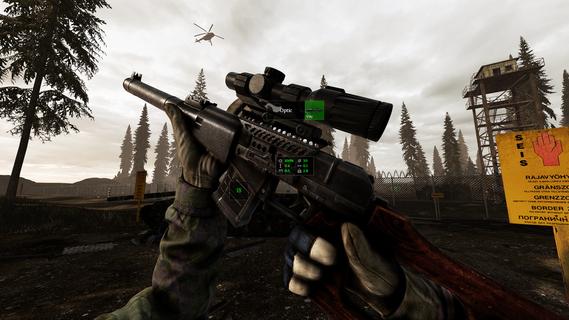
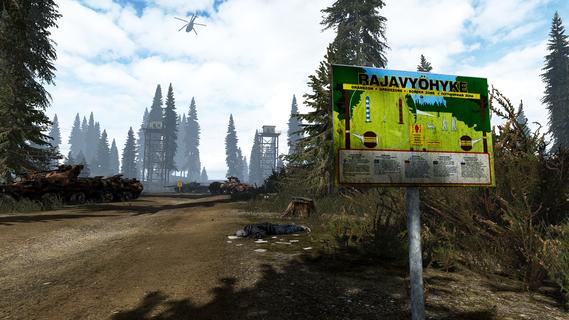
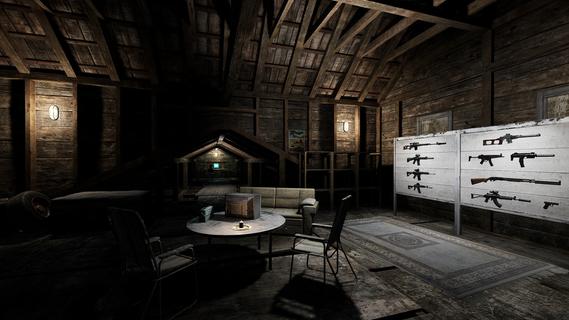
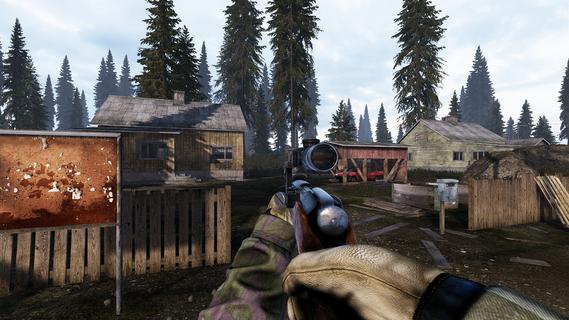
Road to Vostok is a hardcore single-player survival game that plunges players into a bleak, post-apocalyptic world set along the volatile border between Finland and Russia. This unforgiving environment is a harsh wasteland where danger lurks around every corner, and survival depends on careful planning, resourcefulness, and quick reflexes. The core challenge of Road to Vostok lies in its permadeath mechanic: one wrong move can mean the end of your journey. The game’s setting—a desolate border zone—adds a layer of tension and realism, as players must navigate through hazardous terrain, hostile enemies, and scarce resources while attempting to cross into Vostok, a mysterious and deadly area rumored to hold both great risk and potential reward. Players start with minimal equipment and must scavenge for supplies such as food, weapons, and medical kits. Looting abandoned buildings, vehicles, and campsites is essential, but each expedition carries the risk of encountering hostile survivors or dangerous wildlife. The game’s atmosphere is thick with suspense, emphasizing stealth and strategy over brute force. Engaging enemies recklessly often leads to quick death, encouraging players to think tactically about every encounter. The survival mechanics in Road to Vostok are deep and realistic. Players must manage hunger, thirst, stamina, and health, all while dealing with environmental hazards like radiation zones, extreme weather, and toxic areas. Crafting plays a vital role, allowing players to combine scavenged materials into useful tools, weapons, and protective gear. Preparation is key—venturing into Vostok without adequate supplies or a well-thought-out plan is a recipe for failure. The game’s narrative unfolds subtly through environmental storytelling and encounters with other survivors. These NPCs can be hostile or friendly, and interactions often require careful dialogue choices or combat readiness. The story is not handed to players on a silver platter; instead, it is pieced together through exploration and observation, enhancing the immersive experience. Graphically, Road to Vostok employs a gritty, realistic art style that reinforces the bleakness of its world. The sound design complements the visuals with ambient noises that heighten the sense of isolation and danger—wind howling through ruined buildings, distant gunfire, and the unsettling silence of abandoned zones. Road to Vostok is designed for players who crave a challenging and immersive survival experience. Its unforgiving permadeath system, combined with strategic combat and resource management, creates a tense atmosphere where every decision matters. The game rewards patience, careful planning, and adaptability, making each successful crossing into Vostok a hard-earned triumph. In summary, Road to Vostok offers a gripping survival adventure set in a harsh post-apocalyptic borderland. It challenges players to survive against overwhelming odds by scavenging, crafting, and making strategic choices in a world where death is permanent and danger is ever-present. For fans of hardcore survival games who appreciate atmospheric storytelling and tactical gameplay, Road to Vostok promises a memorable and intense journey.
और दिखाएं

1. MEmu इंस्टॉलर को डाउनलोड करें और इंस्टॉलेशन को पूरा करें

2. MEmu शुरू करें फिर होमपेज पर Google Play खोलें

3. Google Play में Road to Vostok खोजें
Install
4. Road to Vostok डाउनलोड कर इंस्टॉल करें
5. इंस्टॉल पूरा होने पर आइकन दबाएं

6. MEmu से पीसी पर Road to Vostok खेलने का आनंद लें
MEmu Play सबसे बेहतरीन मुफ़्त Android एमुलेटर है और 5 करोड़ लोग पहले ही इसके शानदार Android गेमिंग अनुभव का आनंद ले चुके हैं। MEmu 9 वर्चुअलाइज़ेशन तकनीक आपको अपने PC पर हज़ारों Android गेम, यहाँ तक कि सबसे ज़्यादा ग्राफ़िक्स वाले गेम भी, आसानी से खेलने की सुविधा देती है।
असीमित बैटरी या मोबाइल डेटा के साथ बेहतर ग्राफिक्स के साथ बड़ी स्क्रीन; लंबी अवधि।
कीबोर्ड और माउस या गेमपैड के उत्तम नियंत्रण के लिए संपूर्ण कीमैपिंग का समर्थन करता हैं।
एक ही पीसी पर मल्टी-इंस्टेंस मैनेजर के साथ एक समय में कई गेम खाते या कार्य कर सकते हैं।
Play Road to Vostok on PC by following steps: