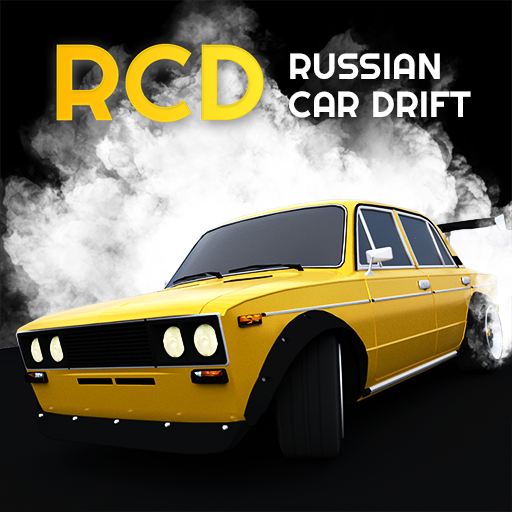
Russian Car Drift
Aktualisiert
Aktuelle Version
1.9.54
Angeboten von

Bei all Ihrer Leidenschaft für das Spielen von Russian Car Drift sollten Ihre Hände nicht auf einen winzigen Bildschirm Ihres Telefons beschränkt sein. Spielen Sie wie ein Profi und übernehmen Sie die volle Kontrolle über Ihr Spiel mit Tastatur und Maus. MEmu bietet Ihnen all die Dinge, die Sie erwarten. Laden Sie Russian Car Drift herunter und spielen Sie es auf dem PC. Spielen Sie so lange, wie Sie wollen, ohne Grenzwerte für Akku, mobile Daten und störende Anrufe. Das brandneue MEmu 9 ist die beste Wahl, um Russian Car Drift auf dem PC zu spielen. Das exquisite voreingestellte Tastaturbelegungssystem, das mit unserem Fachwissen vorbereitet wurde, macht Russian Car Drift zu einem echten PC-Spiel. Der MEmu Multi-Instanz-Manager ermöglicht das Spielen von 2 oder mehr Konten auf demselben Gerät. Und das Wichtigste: Unsere exklusive Emulations-Engine kann das volle Potenzial Ihres PCs freisetzen und für reibungslose Abläufe sorgen.
Mehr anzeigen
Laden Sie Play Russian Car Drift auf dem PC mit MEmu Android Emulator. Viel Spaß beim Spielen auf großmundieren. Tired of the look of modern cars?
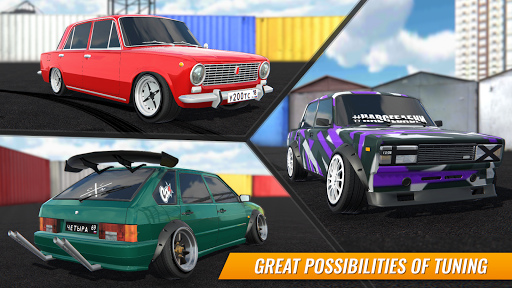
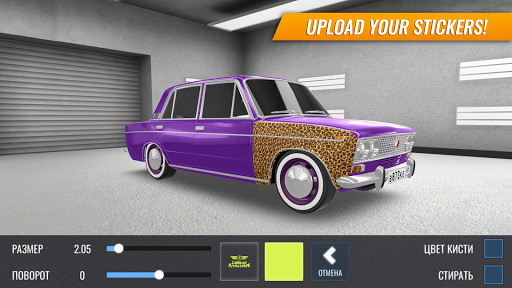
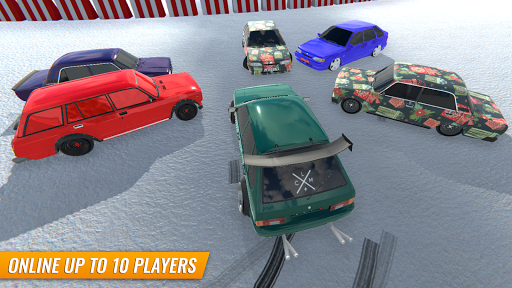
Tired of the look of modern cars? Looking for something unique? You found what you need!
THE LARGEST RUSSIAN CAR PARK
- In this game you will find almost everything: from models from the 70s to modern cars
- Original factory parts and export modifications
VISUAL AUTO TUNING
- You can replace bumpers, lights, fenders, and many other parts
- Create a unique project from your car using body kits, wheels, etc.
- Deep painting system. Paint every detail of your car in the color you want thanks to the extensive palette and the ability to paint every little thing
- Write whatever you want on the license plate and move it wherever you want! Yes, you can go to the roof too.
- Use stickers to make your car unique. Thanks to the function of downloading stickers from your phone, you are not limited to standard boring sets. Use your imagination to the maximum!
WHEELS EDITOR
Wheels are 80% of a car's style. That is why we have made our wheel editor as detailed as possible:
- Choose the right disc, bolts and even the center cap.
- Adjust the wheel diameter, width, and spacer size you need.
- Install the right tire for your car with the ability to adjust the width and height. You can make a jeep with huge tires or stens with a good tightness.
BIG GARAGE
At your disposal as many as 100 places for cars. Now you do not need to part with an existing car to make a new one. Just buy another one and put it next to the first one. And if suddenly you do not have enough for one more car, then you can sell others and get half the cost back for them.
MULTIPLAYER
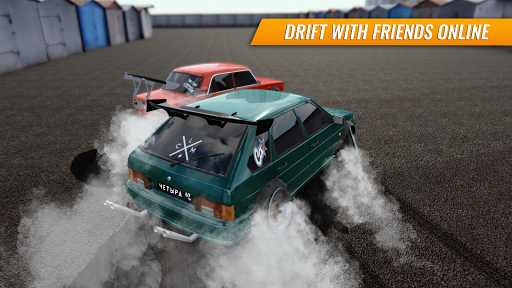
- You can drift with your friends in real time! Get together, choose a location and have fun!
- Compete with other players in a tandem drift duel mode, and take his money as a prize!
- Battle of the week: a mode in which you can show everyone who is the best drifter here and get unique cars
OFFLINE GAME
- Keep playing anywhere: train, plane, car. Even in the forest!
Mehr anzeigen

1. Laden das MEmu-Installationsprogramm herunter und beenden die Installation

2. MEmu starten und Google Play auf der Homepage öffnen

3. Suchen Russian Car Drift in Google Play
Install
4. Herunterladen und Installieren Russian Car Drift
5. Klicken nach Abschluss der Installation auf das Symbol, um es zu starten

6. Viel Spaß beim Spielen von Russian Car Drift auf dem PC mit MEmu
MEmu App Player ist der beste kostenlose Android-Emulator und 50 Millionen Menschen genießen bereits seine hervorragende Android-Gaming-Erfahrung. Mit der MEmu-Virtualisierungstechnologie können Sie Tausende von Android-Spielen problemlos auf Ihrem PC spielen, selbst bei grafikintensiven Spielen.
BGrößeres Bild mit besserer Grafik; Keine unterbrechungen, keine sorgen um Akku
Komplette Tastenbelegung unterstützt mit Maus und Tastatur oder Controller
Mit dem „Multi-Instance-Manager“ können Sie mehrere Spielkonten oder Spiele gleichzeitig auf einem PC ausführen.
Play Russian Car Drift on PC by following steps: