The Sims Labs: Town Stories
Aktualisiert
Aktuelle Version
Angeboten von

Bei all Ihrer Leidenschaft für das Spielen von The Sims Labs: Town Stories sollten Ihre Hände nicht auf einen winzigen Bildschirm Ihres Telefons beschränkt sein. Spielen Sie wie ein Profi und übernehmen Sie die volle Kontrolle über Ihr Spiel mit Tastatur und Maus. MEmu bietet Ihnen all die Dinge, die Sie erwarten. Laden Sie The Sims Labs: Town Stories herunter und spielen Sie es auf dem PC. Spielen Sie so lange, wie Sie wollen, ohne Grenzwerte für Akku, mobile Daten und störende Anrufe. Das brandneue MEmu 9 ist die beste Wahl, um The Sims Labs: Town Stories auf dem PC zu spielen. Das exquisite voreingestellte Tastaturbelegungssystem, das mit unserem Fachwissen vorbereitet wurde, macht The Sims Labs: Town Stories zu einem echten PC-Spiel. Der MEmu Multi-Instanz-Manager ermöglicht das Spielen von 2 oder mehr Konten auf demselben Gerät. Und das Wichtigste: Unsere exklusive Emulations-Engine kann das volle Potenzial Ihres PCs freisetzen und für reibungslose Abläufe sorgen.
Mehr anzeigen
Laden Sie Play The Sims Labs: Town Stories auf dem PC mit MEmu Android Emulator. Viel Spaß beim Spielen auf großmundieren. The Sims Labs is here with an all-new exciting building simulation game.
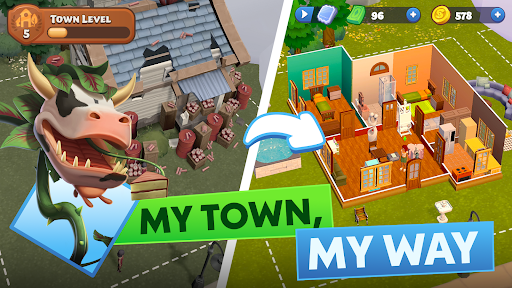
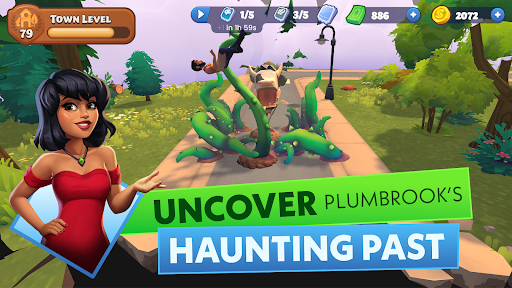

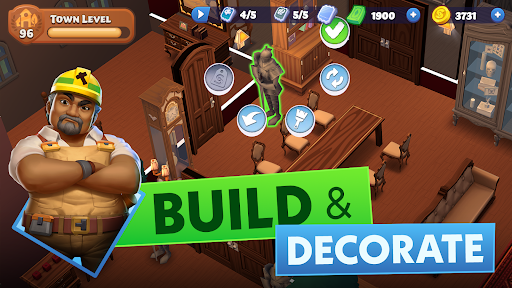
The Sims Labs is here with an all-new exciting building simulation game. Say goodbye to the bustling big city and embark on an exciting adventure as the new resident of Plumbrook - a picturesque town brimming with charm and potential. Make your dreams of crafting the perfect town and shaping its vibrant community come to life!
Green spaces, public gardens, and quirky neighbors surround your new home. With few citizens and lots of room to grow, the power is in your hands to build a vibrant community. But beware – earning the trust of Plumbrook's skeptical townspeople is no easy feat!
BUILD YOUR DREAM TOWN
Build your dream town in this city building simulation game where you can choose unique Sims and shape how their stories unfold. Design your own home, your block, your town, your community. Explore new locations and progress through narrative quests as you are building out your town and create the perfect environment for your characters to live in.
UNCOVER THE STORIES OF RESIDENTS
Get to know the quirky and endearing residents of Plumbrook! From Bella Goth, the elegant newcomer with a flair for eerie yet enchanting gardens, to Bob Pancakes, who discovers a passion for baking and garners a devoted following. Help Torajiro, the grumpy recluse, find inspiration through his interactions with Ms. Nicole Vogue, the talented fashionista overcoming her self-doubt. And don't forget Gizmo Cogspin, the whimsical inventor whose fantastic creations often go hilariously awry!
PLAY OUT THE STORIES OF YOUR COMMUNITY
Immerse yourself in a rich narrative where every decision you make shapes the future of your town. Build meaningful relationships, navigate personal challenges, and contribute to the overall growth of Plumbrook. Every character has a story, and it's up to you to guide them through their adventures and misadventures.
The Sims: Town Stories Features:
Discover and collect resources that enable your characters to fulfill quests and craft unique creations.
Customize your dream home, inside and out, by choosing from a large selection of decorations or crafting them to your liking.
Choose your Sim: Guide their journey as they explore the town and build relationships
Progress your characters' careers to help them achieve their lifelong goals
Collect and Create: Discover inspirational essences and parts to help complete quests and craft unique items.
Download The Sims: Town Stories now and dive into the enchanting world of your new favorite simulation game – where building, adventure, and charming characters await!
—
Legal Disclaimer:
Registration does not guarantee access to The Sims Labs: Town Stories (the Game). Requires acceptance of (i) Pre-release Feedback Agreement, (ii) EA's User Agreement, and (iii) EA's Privacy & Cookie Policy. Age restrictions apply. Gameplay progress, progression, achievements, characters, character data and/or any other value or status indicators achieved in the limited market test will not transfer to future releases of the Game. The Sims Labs: Town Stories limited market test is pre-release software, may contain errors/defects and is provided “as is” without any express or implied warranty.
User Agreement: terms.ea.com
Privacy and Cookie Policy: privacy.ea.com
Visit help.ea.com for assistance or inquiries
EA may retire online features after 30 days’ notice posted on ea.com/service-updates.
Mehr anzeigen

1. Laden das MEmu-Installationsprogramm herunter und beenden die Installation

2. MEmu starten und Google Play auf der Homepage öffnen

3. Suchen The Sims Labs: Town Stories in Google Play
Install
4. Herunterladen und Installieren The Sims Labs: Town Stories
5. Klicken nach Abschluss der Installation auf das Symbol, um es zu starten

6. Viel Spaß beim Spielen von The Sims Labs: Town Stories auf dem PC mit MEmu
MEmu App Player ist der beste kostenlose Android-Emulator und 50 Millionen Menschen genießen bereits seine hervorragende Android-Gaming-Erfahrung. Mit der MEmu-Virtualisierungstechnologie können Sie Tausende von Android-Spielen problemlos auf Ihrem PC spielen, selbst bei grafikintensiven Spielen.
BGrößeres Bild mit besserer Grafik; Keine unterbrechungen, keine sorgen um Akku
Komplette Tastenbelegung unterstützt mit Maus und Tastatur oder Controller
Mit dem „Multi-Instance-Manager“ können Sie mehrere Spielkonten oder Spiele gleichzeitig auf einem PC ausführen.
Play The Sims Labs: Town Stories on PC by following steps: