The Sims Labs: Town Stories
Updated
Current Version
Offered By

With your passion for The Sims Labs: Town Stories, you shouldn’t have to limit yourself to the small screen of a phone. Play like a pro and take full control of the game using a keyboard and mouse. MEmu gives you everything you’re looking for. Download and play The Sims Labs: Town Stories on PC. Play as long as you want — no more worries about battery life, mobile data, or unexpected calls. The all-new MEmu 9 is the best way to play The Sims Labs: Town Stories on PC. With our expertly designed keymapping system, The Sims Labs: Town Stories feels just like a real PC game. The MEmu multi-instance manager lets you run two or more accounts on the same device at the same time. Most importantly, our exclusive emulation engine unlocks your PC’s full potential, delivering smooth and seamless performance.
Show more
Download The Sims Labs: Town Stories on PC with MEmu Android Emulator. Enjoy playing on big screen. The Sims Labs is here with an all-new exciting building simulation game.
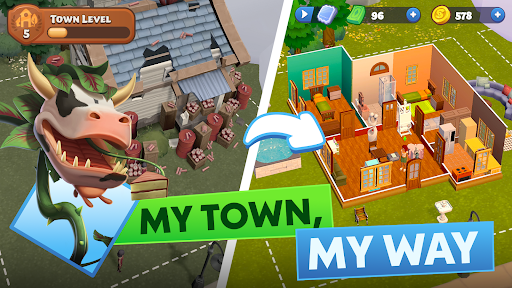
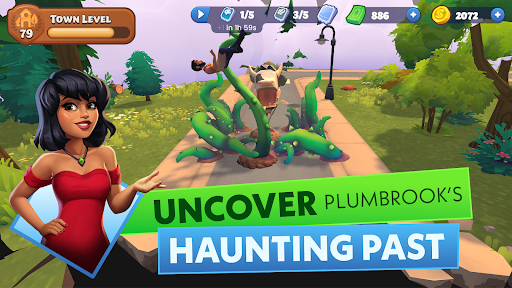

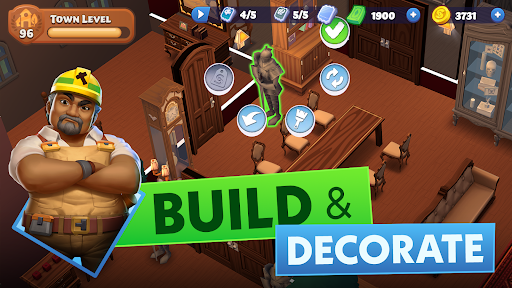
The Sims Labs is here with an all-new exciting building simulation game. Say goodbye to the bustling big city and embark on an exciting adventure as the new resident of Plumbrook - a picturesque town brimming with charm and potential. Make your dreams of crafting the perfect town and shaping its vibrant community come to life!
Green spaces, public gardens, and quirky neighbors surround your new home. With few citizens and lots of room to grow, the power is in your hands to build a vibrant community. But beware – earning the trust of Plumbrook's skeptical townspeople is no easy feat!
BUILD YOUR DREAM TOWN
Build your dream town in this city building simulation game where you can choose unique Sims and shape how their stories unfold. Design your own home, your block, your town, your community. Explore new locations and progress through narrative quests as you are building out your town and create the perfect environment for your characters to live in.
UNCOVER THE STORIES OF RESIDENTS
Get to know the quirky and endearing residents of Plumbrook! From Bella Goth, the elegant newcomer with a flair for eerie yet enchanting gardens, to Bob Pancakes, who discovers a passion for baking and garners a devoted following. Help Torajiro, the grumpy recluse, find inspiration through his interactions with Ms. Nicole Vogue, the talented fashionista overcoming her self-doubt. And don't forget Gizmo Cogspin, the whimsical inventor whose fantastic creations often go hilariously awry!
PLAY OUT THE STORIES OF YOUR COMMUNITY
Immerse yourself in a rich narrative where every decision you make shapes the future of your town. Build meaningful relationships, navigate personal challenges, and contribute to the overall growth of Plumbrook. Every character has a story, and it's up to you to guide them through their adventures and misadventures.
The Sims: Town Stories Features:
Discover and collect resources that enable your characters to fulfill quests and craft unique creations.
Customize your dream home, inside and out, by choosing from a large selection of decorations or crafting them to your liking.
Choose your Sim: Guide their journey as they explore the town and build relationships
Progress your characters' careers to help them achieve their lifelong goals
Collect and Create: Discover inspirational essences and parts to help complete quests and craft unique items.
Download The Sims: Town Stories now and dive into the enchanting world of your new favorite simulation game – where building, adventure, and charming characters await!
—
Legal Disclaimer:
Registration does not guarantee access to The Sims Labs: Town Stories (the Game). Requires acceptance of (i) Pre-release Feedback Agreement, (ii) EA's User Agreement, and (iii) EA's Privacy & Cookie Policy. Age restrictions apply. Gameplay progress, progression, achievements, characters, character data and/or any other value or status indicators achieved in the limited market test will not transfer to future releases of the Game. The Sims Labs: Town Stories limited market test is pre-release software, may contain errors/defects and is provided “as is” without any express or implied warranty.
User Agreement: terms.ea.com
Privacy and Cookie Policy: privacy.ea.com
Visit help.ea.com for assistance or inquiries
EA may retire online features after 30 days’ notice posted on ea.com/service-updates.
Show more

1. Download MEmu installer and finish the setup

2. Start MEmu then open Google Play on the desktop

3. Search The Sims Labs: Town Stories in Google Play
Install
4. Download and Install The Sims Labs: Town Stories
5. On install completion click the icon to start

6. Enjoy playing The Sims Labs: Town Stories on PC with MEmu
MEmu Play is the best Android emulator and 100 million people already enjoy its superb Android gaming experience. The MEmu virtualization technology empowers you to play thousands of Android games smoothly on your PC, even the most graphic-intensive ones.
Bigger screen with better graphics; Long duration, without limitation of battery or mobile data.
Full Keymapping support for precise control of keyboard and mouse or gamepad.
Multiple game accounts or tasks on single PC at one time with Multi-Instance manager.
Play The Sims Labs: Town Stories on PC by following steps: