Ultraman: Legend of Heroes 2
Aktualisiert
Aktuelle Version
Angeboten von

Bei all Ihrer Leidenschaft für das Spielen von Ultraman: Legend of Heroes 2 sollten Ihre Hände nicht auf einen winzigen Bildschirm Ihres Telefons beschränkt sein. Spielen Sie wie ein Profi und übernehmen Sie die volle Kontrolle über Ihr Spiel mit Tastatur und Maus. MEmu bietet Ihnen all die Dinge, die Sie erwarten. Laden Sie Ultraman: Legend of Heroes 2 herunter und spielen Sie es auf dem PC. Spielen Sie so lange, wie Sie wollen, ohne Grenzwerte für Akku, mobile Daten und störende Anrufe. Das brandneue MEmu 9 ist die beste Wahl, um Ultraman: Legend of Heroes 2 auf dem PC zu spielen. Das exquisite voreingestellte Tastaturbelegungssystem, das mit unserem Fachwissen vorbereitet wurde, macht Ultraman: Legend of Heroes 2 zu einem echten PC-Spiel. Der MEmu Multi-Instanz-Manager ermöglicht das Spielen von 2 oder mehr Konten auf demselben Gerät. Und das Wichtigste: Unsere exklusive Emulations-Engine kann das volle Potenzial Ihres PCs freisetzen und für reibungslose Abläufe sorgen.
Mehr anzeigen
Laden Sie Play Ultraman: Legend of Heroes 2 auf dem PC mit MEmu Android Emulator. Viel Spaß beim Spielen auf großmundieren. The game's limited-time closed beta test is about to begin.
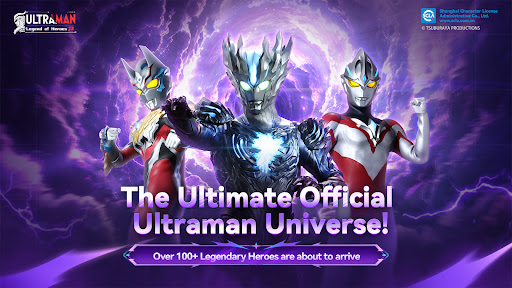
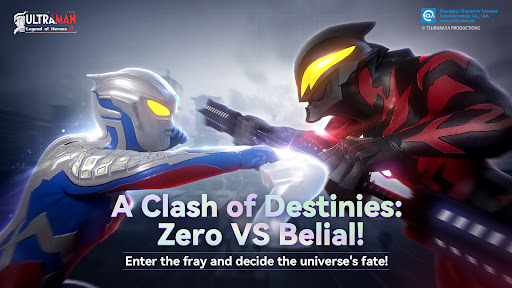
The game's limited-time closed beta test is about to begin. Click the link to participate: https://gameh5.hvapi.com/invite/en/
Test slots are available on a first-come, first-served basis. We welcome everyone to participate.
To facilitate obtaining test access, please indicate your country/region in your information.
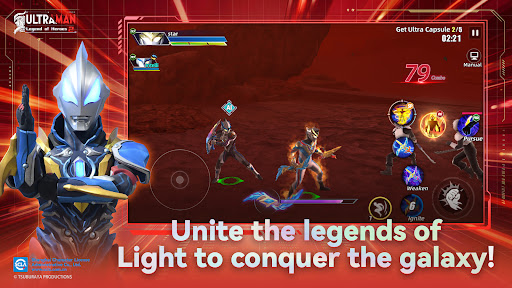
"Ultraman Legend of Heroes 2" is an officially authorized action mobile game by Tsuburaya. Based on the original Ultraman series and personally supervised by Tsuburaya, it highly restores the characters and skills of Ultraman, allowing players to experience the unique charm of the original to the fullest. Quickly form your own Ultraman team and embark on an adventure to defeat monsters and save the universe.
【Official Authorization】
"Ultraman Legend of Heroes 2" is officially authorized and supervised throughout by Tsuburaya Productions. Whether it's the signature beam skills or the unique combat stances, the game highly restores the forms and action skills of the Ultraman characters. Players will experience a high-quality, authentic Ultraman mobile game.
【Grand Assembly of Characters】
From popular Ultraman heroes like Zero, Tiga, Arc, Reiga, Noa, and Saga, to star monsters like Gilbaris, Gatanozoa, Zetton, and Grimude. All the Ultraman and monsters you know and love, as well as those you're less familiar with, can be found in the game. Find your favorite characters and fight alongside them.
【Cooperative Battles】
Form a team to challenge World Bosses together. Through team challenges, fight together against the darkness. By coordinating seamlessly with your team and leveraging the strengths of different Ultraman, join forces in the Ultraman world to defeat powerful bosses and protect universal peace.
【Real-Time Fair PvP】
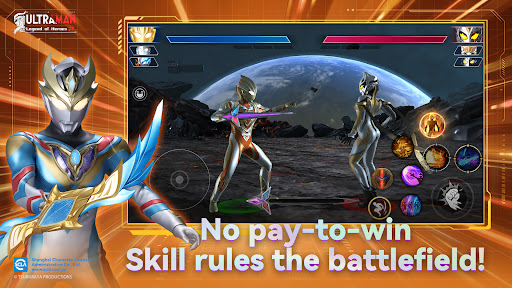
Featuring high-quality restoration, gorgeous special effects, smooth combos, free skill combinations, and a satisfying sense of impact. In the real-time fair PvP mode, attributes don't matter; only operational skills and battle strategies determine the outcome. Enjoy pure combat fun.
Mehr anzeigen

1. Laden das MEmu-Installationsprogramm herunter und beenden die Installation

2. MEmu starten und Google Play auf der Homepage öffnen

3. Suchen Ultraman: Legend of Heroes 2 in Google Play
Install
4. Herunterladen und Installieren Ultraman: Legend of Heroes 2
5. Klicken nach Abschluss der Installation auf das Symbol, um es zu starten

6. Viel Spaß beim Spielen von Ultraman: Legend of Heroes 2 auf dem PC mit MEmu
MEmu App Player ist der beste kostenlose Android-Emulator und 50 Millionen Menschen genießen bereits seine hervorragende Android-Gaming-Erfahrung. Mit der MEmu-Virtualisierungstechnologie können Sie Tausende von Android-Spielen problemlos auf Ihrem PC spielen, selbst bei grafikintensiven Spielen.
BGrößeres Bild mit besserer Grafik; Keine unterbrechungen, keine sorgen um Akku
Komplette Tastenbelegung unterstützt mit Maus und Tastatur oder Controller
Mit dem „Multi-Instance-Manager“ können Sie mehrere Spielkonten oder Spiele gleichzeitig auf einem PC ausführen.
Play Ultraman: Legend of Heroes 2 on PC by following steps: