ePub Reader for Android
Aktualisiert
Aktuelle Version
1432707719
Angeboten von

Machen Sie sich keine Sorgen mehr über überhöhte Gebühren, wenn Sie ePub Reader for Android auf Ihrem Mobiltelefon verwenden, befreien Sie sich von dem winzigen Bildschirm und genießen Sie die Nutzung der App auf einem viel größeren Display. Von nun an können Sie Ihre App mit Tastatur und Maus im Vollbildmodus nutzen. MEmu bietet Ihnen all die überraschenden Funktionen, die Sie erwartet haben: schnelle Installation und einfache Einrichtung, intuitive Steuerung, keine Einschränkungen mehr durch Batterie, mobile Daten und störende Anrufe. Der brandneue MEmu 9 ist die beste Wahl für die Nutzung von ePub Reader for Android auf Ihrem Computer. Mit unserer Absorption kodiert, ermöglicht der Multi-Instanz-Manager die Eröffnung von 2 oder mehr Konten zur gleichen Zeit. Und das Wichtigste, unsere exklusive Emulations-Engine kann das volle Potenzial Ihres PCs freisetzen und alles reibungslos und angenehm gestalten.
Mehr anzeigen
Laden Sie Play ePub Reader for Android auf dem PC mit MEmu Android Emulator. Viel Spaß beim Spielen auf großmundieren. ePub is a free and open e-book standard by the International Digital Publishing Forum (IDPF).
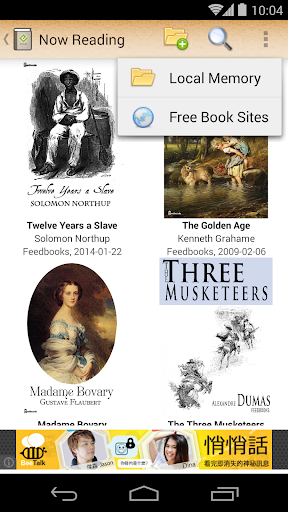
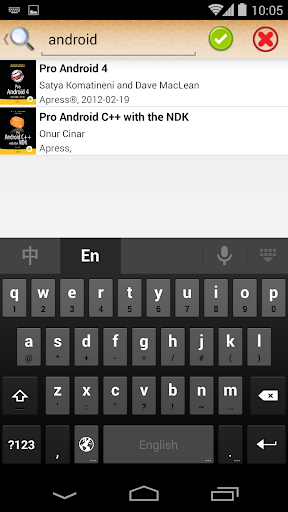
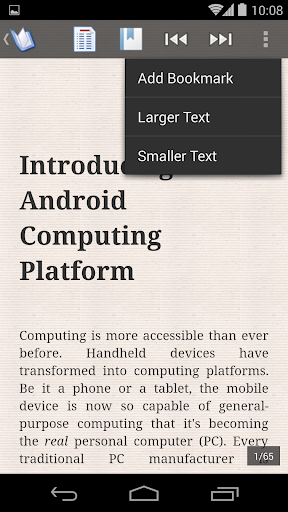
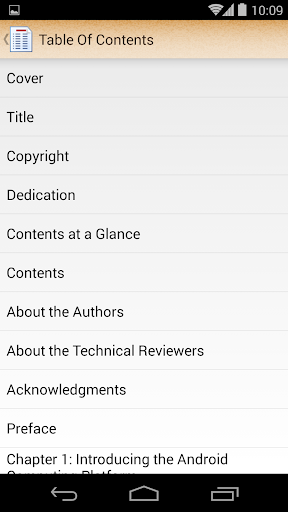
ePub is a free and open e-book standard by the International Digital Publishing Forum (IDPF). Files have the extension .epub. It is designed for reflowable content, meaning that the text display can be optimized for the particular display device. The feature of ePub, especially compared with Word and PDF formats, the content in an ePub book is not pre-formatted as fixed book pages. When a reader device displays the content of an ePub book, it formats the content into pages according to the display size and text font. So when you are reading an ePub book, all you have to do is only flipping the pages. You don't have to zooming or panning the window to view the page parts out of the displayed area.
This freeware makes your Android phone become an ePub reader. It manages the .epub files you imported from SD card or downloaded from web sites, and let you read them by flipping as books, or by browsing as web pages. This software is not bound to any book store or online library. In addition, it provides you some web-site links to download DRM-free ePub files. This software performs a rapid, low power-consumption method to format a chapters into book pages. If you are familiar with web browsing, the software reserves the function that lets you read the chapters as raw web pages.
[Features]
The software is a lite reader for ePub format, with lower power and memory consumption, and can run smoothly on low-end Android phones.
- It's also a downloader: The software is not bound to any book store or online library. It has a built-in web browser. You can visit any web site with this browser by entering a url. When you click a hyper link to an .epub file, the software downloads and imports this .epub file for your convenience. If you don't know where to download ePub books, the software provides you a list of web sites.
- Various operation modes: You can choose to read ePub files as web pages or as books. If you choose to read ePub books by page flipping, you can further choose to flip the pages by tapping or sweeping.
- Remembering the last reading position and bookmarks: The software automatically remembers the last reading position and used text size of each book for you. In addition, you can also remember the current reading position by adding a bookmark.
- Rapid running and low power consumption: This software does not kill your battery.
Mehr anzeigen

1. Laden das MEmu-Installationsprogramm herunter und beenden die Installation

2. MEmu starten und Google Play auf der Homepage öffnen

3. Suchen ePub Reader for Android in Google Play
Install
4. Herunterladen und Installieren ePub Reader for Android
5. Klicken nach Abschluss der Installation auf das Symbol, um es zu starten

6. Verwenden Sie MEmu, um ePub Reader for Android auf Ihrem PC zu nutzen
MEmu Play ist aktuell der beste kostenlose Android-Emulator und bietet 50 Millionen Nutzern ein überragendes Android-App-Erlebnis. Dank der Virtualisierungstechnologie von MEmu können Sie Tausende von Android-Apps problemlos auf Ihrem Computer nutzen, selbst solche mit hohen Grafikanforderungen.
BGrößeres Bild mit besserer Grafik; Keine unterbrechungen, keine sorgen um Akku
Komplette Tastenbelegung unterstützt mit Maus und Tastatur oder Controller
Mit dem „Multi-Instance-Manager“ können Sie mehrere Spielkonten oder Spiele gleichzeitig auf einem PC ausführen.
Use ePub Reader for Android on PC by following steps: