foodora: Food & Groceries
Aktualisiert
Aktuelle Version
24.39.0
Angeboten von

Machen Sie sich keine Sorgen mehr über überhöhte Gebühren, wenn Sie foodora: Food & Groceries auf Ihrem Mobiltelefon verwenden, befreien Sie sich von dem winzigen Bildschirm und genießen Sie die Nutzung der App auf einem viel größeren Display. Von nun an können Sie Ihre App mit Tastatur und Maus im Vollbildmodus nutzen. MEmu bietet Ihnen all die überraschenden Funktionen, die Sie erwartet haben: schnelle Installation und einfache Einrichtung, intuitive Steuerung, keine Einschränkungen mehr durch Batterie, mobile Daten und störende Anrufe. Der brandneue MEmu 9 ist die beste Wahl für die Nutzung von foodora: Food & Groceries auf Ihrem Computer. Mit unserer Absorption kodiert, ermöglicht der Multi-Instanz-Manager die Eröffnung von 2 oder mehr Konten zur gleichen Zeit. Und das Wichtigste, unsere exklusive Emulations-Engine kann das volle Potenzial Ihres PCs freisetzen und alles reibungslos und angenehm gestalten.
Mehr anzeigen
Laden Sie Play foodora: Food & Groceries auf dem PC mit MEmu Android Emulator. Viel Spaß beim Spielen auf großmundieren. TAKE YOUR FIRST BITE OF FOODORA.


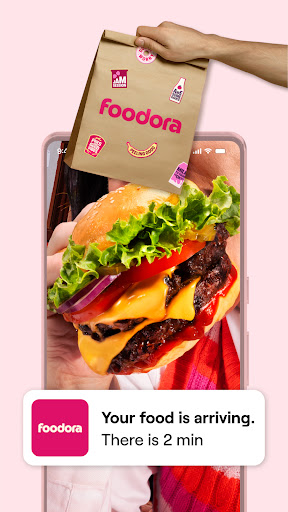
TAKE YOUR FIRST BITE OF FOODORA
Craving something delicious? If there's one thing we know it’s food delivery. It’s our mission to bring tasty food from your favourite local restaurant right to your door so you can eat good food everyday. We'll go the extra mile to make your order the greatest food experience in the world. Hungry for wood-fired pizza, a classic burger or the freshest sushi? We know the best food for every cuisine that your city has to offer. foodora is the best food delivery and take away service in your city -- so let's take the first bite!
Check we're in your city by downloading the app.
SO WHAT’S THE DEAL?
You’re ready and waiting to eat, we’ve all been there, dreaming of thai food, eating burgers in our dreams. Here’s what we do: first choose between delivery and Pick-Up to fit food ordering seamlessly into your schedule. Pick-Up is simple -- you make your order and then collect your food from the restaurant once it’s ready. No more queuing, ever (our app is magic). If you choose delivery, our couriers will bring the food you've been lusting after right to your door. Dreams really do come true.
HOW IT WORKS
First, enter your address (home/ office/ treehouse). Then, choose your favourite restaurant and place an order. They’ll prepare your food and once it’s ready, our courier bring it to you. If you need something to watch, you can track your rider in real-time. Then you eat. Food goals.
WHAT MAKES US SPECIAL
foodora chooses your local favourites; the best food near you. Vietnamese or Italian, healthy salads or food to nurse your hangover -- your dinner will be cooked with love and care. Our riders come to your very doorstep with a smile while you save time to do something else you love. There's a cuisine and a dish to suit every moment, and we'll help you make the first bite last.
ANYTHING ELSE?
Of course your safety is important to us. We guarantee secure, simple mobile payment, so you can eat when you're hungry and pay however you like.
TALK TO US
If you’ve ordered with us before, we’d want to know what you think. Give us your food thoughts/ teenage confessionals. Let us be your notepad.
Email us at support@foodora.com
For further info, visit
www.foodora.com
Mehr anzeigen

1. Laden das MEmu-Installationsprogramm herunter und beenden die Installation

2. MEmu starten und Google Play auf der Homepage öffnen

3. Suchen foodora: Food & Groceries in Google Play
Install
4. Herunterladen und Installieren foodora: Food & Groceries
5. Klicken nach Abschluss der Installation auf das Symbol, um es zu starten

6. Verwenden Sie MEmu, um foodora: Food & Groceries auf Ihrem PC zu nutzen
MEmu Play ist aktuell der beste kostenlose Android-Emulator und bietet 50 Millionen Nutzern ein überragendes Android-App-Erlebnis. Dank der Virtualisierungstechnologie von MEmu können Sie Tausende von Android-Apps problemlos auf Ihrem Computer nutzen, selbst solche mit hohen Grafikanforderungen.
BGrößeres Bild mit besserer Grafik; Keine unterbrechungen, keine sorgen um Akku
Komplette Tastenbelegung unterstützt mit Maus und Tastatur oder Controller
Mit dem „Multi-Instance-Manager“ können Sie mehrere Spielkonten oder Spiele gleichzeitig auf einem PC ausführen.
Use foodora: Food & Groceries on PC by following steps: