Foxtel
Aktualisiert
Aktuelle Version
Angeboten von

Machen Sie sich keine Sorgen mehr über überhöhte Gebühren, wenn Sie Foxtel auf Ihrem Mobiltelefon verwenden, befreien Sie sich von dem winzigen Bildschirm und genießen Sie die Nutzung der App auf einem viel größeren Display. Von nun an können Sie Ihre App mit Tastatur und Maus im Vollbildmodus nutzen. MEmu bietet Ihnen all die überraschenden Funktionen, die Sie erwartet haben: schnelle Installation und einfache Einrichtung, intuitive Steuerung, keine Einschränkungen mehr durch Batterie, mobile Daten und störende Anrufe. Der brandneue MEmu 9 ist die beste Wahl für die Nutzung von Foxtel auf Ihrem Computer. Mit unserer Absorption kodiert, ermöglicht der Multi-Instanz-Manager die Eröffnung von 2 oder mehr Konten zur gleichen Zeit. Und das Wichtigste, unsere exklusive Emulations-Engine kann das volle Potenzial Ihres PCs freisetzen und alles reibungslos und angenehm gestalten.
Mehr anzeigen
Genieße Foxtel auf deinem PC mit MEmu Play in einer fantastischen Version. Dieser leistungsstarke, kostenlose Android-Emulator bietet dir Zugriff auf Tausende von Android-Apps für deinen Desktop. Bleib mit Freunden in Kontakt und arbeite effizienter! Watch Foxtel wherever you are with the Foxtel app.
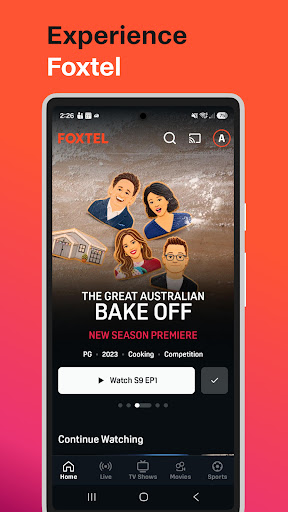
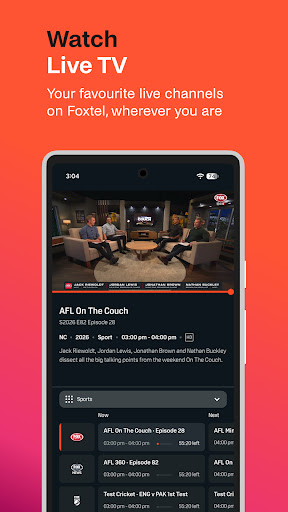
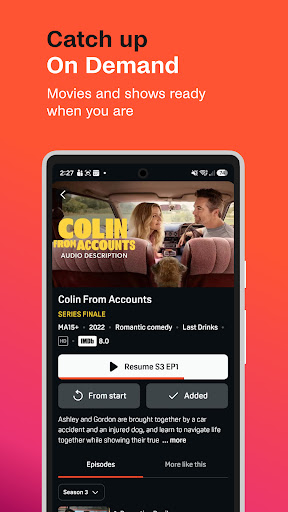
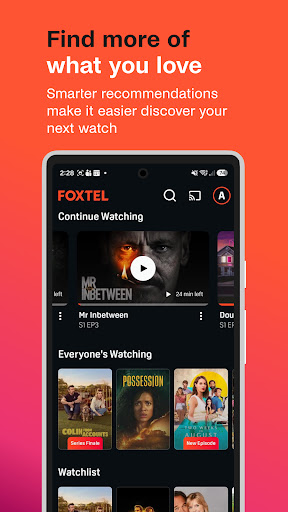
Watch Foxtel wherever you are with the Foxtel app.
The Foxtel app is the companion app for Foxtel customers with an iQ box and the streaming app for Foxtel Now, bringing you the tv shows, movies and live sport available in your package.^
Foxtel GO is now simply, Foxtel.
We’ve improved the Foxtel app experience, with a refreshed look and new features:
- Updated User Interface: A new look and redesigned navigation
- Stream in 4K: Enjoy selected TV shows, movies and live sport in 4K*
- Enhanced TV Guide: See what’s on and what’s coming up
- More to Discover: Find what you love and discover what to watch next with improved recommendations
- Remote Record for Foxtel customers with iQ box: Not at home? Find something you don’t want to miss and schedule the recording on your iQ directly from the Foxtel app.
New to the Foxtel app? If you’re a Foxtel customer with an iQ box and haven’t used the app before, it’s easy to get started using the email address linked to your Foxtel account
Key Features:
- Continue Watching: Pick up where you left off on your tablet or PC/Mac
- Watchlist: Save your favourite shows and movies to watch later.
- Parental Controls: Manage what younger viewers can watch
- You can log in and register your account across multiple devices, and watch on 2 devices at the same time.
^Just connect your compatible device to the internet. Data charges may apply. Shows only available if they’re in your pack, some shows/channels not available. Australia only.
*Compatible 4K device/s required. Minimum broadband (internet) speed of 25Mbps required. Selected content only. Content only available if included in your subscription.
Mehr anzeigen

1. Laden das MEmu-Installationsprogramm herunter und beenden die Installation

2. MEmu starten und Google Play auf der Homepage öffnen

3. Suchen Foxtel in Google Play
Install
4. Herunterladen und Installieren Foxtel
5. Klicken nach Abschluss der Installation auf das Symbol, um es zu starten

6. Verwenden Sie MEmu, um Foxtel auf Ihrem PC zu nutzen
MEmu Play ist aktuell der beste kostenlose Android-Emulator und bietet 50 Millionen Nutzern ein überragendes Android-App-Erlebnis. Dank der Virtualisierungstechnologie von MEmu können Sie Tausende von Android-Apps problemlos auf Ihrem Computer nutzen, selbst solche mit hohen Grafikanforderungen.
BGrößeres Bild mit besserer Grafik; Keine unterbrechungen, keine sorgen um Akku
Komplette Tastenbelegung unterstützt mit Maus und Tastatur oder Controller
Mit dem „Multi-Instance-Manager“ können Sie mehrere Spielkonten oder Spiele gleichzeitig auf einem PC ausführen.
Use Foxtel on PC by following steps: