IriSecureIDClient
Aktualisiert
Aktuelle Version
1.5.6
Angeboten von

Machen Sie sich keine Sorgen mehr über überhöhte Gebühren, wenn Sie IriSecureIDClient auf Ihrem Mobiltelefon verwenden, befreien Sie sich von dem winzigen Bildschirm und genießen Sie die Nutzung der App auf einem viel größeren Display. Von nun an können Sie Ihre App mit Tastatur und Maus im Vollbildmodus nutzen. MEmu bietet Ihnen all die überraschenden Funktionen, die Sie erwartet haben: schnelle Installation und einfache Einrichtung, intuitive Steuerung, keine Einschränkungen mehr durch Batterie, mobile Daten und störende Anrufe. Der brandneue MEmu 9 ist die beste Wahl für die Nutzung von IriSecureIDClient auf Ihrem Computer. Mit unserer Absorption kodiert, ermöglicht der Multi-Instanz-Manager die Eröffnung von 2 oder mehr Konten zur gleichen Zeit. Und das Wichtigste, unsere exklusive Emulations-Engine kann das volle Potenzial Ihres PCs freisetzen und alles reibungslos und angenehm gestalten.
Mehr anzeigen
Laden Sie Play IriSecureIDClient auf dem PC mit MEmu Android Emulator. Viel Spaß beim Spielen auf großmundieren. Notes: .
Notes:
- IriSecureIDClient only works with IriTech's IriShield camera.
- IriSecureIDClient works with IriSecure service, please contact IriTech to get server information collaboration@iritech.com
What is IriSecureID?
IriTech offers a complete iris recognition system, namely IriSecureID, consisting of iris cameras, host device-based software, and IriSecureIDService. By utilizing the power of Cloud Computing system, IriSecureIDService is the main component that hosted on Cloud Computing to process all iris recognition requests from various host devices. IriSecureID will provide user the most convenient iris recognition system at the most effective cost. For each customer, we will manage the database separately and secure at the highest level. All transactions are protected by a SSL protocol and all important data are encrypted with PKI.
On client-side, in order to connect to IriSecureIDService, IriSecureIDAdapter component is needed.
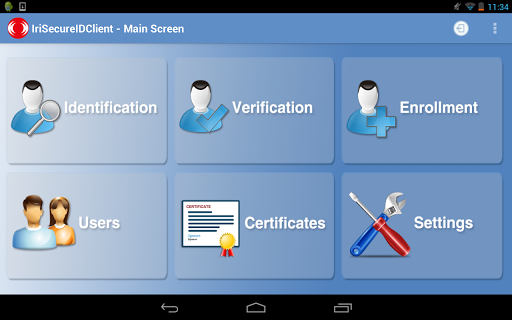
IriSecureID provides many iris recognition services including enrollment, verification, identification and administration. These functions, which were designed suitable for various clients, enable to register and verify identities remotely through a web-service interface, namely SOAP.
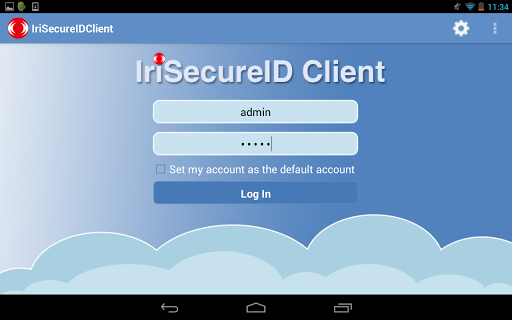
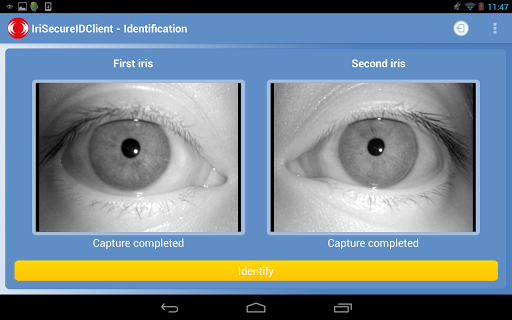
IriSecureID Client is an application demonstrating how to use IriShieldTM camera with IriSecureIDService. It operates on the host device. IriSecureID Client is attached to a IriShieldTM camera that connects to IriSecureIDService.
Main functions:
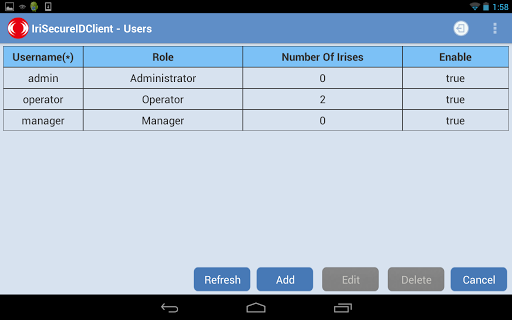
- User management.
- Enrollee management.
- Identification.
- Verification.
Here are the Key features:
- Iris Recognition Algorithm: Proven iris recognition and image quality assessment algorithms by NIST
- A Friendly GUI: Quick installation and easy to use the application
Hardware requirement:
- IriTech's IriShield camera
System requirements:
- Android OS 3.1 or higher
- FULL USB HOST supported
- Allowing current output from the USB port of at least 250 mA (for IriShield MK/MO 2120) or 430 mA (for IriShield BK/BO 2121).
- 500MHz Processor or higher
- 50MB available storage
- 1 USB 2.0 port
Please contact our developers for any feedback or problem at collaboration@iritech.com
Check out our website for any further information http://www.iritech.com/
Thank you for supporting this project
IriTech, Inc. Team
Version 1.1.0
Updated on Aug 19, 2013
Size: 5.69 MB
Mehr anzeigen

1. Laden das MEmu-Installationsprogramm herunter und beenden die Installation

2. MEmu starten und Google Play auf der Homepage öffnen

3. Suchen IriSecureIDClient in Google Play
Install
4. Herunterladen und Installieren IriSecureIDClient
5. Klicken nach Abschluss der Installation auf das Symbol, um es zu starten

6. Verwenden Sie MEmu, um IriSecureIDClient auf Ihrem PC zu nutzen
MEmu Play ist aktuell der beste kostenlose Android-Emulator und bietet 50 Millionen Nutzern ein überragendes Android-App-Erlebnis. Dank der Virtualisierungstechnologie von MEmu können Sie Tausende von Android-Apps problemlos auf Ihrem Computer nutzen, selbst solche mit hohen Grafikanforderungen.
BGrößeres Bild mit besserer Grafik; Keine unterbrechungen, keine sorgen um Akku
Komplette Tastenbelegung unterstützt mit Maus und Tastatur oder Controller
Mit dem „Multi-Instance-Manager“ können Sie mehrere Spielkonten oder Spiele gleichzeitig auf einem PC ausführen.
Use IriSecureIDClient on PC by following steps: