LetsVPN Free - Fastest Unlimited Secure VPN Proxy auf dem PC herunterlanden
LetsVPN Free - Fastest Unlimited Secure VPN Proxy auf dem PC herunterlanden
LetsVPN Free - Fastest Unlimited Secure VPN Proxy
Aktualisiert
Aktuelle Version
2.21.0
Angeboten von

Machen Sie sich keine Sorgen mehr über überhöhte Gebühren, wenn Sie LetsVPN Free - Fastest Unlimited Secure VPN Proxy auf Ihrem Mobiltelefon verwenden, befreien Sie sich von dem winzigen Bildschirm und genießen Sie die Nutzung der App auf einem viel größeren Display. Von nun an können Sie Ihre App mit Tastatur und Maus im Vollbildmodus nutzen. MEmu bietet Ihnen all die überraschenden Funktionen, die Sie erwartet haben: schnelle Installation und einfache Einrichtung, intuitive Steuerung, keine Einschränkungen mehr durch Batterie, mobile Daten und störende Anrufe. Der brandneue MEmu 9 ist die beste Wahl für die Nutzung von LetsVPN Free - Fastest Unlimited Secure VPN Proxy auf Ihrem Computer. Mit unserer Absorption kodiert, ermöglicht der Multi-Instanz-Manager die Eröffnung von 2 oder mehr Konten zur gleichen Zeit. Und das Wichtigste, unsere exklusive Emulations-Engine kann das volle Potenzial Ihres PCs freisetzen und alles reibungslos und angenehm gestalten.
Mehr anzeigen
Laden Sie Play LetsVPN Free - Fastest Unlimited Secure VPN Proxy auf dem PC mit MEmu Android Emulator. Viel Spaß beim Spielen auf großmundieren. LetsVPN is a 100% free, fast, unlimited, stable, and secure tool that helps you to access any geo-restricted content easily.
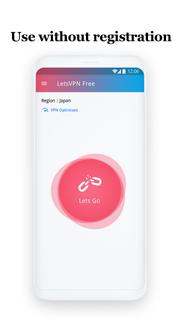
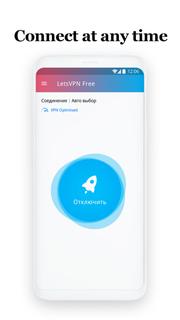
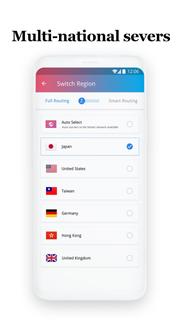
LetsVPN is a 100% free, fast, unlimited, stable, and secure tool that helps you to access any geo-restricted content easily. No more blocking!*100% FREE Forever!*No payment needed to register!Totally free from the beginning till the end. No data or bandwidth limitation. Free to use 24x7. *Ultra-Fast Speed!*Watch 4K video smoothly with no lag & enjoy the lowest game ping rate.Boosts your speed to 100M in just 1 second. *Unblock Geo-restriction!*Watch content from any other country in the world on YouTube, Netflix, Disney+, and many more freely. Never missed any famous show in America! Visit any website that’s been restricted in your area! Play PUBG Mobile, Mobile Legend, Marvel Super war, and other popular games, never being left out again!Watch your favorite home TV shows from anywhere in the world. *Stay Safe Anywhere, Anytime!*No personal information required to use the service. Change your IP address, keep you anonymous online at all times, leaves no trace to anyone!Turn the public Wi-Fi into your personal private network, stay away from hackers! Fully protect your online transactions! *Easy To Use!*Get connected in just one tap.User-friendly interface, connect in just 3 seconds. No set-up required.Automatically select the most appropriate protocol for you. Intelligent selection for the optimal server!*Real-time Customer Service!*Gets your queries resolved in real-time in-App communication. Gives you a hassle-free user experience.
Mehr anzeigen

1. Laden das MEmu-Installationsprogramm herunter und beenden die Installation

2. MEmu starten und Google Play auf der Homepage öffnen

3. Suchen LetsVPN Free - Fastest Unlimited Secure VPN Proxy in Google Play
Install
4. Herunterladen und Installieren LetsVPN Free - Fastest Unlimited Secure VPN Proxy
5. Klicken nach Abschluss der Installation auf das Symbol, um es zu starten

6. Verwenden Sie MEmu, um LetsVPN Free - Fastest Unlimited Secure VPN Proxy auf Ihrem PC zu nutzen
MEmu Play ist aktuell der beste kostenlose Android-Emulator und bietet 50 Millionen Nutzern ein überragendes Android-App-Erlebnis. Dank der Virtualisierungstechnologie von MEmu können Sie Tausende von Android-Apps problemlos auf Ihrem Computer nutzen, selbst solche mit hohen Grafikanforderungen.
BGrößeres Bild mit besserer Grafik; Keine unterbrechungen, keine sorgen um Akku
Komplette Tastenbelegung unterstützt mit Maus und Tastatur oder Controller
Mit dem „Multi-Instance-Manager“ können Sie mehrere Spielkonten oder Spiele gleichzeitig auf einem PC ausführen.
Use LetsVPN Free - Fastest Unlimited Secure VPN Proxy on PC by following steps: