mBlock Blockly
Aktualisiert
Aktuelle Version
0.8.8.0
Angeboten von

Machen Sie sich keine Sorgen mehr über überhöhte Gebühren, wenn Sie mBlock Blockly auf Ihrem Mobiltelefon verwenden, befreien Sie sich von dem winzigen Bildschirm und genießen Sie die Nutzung der App auf einem viel größeren Display. Von nun an können Sie Ihre App mit Tastatur und Maus im Vollbildmodus nutzen. MEmu bietet Ihnen all die überraschenden Funktionen, die Sie erwartet haben: schnelle Installation und einfache Einrichtung, intuitive Steuerung, keine Einschränkungen mehr durch Batterie, mobile Daten und störende Anrufe. Der brandneue MEmu 9 ist die beste Wahl für die Nutzung von mBlock Blockly auf Ihrem Computer. Mit unserer Absorption kodiert, ermöglicht der Multi-Instanz-Manager die Eröffnung von 2 oder mehr Konten zur gleichen Zeit. Und das Wichtigste, unsere exklusive Emulations-Engine kann das volle Potenzial Ihres PCs freisetzen und alles reibungslos und angenehm gestalten.
Mehr anzeigen
Laden Sie Play mBlock Blockly auf dem PC mit MEmu Android Emulator. Viel Spaß beim Spielen auf großmundieren. mBlock Blockly, renamed from the mBlock App, is a graphical programming software made by Makeblock for STEAM education.
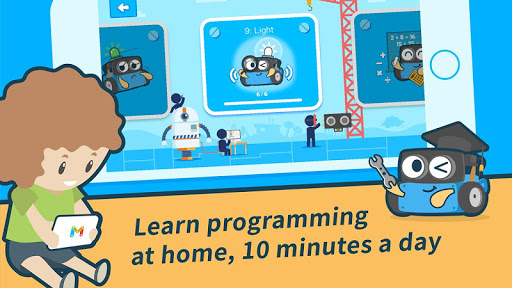
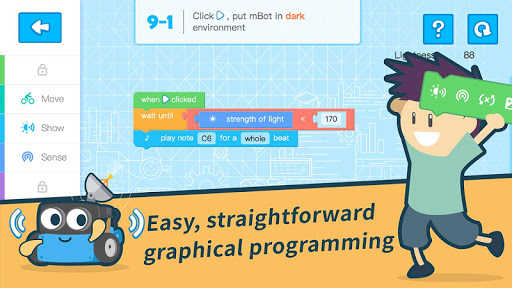
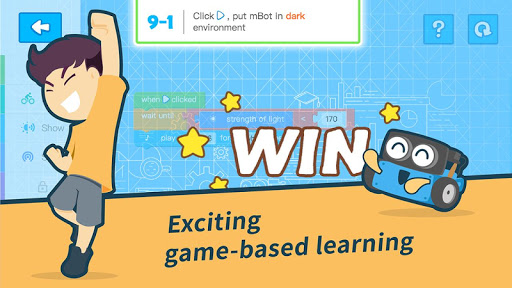
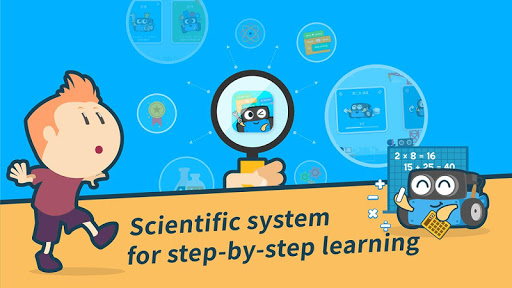
mBlock Blockly, renamed from the mBlock App, is a graphical programming software made by Makeblock for STEAM education. It introduces users to the world of robotic programming. Without any prior knowledge, users can start programming robots by playing through games; then they can personalize their mBots with newly-learnt programming skills. mBlock Blockly opens up new minds for children: by means of programming, mBlock Blockly introduces program solving strategies and ways to design a project. mBlock Blockly nurtures creative thinkers of the future with communications and hands-on projects.
Features:
* Learn programming at home, 10 minutes a day: have fun with mBot and courses as game levels designed by education professionals.
* Easy, straightforward graphical programming: code as easy as playing with building blocks, with the globally-received graphical-programming language customized for the mBot.
* Exciting game-based learning: complete challenging tasks, experience the joy of victory in a series of coding games, and fall in love with programming.
* Scientific system for step-by-step learning: Learn step-by-step following our well-designed curriculum for robotics and programming.
* Bring your mBot to life: turn your mBot into your personal robot with the Creative Mode and your powerful programming & robotic skills.
And there's more:
* Based on Blockly: the well-received graphical programming language
* Mobile Exclusive: Support iPhone and iPad devices
* Bluetooth Connection: Connect your robot by simple touching it
* Offline Support: Work without Internet connection
* Online Updates: Receive new course content automatically when connected to the Internet
* Language support: for mBot: English, German, French, Spanish, Portuguese, Italian, Dutch, Turkish, Japanese, Russian, Ukrainian, Korean, Simplified Chinese, Chinese Traditional;for mBot Ranger: English, German, French, Portuguese, Dutch, Turkish, Japanese, Ukrainian, Simplified Chinese, Chinese Traditional
* Professional Content Team: Professional game-based learning team designs and continually updates course content.
* Professional Technical Team: Continuous software optimization ensures a stable user experience.
Mehr anzeigen

1. Laden das MEmu-Installationsprogramm herunter und beenden die Installation

2. MEmu starten und Google Play auf der Homepage öffnen

3. Suchen mBlock Blockly in Google Play
Install
4. Herunterladen und Installieren mBlock Blockly
5. Klicken nach Abschluss der Installation auf das Symbol, um es zu starten

6. Verwenden Sie MEmu, um mBlock Blockly auf Ihrem PC zu nutzen
MEmu Play ist aktuell der beste kostenlose Android-Emulator und bietet 50 Millionen Nutzern ein überragendes Android-App-Erlebnis. Dank der Virtualisierungstechnologie von MEmu können Sie Tausende von Android-Apps problemlos auf Ihrem Computer nutzen, selbst solche mit hohen Grafikanforderungen.
BGrößeres Bild mit besserer Grafik; Keine unterbrechungen, keine sorgen um Akku
Komplette Tastenbelegung unterstützt mit Maus und Tastatur oder Controller
Mit dem „Multi-Instance-Manager“ können Sie mehrere Spielkonten oder Spiele gleichzeitig auf einem PC ausführen.
Use mBlock Blockly on PC by following steps: