Movie Box Smooth & 4K Media
Aktualisiert
Aktuelle Version
Angeboten von

Machen Sie sich keine Sorgen mehr über überhöhte Gebühren, wenn Sie Movie Box Smooth & 4K Media auf Ihrem Mobiltelefon verwenden, befreien Sie sich von dem winzigen Bildschirm und genießen Sie die Nutzung der App auf einem viel größeren Display. Von nun an können Sie Ihre App mit Tastatur und Maus im Vollbildmodus nutzen. MEmu bietet Ihnen all die überraschenden Funktionen, die Sie erwartet haben: schnelle Installation und einfache Einrichtung, intuitive Steuerung, keine Einschränkungen mehr durch Batterie, mobile Daten und störende Anrufe. Der brandneue MEmu 9 ist die beste Wahl für die Nutzung von Movie Box Smooth & 4K Media auf Ihrem Computer. Mit unserer Absorption kodiert, ermöglicht der Multi-Instanz-Manager die Eröffnung von 2 oder mehr Konten zur gleichen Zeit. Und das Wichtigste, unsere exklusive Emulations-Engine kann das volle Potenzial Ihres PCs freisetzen und alles reibungslos und angenehm gestalten.
Mehr anzeigen
Genieße Movie Box Smooth & 4K Media auf deinem PC mit MEmu Play in einer fantastischen Version. Dieser leistungsstarke, kostenlose Android-Emulator bietet dir Zugriff auf Tausende von Android-Apps für deinen Desktop. Bleib mit Freunden in Kontakt und arbeite effizienter! Looking for the ultimate cinematic experience right on your phone?
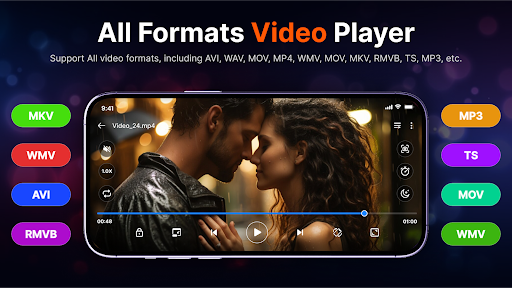
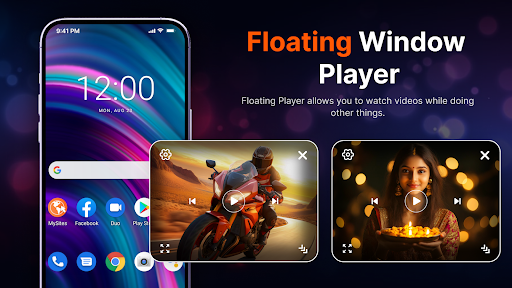
Looking for the ultimate cinematic experience right on your phone? Meet Movie Box, the highest-rated HD Video Player designed to play all video formats with stunning clarity and flawless audio.
Whether you want to watch standard MP4s, stream high-bitrate 4K Ultra HD films, or play MKV files with multi-language subtitles, This App handles it all seamlessly. Say goodbye to lagging, format errors, and annoying audio sync issues!
Why Choose HD Video Player?
This App is more than just a media player; it’s your personal pocket theater. Engineered with advanced hardware acceleration, it delivers lightning-fast performance while saving your device's battery life.
Key Features You’ll Love:
All Format Video Support: Play MKV, MP4, M4V, AVI, MOV, 3GP, FLV, WMV, RMVB, TS, and more.
Ultra HD & 4K Playback: Experience breathtaking video quality with full hardware acceleration support (HW+).
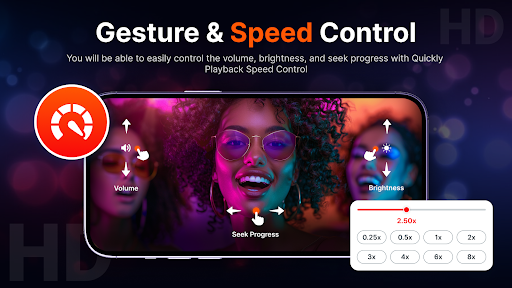
Smart Gesture Controls: Easily swipe to control volume, brightness, zoom, and playback progress.
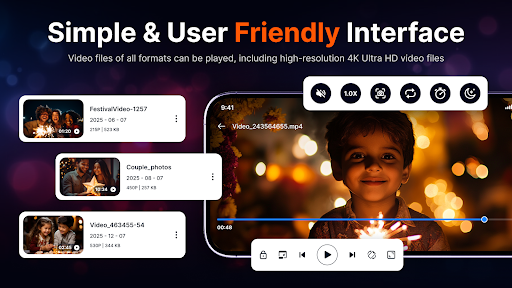
Smart Media Library: Automatically detect, organize, and manage all video and audio files on your device and SD card.
Optimized for Speed & Efficiency
This App is lightweight and optimized to prevent lag, even when streaming heavy 4K or 1080p files. With background audio support and an intuitive user interface, switching between videos has never been smoother.
Disclaimer
This app is a standalone video player and does not host, upload, or provide any copyrighted content. Users are responsible for the media they play within the app.
The Movie Box app only provides a platform to play locally stored or user-accessed content.
© Credits
All content, trademarks, and media belong to their respective owners.
This app does not claim ownership of any third-party content.
Download HD Video Player today and elevate your movie-watching experience to the next level!
Mehr anzeigen

1. Laden das MEmu-Installationsprogramm herunter und beenden die Installation

2. MEmu starten und Google Play auf der Homepage öffnen

3. Suchen Movie Box Smooth & 4K Media in Google Play
Install
4. Herunterladen und Installieren Movie Box Smooth & 4K Media
5. Klicken nach Abschluss der Installation auf das Symbol, um es zu starten

6. Verwenden Sie MEmu, um Movie Box Smooth & 4K Media auf Ihrem PC zu nutzen
MEmu Play ist aktuell der beste kostenlose Android-Emulator und bietet 50 Millionen Nutzern ein überragendes Android-App-Erlebnis. Dank der Virtualisierungstechnologie von MEmu können Sie Tausende von Android-Apps problemlos auf Ihrem Computer nutzen, selbst solche mit hohen Grafikanforderungen.
BGrößeres Bild mit besserer Grafik; Keine unterbrechungen, keine sorgen um Akku
Komplette Tastenbelegung unterstützt mit Maus und Tastatur oder Controller
Mit dem „Multi-Instance-Manager“ können Sie mehrere Spielkonten oder Spiele gleichzeitig auf einem PC ausführen.
Use Movie Box Smooth & 4K Media on PC by following steps: