Parallel Hub: Clone & Dual App
Aktualisiert
Aktuelle Version
1.2.8.10
Angeboten von

Machen Sie sich keine Sorgen mehr über überhöhte Gebühren, wenn Sie Parallel Hub: Clone & Dual App auf Ihrem Mobiltelefon verwenden, befreien Sie sich von dem winzigen Bildschirm und genießen Sie die Nutzung der App auf einem viel größeren Display. Von nun an können Sie Ihre App mit Tastatur und Maus im Vollbildmodus nutzen. MEmu bietet Ihnen all die überraschenden Funktionen, die Sie erwartet haben: schnelle Installation und einfache Einrichtung, intuitive Steuerung, keine Einschränkungen mehr durch Batterie, mobile Daten und störende Anrufe. Der brandneue MEmu 9 ist die beste Wahl für die Nutzung von Parallel Hub: Clone & Dual App auf Ihrem Computer. Mit unserer Absorption kodiert, ermöglicht der Multi-Instanz-Manager die Eröffnung von 2 oder mehr Konten zur gleichen Zeit. Und das Wichtigste, unsere exklusive Emulations-Engine kann das volle Potenzial Ihres PCs freisetzen und alles reibungslos und angenehm gestalten.
Mehr anzeigen
Genieße Parallel Hub: Clone & Dual App auf deinem PC mit MEmu Play in einer fantastischen Version. Dieser leistungsstarke, kostenlose Android-Emulator bietet dir Zugriff auf Tausende von Android-Apps für deinen Desktop. Bleib mit Freunden in Kontakt und arbeite effizienter! Parallel Hub is a leading Android tool that helps you easily clone and run multiple accounts of the same app simultaneously.
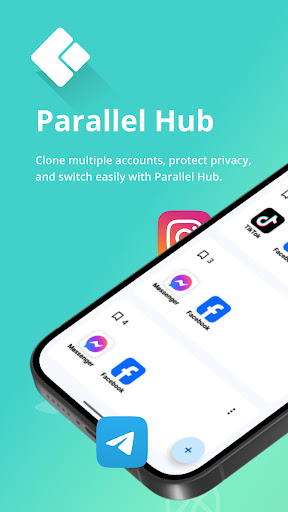
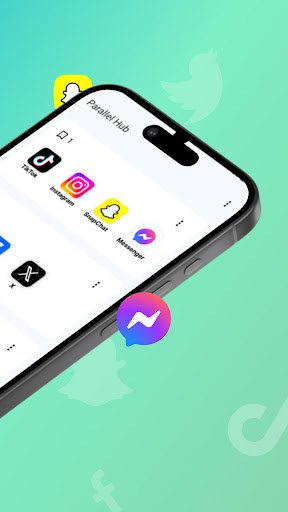
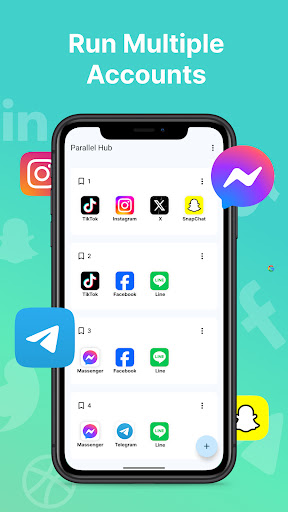
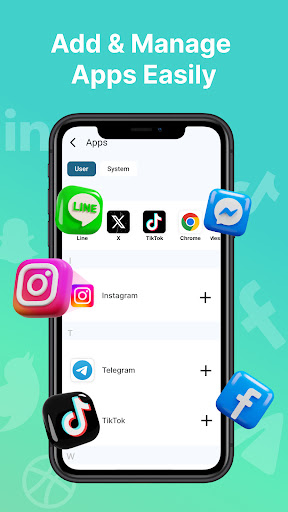
Parallel Hub is a leading Android tool that helps you easily clone and run multiple accounts of the same app simultaneously. It allows you to manage multiple social, work, and gaming accounts on a single device, keeping your personal and professional life in balance.
Key Features:
Multiple Account Management
Log in to multiple accounts on one device. Keep personal and work accounts separate, or explore different game paths while managing several accounts at once.
Privacy Protection
Enjoy enhanced privacy with the "Incognito Installation" feature, which hides apps on your device to prevent others from seeing them. The added security lock feature further protects your privacy.
Seamless Account Switching
Switch between accounts with just one tap—no need to log in again, saving time and effort.
Why Choose Parallel Hub?
Security and Privacy
Protect your accounts and personal information with our "Incognito Mode." Sensitive apps can remain hidden on your device to prevent unauthorized access.
Powerful and Stable Virtualization Engine
Built on the Tse engine, Parallel Hub is powered by an advanced virtualization engine that ensures smooth and stable multi-account management.
Wide Compatibility
Compatible with most Android apps, Parallel Hub caters to diverse user needs.
Important Notes:
App Support: Some apps may not be supported by Parallel Hub, such as those that require the REQUIRE_SECURE_ENV flag.
Privacy Assurance: We do not collect any personal information. Your privacy is our top priority.
Mehr anzeigen

1. Laden das MEmu-Installationsprogramm herunter und beenden die Installation

2. MEmu starten und Google Play auf der Homepage öffnen

3. Suchen Parallel Hub: Clone & Dual App in Google Play
Install
4. Herunterladen und Installieren Parallel Hub: Clone & Dual App
5. Klicken nach Abschluss der Installation auf das Symbol, um es zu starten

6. Verwenden Sie MEmu, um Parallel Hub: Clone & Dual App auf Ihrem PC zu nutzen
MEmu Play ist aktuell der beste kostenlose Android-Emulator und bietet 50 Millionen Nutzern ein überragendes Android-App-Erlebnis. Dank der Virtualisierungstechnologie von MEmu können Sie Tausende von Android-Apps problemlos auf Ihrem Computer nutzen, selbst solche mit hohen Grafikanforderungen.
BGrößeres Bild mit besserer Grafik; Keine unterbrechungen, keine sorgen um Akku
Komplette Tastenbelegung unterstützt mit Maus und Tastatur oder Controller
Mit dem „Multi-Instance-Manager“ können Sie mehrere Spielkonten oder Spiele gleichzeitig auf einem PC ausführen.
Use Parallel Hub: Clone & Dual App on PC by following steps: