PDF Editor: Document Reader
Aktualisiert
Aktuelle Version
1.0.5
Angeboten von

Machen Sie sich keine Sorgen mehr über überhöhte Gebühren, wenn Sie PDF Editor: Document Reader auf Ihrem Mobiltelefon verwenden, befreien Sie sich von dem winzigen Bildschirm und genießen Sie die Nutzung der App auf einem viel größeren Display. Von nun an können Sie Ihre App mit Tastatur und Maus im Vollbildmodus nutzen. MEmu bietet Ihnen all die überraschenden Funktionen, die Sie erwartet haben: schnelle Installation und einfache Einrichtung, intuitive Steuerung, keine Einschränkungen mehr durch Batterie, mobile Daten und störende Anrufe. Der brandneue MEmu 9 ist die beste Wahl für die Nutzung von PDF Editor: Document Reader auf Ihrem Computer. Mit unserer Absorption kodiert, ermöglicht der Multi-Instanz-Manager die Eröffnung von 2 oder mehr Konten zur gleichen Zeit. Und das Wichtigste, unsere exklusive Emulations-Engine kann das volle Potenzial Ihres PCs freisetzen und alles reibungslos und angenehm gestalten.
Mehr anzeigen
Genieße PDF Editor: Document Reader auf deinem PC mit MEmu Play in einer fantastischen Version. Dieser leistungsstarke, kostenlose Android-Emulator bietet dir Zugriff auf Tausende von Android-Apps für deinen Desktop. Bleib mit Freunden in Kontakt und arbeite effizienter! PDF Editor: Document Reader is an all-in-one PDF reader, PDF editor and document viewer that helps you open, read, edit and manage files directly on your phone.
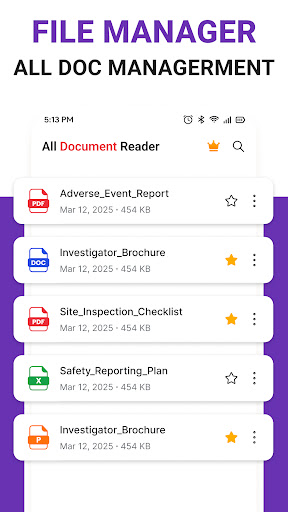
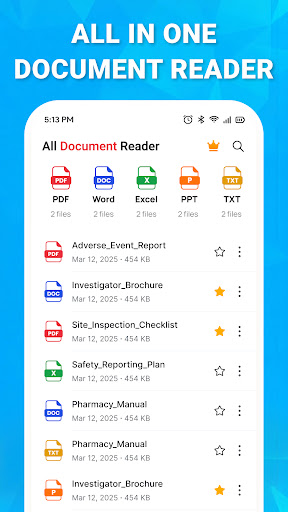
PDF Editor: Document Reader is an all-in-one PDF reader, PDF editor and document viewer that helps you open, read, edit and manage files directly on your phone.
Access PDF, Word, Excel, PowerPoint and text documents easily without switching between multiple apps.
All-in-One Document Reader
Open and view your important files anytime:
PDF Reader: Read PDF files smoothly with search, zoom and easy page navigation.
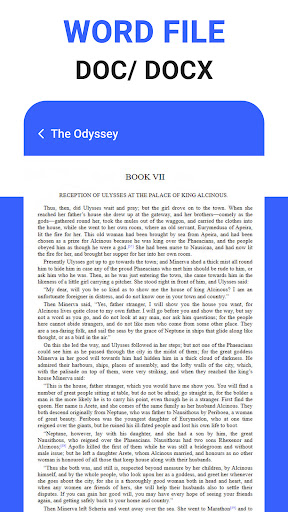
Word Viewer: Open DOC and DOCX documents with a clear layout.
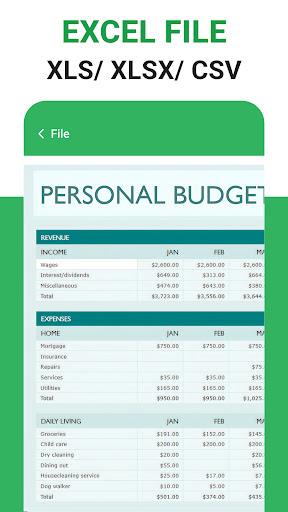
Excel Reader: View XLS and XLSX spreadsheets conveniently.
PowerPoint Viewer: Open PPT and PPTX presentations on your phone.
Text Reader: Read TXT and RTF files quickly.
PDF Editor & Annotation
Work with PDF documents using practical editing tools:
• Add text, notes and annotations to PDF files
• Highlight, underline or draw on PDF pages
• Fill and sign PDF documents
• Rotate, reorder or delete PDF pages
• Merge and split PDF files easily
PDF Scanner & Converter
Turn documents and images into PDF files:
• Scan receipts, notes and paper documents
• Convert images and photos to PDF
• Create multi-page PDF files
• Compress PDF files for easier sharing
Smart File Manager
Keep your documents organized:
• Automatically find supported files on your device
• Search documents by file name
• Sort files by name, date or size
• Rename, delete and share documents
• Quickly access recent and favorite files
Simple, Fast & Convenient
PDF Editor: Document Reader gives you the essential tools to read documents, edit PDFs, scan files and organize your office documents in one place.
Perfect for studying, working, reviewing documents or managing everyday files on your Android device.
Download PDF Editor: Document Reader and keep your important documents within easy reach.
Mehr anzeigen

1. Laden das MEmu-Installationsprogramm herunter und beenden die Installation

2. MEmu starten und Google Play auf der Homepage öffnen

3. Suchen PDF Editor: Document Reader in Google Play
Install
4. Herunterladen und Installieren PDF Editor: Document Reader
5. Klicken nach Abschluss der Installation auf das Symbol, um es zu starten

6. Verwenden Sie MEmu, um PDF Editor: Document Reader auf Ihrem PC zu nutzen
MEmu Play ist aktuell der beste kostenlose Android-Emulator und bietet 50 Millionen Nutzern ein überragendes Android-App-Erlebnis. Dank der Virtualisierungstechnologie von MEmu können Sie Tausende von Android-Apps problemlos auf Ihrem Computer nutzen, selbst solche mit hohen Grafikanforderungen.
BGrößeres Bild mit besserer Grafik; Keine unterbrechungen, keine sorgen um Akku
Komplette Tastenbelegung unterstützt mit Maus und Tastatur oder Controller
Mit dem „Multi-Instance-Manager“ können Sie mehrere Spielkonten oder Spiele gleichzeitig auf einem PC ausführen.
Use PDF Editor: Document Reader on PC by following steps: