Pear Launcher
Aktualisiert
Aktuelle Version
3.6.0
Angeboten von

Machen Sie sich keine Sorgen mehr über überhöhte Gebühren, wenn Sie Pear Launcher auf Ihrem Mobiltelefon verwenden, befreien Sie sich von dem winzigen Bildschirm und genießen Sie die Nutzung der App auf einem viel größeren Display. Von nun an können Sie Ihre App mit Tastatur und Maus im Vollbildmodus nutzen. MEmu bietet Ihnen all die überraschenden Funktionen, die Sie erwartet haben: schnelle Installation und einfache Einrichtung, intuitive Steuerung, keine Einschränkungen mehr durch Batterie, mobile Daten und störende Anrufe. Der brandneue MEmu 9 ist die beste Wahl für die Nutzung von Pear Launcher auf Ihrem Computer. Mit unserer Absorption kodiert, ermöglicht der Multi-Instanz-Manager die Eröffnung von 2 oder mehr Konten zur gleichen Zeit. Und das Wichtigste, unsere exklusive Emulations-Engine kann das volle Potenzial Ihres PCs freisetzen und alles reibungslos und angenehm gestalten.
Mehr anzeigen
Laden Sie Play Pear Launcher auf dem PC mit MEmu Android Emulator. Viel Spaß beim Spielen auf großmundieren. • Folders in app drawer.
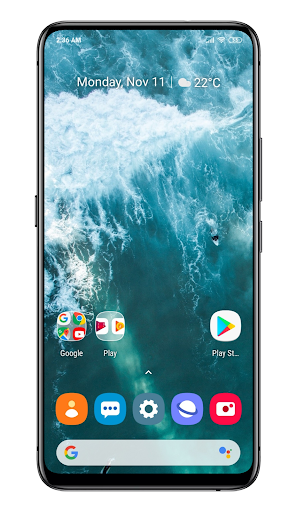
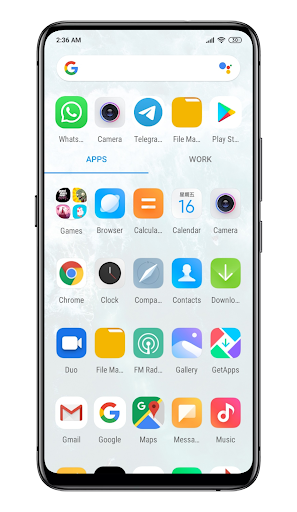
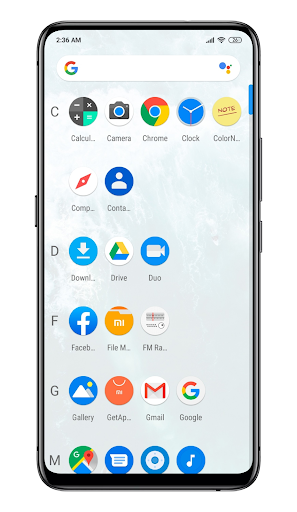
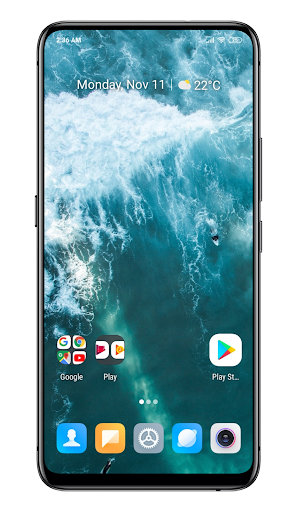
• Folders in app drawer.
• Choose your drawer style (vertical, paged, sections).
• Swipe up actions for shortcuts.
• Google now integration with Pear now companion. Option to show it as overlay also.
• Customisable desktop. choose your indicators style, grid size, icon labels customization, lock desktop, top shadow, scroll wallpaper and margin.
• Drawer Customisations Card background grid size, sort mode(alphabetical or install time), show search bar, predicted apps, accent color ,direct scroll , Pull dock to open and much more.
• Dock . You can enable labels for dock, change number of icons , disable dock change its background.
• Hide your apps.
• App shortcuts backport
• Customise the layout of folders, colors of preview, background ,labels, folder opening animation
• Support for per folder smart folders(Swipe to open, click to open first app). Smart folders are shown with a badge. Added option in settings for auto smart folders which can be used to create every new folder as smart folder.
• Icon Packs - Find thousands of icon packs for Pear Launcher on the Play Store.
• Dark mode option for all parts of the launcher.
• Icon normalization - It will resize your icon shape to match other icons.
• Allowing blurring many elements of the user interface.
• Option to show searchbar in dock (above or below dock)
• Animated clock icon
• Change font style, hide notification bar, change its color , change app opening animation , orientation.
• Backup & Restore - Backup & Restore allows you to backup your layout and pear settings
• Gestures - Swipe up , swipe down , double tap,. swipe to right on first page, swipe to left on last page button actions choose what to do when you press home on default screen or on any screen. Many actions to choose from including opening notification bar, quick settings, apps, drawer etc.
• Quickstep support for Android 9.
This app can be optionally given device administrator privileges to lock the phone (using Pear Launcher’s gestures or pear action).
Pear Launcher can be optionally given accessibility services access to open notification panel, quick settings, recent apps or to lock screen on android 9 and above. No data is collected or accessed through accessibility services.
You can unlock following features by purchasing Pear Launcher Pro
To have more than 10 apps in drawer folders
App drawer groups
Extract badge color from app icon
Swipe up two fingers, Swipe down two fingers gestures
Proximity and shake gestures
Mehr anzeigen

1. Laden das MEmu-Installationsprogramm herunter und beenden die Installation

2. MEmu starten und Google Play auf der Homepage öffnen

3. Suchen Pear Launcher in Google Play
Install
4. Herunterladen und Installieren Pear Launcher
5. Klicken nach Abschluss der Installation auf das Symbol, um es zu starten

6. Verwenden Sie MEmu, um Pear Launcher auf Ihrem PC zu nutzen
MEmu Play ist aktuell der beste kostenlose Android-Emulator und bietet 50 Millionen Nutzern ein überragendes Android-App-Erlebnis. Dank der Virtualisierungstechnologie von MEmu können Sie Tausende von Android-Apps problemlos auf Ihrem Computer nutzen, selbst solche mit hohen Grafikanforderungen.
BGrößeres Bild mit besserer Grafik; Keine unterbrechungen, keine sorgen um Akku
Komplette Tastenbelegung unterstützt mit Maus und Tastatur oder Controller
Mit dem „Multi-Instance-Manager“ können Sie mehrere Spielkonten oder Spiele gleichzeitig auf einem PC ausführen.
Use Pear Launcher on PC by following steps: