Scary Glitch Camera Prank
Aktualisiert
Aktuelle Version
7.2.7
Angeboten von

Machen Sie sich keine Sorgen mehr über überhöhte Gebühren, wenn Sie Scary Glitch Camera Prank auf Ihrem Mobiltelefon verwenden, befreien Sie sich von dem winzigen Bildschirm und genießen Sie die Nutzung der App auf einem viel größeren Display. Von nun an können Sie Ihre App mit Tastatur und Maus im Vollbildmodus nutzen. MEmu bietet Ihnen all die überraschenden Funktionen, die Sie erwartet haben: schnelle Installation und einfache Einrichtung, intuitive Steuerung, keine Einschränkungen mehr durch Batterie, mobile Daten und störende Anrufe. Der brandneue MEmu 9 ist die beste Wahl für die Nutzung von Scary Glitch Camera Prank auf Ihrem Computer. Mit unserer Absorption kodiert, ermöglicht der Multi-Instanz-Manager die Eröffnung von 2 oder mehr Konten zur gleichen Zeit. Und das Wichtigste, unsere exklusive Emulations-Engine kann das volle Potenzial Ihres PCs freisetzen und alles reibungslos und angenehm gestalten.
Mehr anzeigen
Laden Sie Play Scary Glitch Camera Prank auf dem PC mit MEmu Android Emulator. Viel Spaß beim Spielen auf großmundieren. Do you want to perform super scary photo editing which will leave everybody speechless?
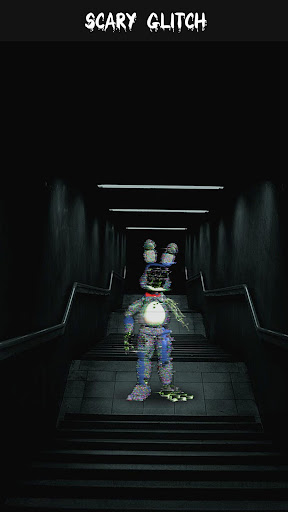
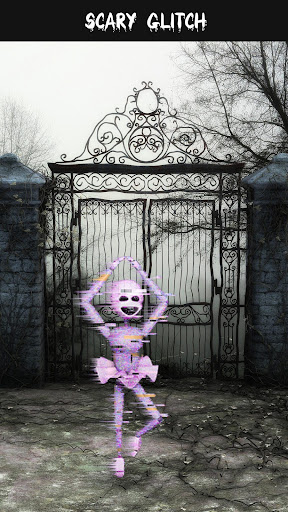
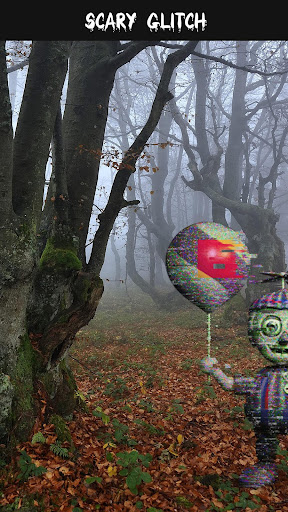
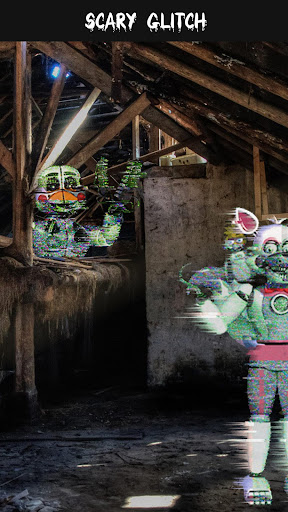
Do you want to perform super scary photo editing which will leave everybody speechless? Get ready to meet your new helper - Scary Glitch Camera. Your pics will be like those scenes from horror movies as soon as you add a sticker for picture to your face. So wait no longer to try it out – download our free Scary Photo Editor, take a selfie or choose one of the pics from the gallery and add a glitch stickers to create an effect of horror. Can you imagine such a scary photo montage? Don't imagine but follow the steps and get Scary Camera in a matter of seconds, for free.
Horror films will be nothing in comparison to the “scary photos” you will create in our fantastic Scary Glitch Camera. The good news is that this is a Scary Picture Editor for girls as well as a Horror Photo Editor for boys, which makes it the best Scary Face App in the whole world. What is your job here – download our Scary Glitch app for free, of course, choose the appropriate selfie pic, and edit picture with Scary Rabbit stickers right away. When you perform the scary photo edit, we believe there will be no pic on the net which can get into a competition with yours. Always have fun, and don't wait for others to make fun instead of you, create it yourself with this Horror Picture Editor.
If you want a Scary Pictures which will scare the wits out of all the people you know, or have as friends on social networks, we suggest that you wait no longer but download our Scary Pranks and find out what will suit your photo the best.
Scary Glitch Camera features:
- A huge number of supernatural stickers for photos.
- Easy to use scary photo makeover and entertaining simulator.
- Best Halloween party filters and creepy stickers to put on pictures.
- Easy to adjust scary faces camera with glitch filters and effects.
- Multiple templates of evil creatures for your images available.
- Choose your favorite monster in photo and put it in your selfie.
- Rotate and resize the spooky picture stickers and make a frightening photo collage.
- Explore the new scary simulator with effects on your photos.
- Share your poltergeist photo manipulation on social media.
- Set your scary camera prank pics as creepy wallpapers on your home screen or lock screen.
Enjoy all the photo fun brought to you by our awesome Scary Glitch Camera.
Mehr anzeigen

1. Laden das MEmu-Installationsprogramm herunter und beenden die Installation

2. MEmu starten und Google Play auf der Homepage öffnen

3. Suchen Scary Glitch Camera Prank in Google Play
Install
4. Herunterladen und Installieren Scary Glitch Camera Prank
5. Klicken nach Abschluss der Installation auf das Symbol, um es zu starten

6. Verwenden Sie MEmu, um Scary Glitch Camera Prank auf Ihrem PC zu nutzen
MEmu Play ist aktuell der beste kostenlose Android-Emulator und bietet 50 Millionen Nutzern ein überragendes Android-App-Erlebnis. Dank der Virtualisierungstechnologie von MEmu können Sie Tausende von Android-Apps problemlos auf Ihrem Computer nutzen, selbst solche mit hohen Grafikanforderungen.
BGrößeres Bild mit besserer Grafik; Keine unterbrechungen, keine sorgen um Akku
Komplette Tastenbelegung unterstützt mit Maus und Tastatur oder Controller
Mit dem „Multi-Instance-Manager“ können Sie mehrere Spielkonten oder Spiele gleichzeitig auf einem PC ausführen.
Use Scary Glitch Camera Prank on PC by following steps: