SPAR UAE
Aktualisiert
Aktuelle Version
4.0.0
Angeboten von

Machen Sie sich keine Sorgen mehr über überhöhte Gebühren, wenn Sie SPAR UAE auf Ihrem Mobiltelefon verwenden, befreien Sie sich von dem winzigen Bildschirm und genießen Sie die Nutzung der App auf einem viel größeren Display. Von nun an können Sie Ihre App mit Tastatur und Maus im Vollbildmodus nutzen. MEmu bietet Ihnen all die überraschenden Funktionen, die Sie erwartet haben: schnelle Installation und einfache Einrichtung, intuitive Steuerung, keine Einschränkungen mehr durch Batterie, mobile Daten und störende Anrufe. Der brandneue MEmu 9 ist die beste Wahl für die Nutzung von SPAR UAE auf Ihrem Computer. Mit unserer Absorption kodiert, ermöglicht der Multi-Instanz-Manager die Eröffnung von 2 oder mehr Konten zur gleichen Zeit. Und das Wichtigste, unsere exklusive Emulations-Engine kann das volle Potenzial Ihres PCs freisetzen und alles reibungslos und angenehm gestalten.
Mehr anzeigen
Laden Sie Play SPAR UAE auf dem PC mit MEmu Android Emulator. Viel Spaß beim Spielen auf großmundieren. Experience the convenience of grocery shopping with SPAR user-friendly e-commerce app that allows you to modify your cart up until dispatch easily.
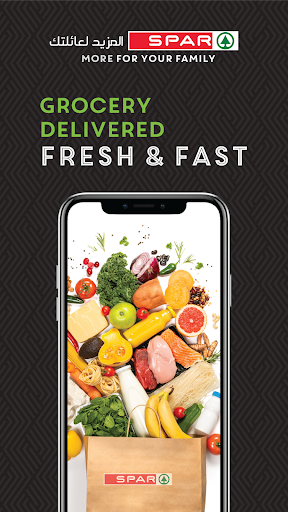
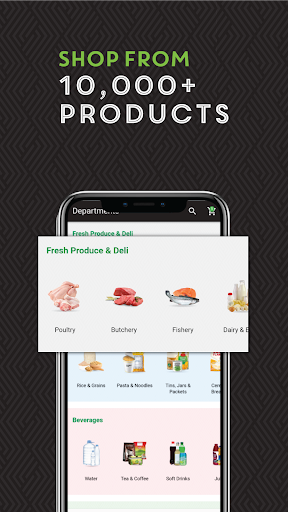

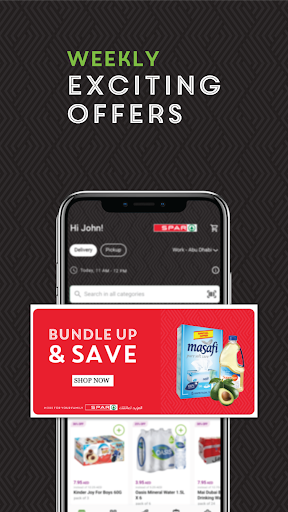
Experience the convenience of grocery shopping with SPAR user-friendly e-commerce app that allows you to modify your cart up until dispatch easily. Here's what our app has to offer:
1- Enhanced Order Flexibility:
Have you ever forgotten something important on your grocery list? With SPAR, there's no need to worry about that because our platform allows you to effortlessly add, modify, or delete items in your cart right up until your order is finalised. So you can adapt your shopping list on the fly, whether you realise you need an extra bag of potatoes or stumble upon a delicious recipe that requires additional ingredients.
2- Streamlined and User-Friendly Interface:
SPAR prioritises ease of use with its intuitively designed interface. Everything is laid out clearly and logically, ensuring a seamless navigation experience from the moment you open the app to the moment you checkout. Whether you're a seasoned online shopper or a first-time user, the app's optimisation guarantees an efficient and enjoyable shopping experience.
3- Wide Range of Premium Products:
Forget about having to visit multiple stores to complete your grocery list. SPAR boasts an expansive selection of top-quality items, having everything you need for a well-stocked pantry. From the freshest fruits and vegetables to essential household staples and cleaning supplies, our carefully curated collection is designed to meet all your shopping requirements.
4- Customisable Shopping Experience:
If you have a set of grocery items you purchase regularly, the app allows you to save your go-to items with ease, so that you don't have to recreate your shopping list from scratch every time. Simply access your saved items and build your personalised shopping list for a hassle-free reordering process. The app's memory of your preferences translates to a faster and more streamlined shopping routine which saves you a lot of time.
5- Exclusive Discounts and Promotions:
If you are looking to save some money on your groceries, you can have access to special deals and offers available only within the app. This includes discounts on your favorite products and exclusive promotions, ensuring that quality meets affordability.
6- Efficient and Secure Payment Process:
We understand the importance of a quick and secure checkout process, our app offers a streamlined experience with our secure payment system. You can choose from a variety of convenient payment options, ensuring every transaction is not only fast but also protected. Checkout with confidence, knowing your information is secure.
7- Enhanced Order tracking:
Once your order is placed, you can keep tabs on its progress with live updates. Our app provides real-time tracking to let you know exactly where your order is, from the moment it's placed until it arrives at your doorstep, which allows you to better coordinate your schedule for delivery.
Mehr anzeigen

1. Laden das MEmu-Installationsprogramm herunter und beenden die Installation

2. MEmu starten und Google Play auf der Homepage öffnen

3. Suchen SPAR UAE in Google Play
Install
4. Herunterladen und Installieren SPAR UAE
5. Klicken nach Abschluss der Installation auf das Symbol, um es zu starten

6. Verwenden Sie MEmu, um SPAR UAE auf Ihrem PC zu nutzen
MEmu Play ist aktuell der beste kostenlose Android-Emulator und bietet 50 Millionen Nutzern ein überragendes Android-App-Erlebnis. Dank der Virtualisierungstechnologie von MEmu können Sie Tausende von Android-Apps problemlos auf Ihrem Computer nutzen, selbst solche mit hohen Grafikanforderungen.
BGrößeres Bild mit besserer Grafik; Keine unterbrechungen, keine sorgen um Akku
Komplette Tastenbelegung unterstützt mit Maus und Tastatur oder Controller
Mit dem „Multi-Instance-Manager“ können Sie mehrere Spielkonten oder Spiele gleichzeitig auf einem PC ausführen.
Use SPAR UAE on PC by following steps: