
YONDER: Fiction & Books
Aktualisiert
Aktuelle Version
1.10.0
Angeboten von

Machen Sie sich keine Sorgen mehr über überhöhte Gebühren, wenn Sie YONDER: Fiction & Books auf Ihrem Mobiltelefon verwenden, befreien Sie sich von dem winzigen Bildschirm und genießen Sie die Nutzung der App auf einem viel größeren Display. Von nun an können Sie Ihre App mit Tastatur und Maus im Vollbildmodus nutzen. MEmu bietet Ihnen all die überraschenden Funktionen, die Sie erwartet haben: schnelle Installation und einfache Einrichtung, intuitive Steuerung, keine Einschränkungen mehr durch Batterie, mobile Daten und störende Anrufe. Der brandneue MEmu 9 ist die beste Wahl für die Nutzung von YONDER: Fiction & Books auf Ihrem Computer. Mit unserer Absorption kodiert, ermöglicht der Multi-Instanz-Manager die Eröffnung von 2 oder mehr Konten zur gleichen Zeit. Und das Wichtigste, unsere exklusive Emulations-Engine kann das volle Potenzial Ihres PCs freisetzen und alles reibungslos und angenehm gestalten.
Mehr anzeigen
Laden Sie Play YONDER: Fiction & Books auf dem PC mit MEmu Android Emulator. Viel Spaß beim Spielen auf großmundieren. Escape with YONDER, the next chapter of storytelling.
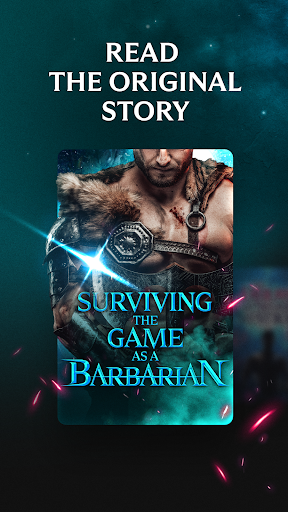
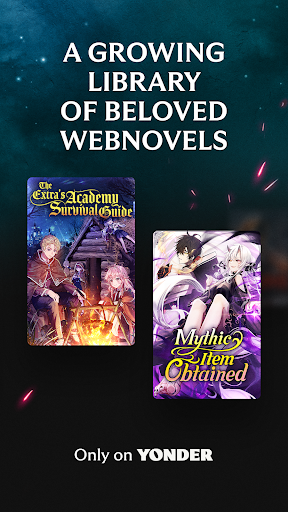
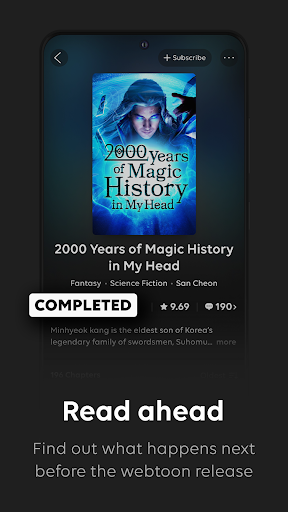
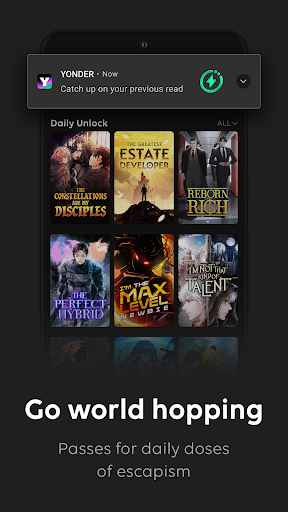
Escape with YONDER, the next chapter of storytelling. Enjoy bite-sized, binge-worthy, thrill-packed stories on the go from top-tier authors. A universe of ongoing stories and worlds you can get lost in.
DISCOVER must-read titles by top-tier authors across diverse genres, including original fiction exclusive to YONDER.
Explore exciting stories within hit genres such as Billionaire Romance, Shifter Romance, LGBTQ+, LitRPG, Progression Fantasy, Apocalyptic Sci-Fi, Psychological Thriller, Cozy Mystery and more!
ZERO ADS! Immerse yourself without any interruption. Enjoy a hassle-free reading experience and escape into our addictive stories.
FRESH content every day! Access daily offers, exclusive content, and new chapters with many ways to read. Explore titles and authors you’ve been missing out on with:
Daily Unlock - on participating titles, receive a Free Pass every day to unlock chapters and keep the story going.
Countdown Deal - on participating titles, indulge in a good story without waiting for the next chapter, free for a limited time.
CURATED experience: Spend less time searching for hidden gems and hit stories – Choose your favorite genres and dive into the best in serialized fiction from our library. Hand-picked by YONDER's in-house editors for you, so you can just enjoy the story.
CUSTOMIZE your reading experience! Manage your personal library, and comment with other readers. Choose how you read with YONDER's highly customizable viewer and experience a whole new way to read!
Visit our website: https://m.yonderstory.com
Follow us on Instagram: instagram.com/yonderstories
Like us on Facebook: facebook.com/yonderstories
Mehr anzeigen

1. Laden das MEmu-Installationsprogramm herunter und beenden die Installation

2. MEmu starten und Google Play auf der Homepage öffnen

3. Suchen YONDER: Fiction & Books in Google Play
Install
4. Herunterladen und Installieren YONDER: Fiction & Books
5. Klicken nach Abschluss der Installation auf das Symbol, um es zu starten

6. Verwenden Sie MEmu, um YONDER: Fiction & Books auf Ihrem PC zu nutzen
MEmu Play ist aktuell der beste kostenlose Android-Emulator und bietet 50 Millionen Nutzern ein überragendes Android-App-Erlebnis. Dank der Virtualisierungstechnologie von MEmu können Sie Tausende von Android-Apps problemlos auf Ihrem Computer nutzen, selbst solche mit hohen Grafikanforderungen.
BGrößeres Bild mit besserer Grafik; Keine unterbrechungen, keine sorgen um Akku
Komplette Tastenbelegung unterstützt mit Maus und Tastatur oder Controller
Mit dem „Multi-Instance-Manager“ können Sie mehrere Spielkonten oder Spiele gleichzeitig auf einem PC ausführen.
Use YONDER: Fiction & Books on PC by following steps: