
Aggregator News - RSS Reader
Actualizada
Versión actual
1.4.0
Ofrecida por

Deje de preocuparse por los recargos cuando use Aggregator News - RSS Reader en su teléfono celular, libérese de la pequeña pantalla y disfrute usando la aplicación en una pantalla mucho más grande. A partir de ahora, obtenga una experiencia de pantalla completa de su aplicación con teclado y mouse. MEmu le ofrece todas las características sorprendentes que esperaba: instalación rápida y configuración fácil, controles intuitivos, no más limitaciones de batería, datos móviles y llamadas molestas. El nuevo MEmu 9 es la mejor opción para usar Aggregator News - RSS Reader en su computadora. Codificado con nuestra absorción, el administrador de instancias múltiples hace posible abrir 2 o más cuentas al mismo tiempo. Y lo más importante, nuestro exclusivo motor de emulación puede liberar todo el potencial de su PC, hacer que todo sea fluido y agradable.
Más detalles
Descargar Aggregator News - RSS Reader en PC con MEmu Android Emulador. Disfruta jugando en la pentalla grande. Aggregator News is an RSS Feed Reader to read news for free, quickly, without ads.
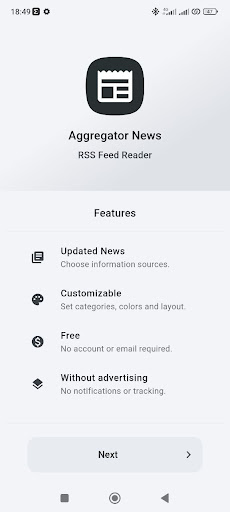
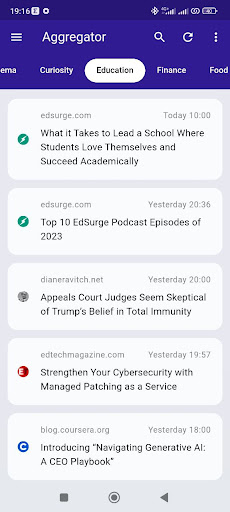
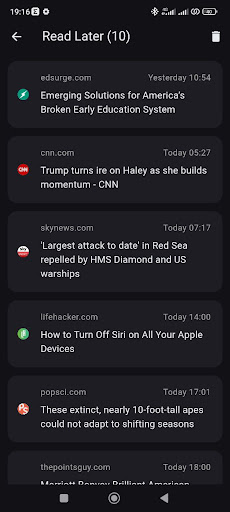
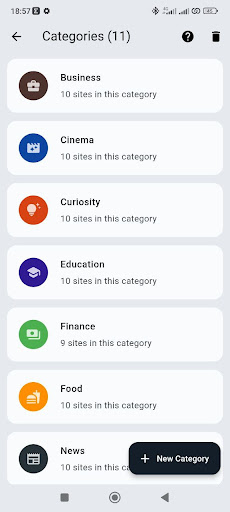
Aggregator News is an RSS Feed Reader to read news for free, quickly, without ads.
The application allows you to quickly aggregate information from various sources, enabling you to have all the news grouped and organized in one place. Unlike social networks, where article priority is determined by algorithms, in this app, news remains in chronological order.
GOALS
1. Quickly stay informed, saving time by avoiding checking dozens of websites.
2. Enjoy a distraction-free and ad-free interface.
3. Receive personalized news based on your interests.
FREE
The application is completely free, without ads and registration.
CONFIGURATION
In the initial setup and settings, customize language and followed topics: sports, motors, travel, music...
SOURCES
You can add other sites by searching for the address or checking popular/recommended ones.
COMPATIBILITY
You can follow all sites that support RSS/ATOM. If a site doesn't support it, you can use its Google News address.
LAYOUT
By default, news is displayed in a scrollable list. Alternatively, you can view one article per page with an image, title, and description.
PRIVACY
The app is private, saving preferences locally, requiring no email or account. No data is stored elsewhere.
CATEGORIES
You can categorize followed sites into different tabs on the main screen.
LISTS
Through "read later" and "favorites," you can save articles for later viewing.
SHARING
Through "copy link" and "share," you can send news to other apps and people.
OFFLINE
Without internet, you can continue to view previously downloaded content.
CUSTOMIZATION
In settings, customize colors, language, news limit, dark mode, images, and more.
FILTERS
Exclude news containing specific words through settings and parental control.
UNDER THE HOOD
News is retrieved from the internet via HTTP requests from RSS feeds, similar to Google News. Essential information (title, date, time) is extracted from XML and saved locally in an SQLite database. Images and descriptions are retrieved from site metadata, similar to WhatsApp.
TECHNOLOGIES
Language: Dart, Framework: Flutter, Design: Material Design 3
OPTIMIZATION
The application is built to use minimal internet, loading thousands of news in a few MB by reading only textual data. To minimize network requests, the cache is used and automatically emptied after a few hours. Old articles are automatically deleted.
PERFORMANCE
Loads hundreds of sites in a few seconds. Network requests are made in parallel, any offline sites are ignored, and there's a maximum connection time for slow ones.
BATTERY
Thanks to the absence of background processes, syncs, and notifications, the app doesn't consume battery once closed by the user.
MIGRATIONS
Through OPML import/export, you can transfer feeds to other devices or migrate from other RSS readers.
ALTERNATIVES
An alternative to FEEDLY, FLIPBOARD, GOOGLE NEWS, AGGREGATOR NEXT, GREADER, FEEDER, INOREADER, MICROSOFT START, SAMSUNG NEWS, OPERA NEWS, SCOOPER NEWS, AP MOBILE, INSHORTS, BUNDLE BREAKING NEWS, NEWS POINT, NEWS SUITE SONY, PLENARIA, SQUID, FLYM NEWS READER, UPDAY, PLUMA RSS READER, PALABRE, FEEDME, NEWSBLUR, FOXUS READER, LOCAL NEWS, JUST RSS, NEXTCLOUD NEWS, READEROO, TECH NEWS, LASER NEWS, NOTIZIE LOCALI, NEWS RADAR, NEWS AGGREGATOR RSS, LATEST NEWS
CONTACT
aggregator-news[@]proton[.]me
Más detalles

1. Descargar el instalador de MEmu y finalice la instalación

2. Iniciar MEmu y abrir Google Play en la página de inicio

3. Buscar Aggregator News - RSS Reader en Google Play
Install
4. Descargar y instalar Aggregator News - RSS Reader
5. Hacer click al icono para iniciar

6. Experiencia Aggregator News - RSS Reader en PC con MEmu
MEmu App Player es el mejor emulador de Android gratuito y 50 millones de personas ya están disfrutando su magnífica experiencia de aplicación en Android. La tecnología de virtualización de MEmu te permite jugar a miles de aplicaciones Android suavemente en tu PC, incluso los más intensivos gráficamente.
Pantalla más grande con mejores gráficos; Larga duración, sin limitación de batería o datos móviles.
Soporte completo de keymapping para un control preciso del teclado y el mouse o gamepad.
Múltiples cuentas de juegos o tareas en una sola PC a la vez con el administrador de instancias múltiples.
Use Aggregator News - RSS Reader on PC by following steps: