Ivanti Mobile@Work
Actualizada
Versión actual
12.8.0.0.15R
Ofrecida por

Deje de preocuparse por los recargos cuando use Ivanti Mobile@Work en su teléfono celular, libérese de la pequeña pantalla y disfrute usando la aplicación en una pantalla mucho más grande. A partir de ahora, obtenga una experiencia de pantalla completa de su aplicación con teclado y mouse. MEmu le ofrece todas las características sorprendentes que esperaba: instalación rápida y configuración fácil, controles intuitivos, no más limitaciones de batería, datos móviles y llamadas molestas. El nuevo MEmu 9 es la mejor opción para usar Ivanti Mobile@Work en su computadora. Codificado con nuestra absorción, el administrador de instancias múltiples hace posible abrir 2 o más cuentas al mismo tiempo. Y lo más importante, nuestro exclusivo motor de emulación puede liberar todo el potencial de su PC, hacer que todo sea fluido y agradable.
Más detalles
Descargar Ivanti Mobile@Work en PC con MEmu Android Emulador. Disfruta jugando en la pentalla grande. Mobile@Work de Ivanti conecta de forma segura su dispositivo Android y WearOS a la red de su empresa para que pueda acceder fácilmente al correo electrónico y otros recursos de trabajo.
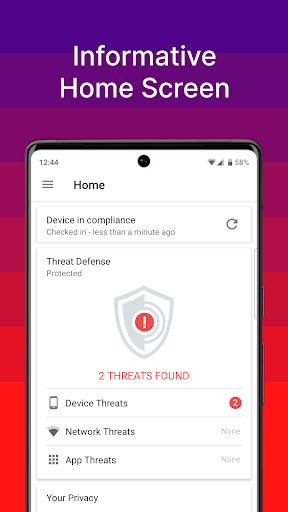
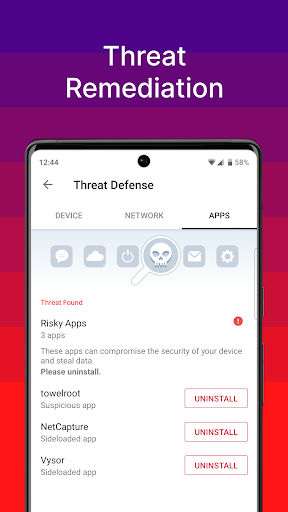
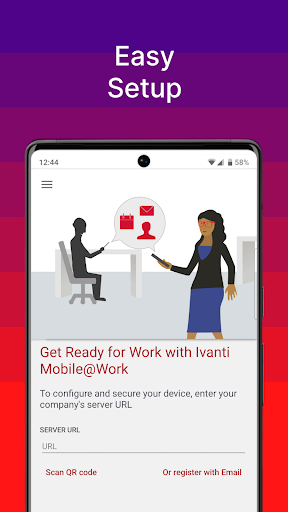
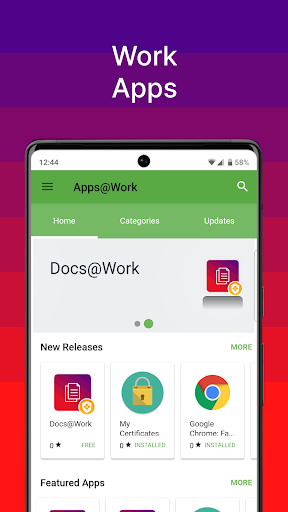
Mobile@Work de Ivanti conecta de forma segura su dispositivo Android y WearOS a la red de su empresa para que pueda acceder fácilmente al correo electrónico y otros recursos de trabajo.
Mejor tecnología
Diseñado específicamente para TI móvil con millones de usuarios en todo el mundo
Separación completa de datos corporativos y personales
500+ de los clientes Global 2000
Más del 97% de tasa de satisfacción de atención al cliente
Con solo unos pocos pasos rápidos, Mobile@Work facilita el acceso a los recursos corporativos en su dispositivo Android:
► PRIVACIDAD: las capacidades de privacidad visual brindan transparencia a los empleados al permitirles ver exactamente qué datos puede ver su empresa y qué acciones puede tomar su empresa en el dispositivo.
► ACCESO RÁPIDO: Acceso inmediato al correo electrónico corporativo, calendario y contactos.
► AUTOMATIZADO: Conéctese automáticamente a redes Wi-Fi y VPN corporativas.
► FÁCIL: descubra e instale aplicaciones relacionadas con el trabajo en su dispositivo dondequiera que esté.
► SEGURO: Cumplimiento automatizado de las políticas de seguridad corporativas.
► ENCUENTRA MI TELÉFONO: localiza dispositivos perdidos o robados y adminístralos de forma remota.
► ANTI-PHISHING: se puede usar un servicio VPN para proporcionar capacidades anti-phishing, si está configurado.
► ARCHIVO: esta es una aplicación de administración de dispositivos móviles y tiene la capacidad de realizar servicios de copia de seguridad y archivo empresarial, incluidas auditorías del sistema para clientes empresariales.
Nota: Mobile@Work funciona junto con Ivanti Core implementado por la organización de TI de su empresa. Siga las instrucciones de su organización de TI para usar esta aplicación. Se requiere Mobile@Work para acceder a los recursos corporativos y, por lo tanto, no debe eliminarse sin consultar primero a su organización de TI. La privacidad visual le permite a su organización ver los detalles del dispositivo, como el nombre del modelo, la versión del sistema operativo, el estado de roaming y las aplicaciones de la empresa. Sin embargo, TI no puede ver información personal como correo electrónico personal, contactos personales, fotos, videos y correo de voz.
Más información sobre la gestión de dispositivos móviles: https://www.ivanti.com/products/ivanti-neurons-for-mdm
Más información sobre seguridad móvil: https://www.ivanti.com/solutions/security/mobile-security?miredirect
Síguenos en Facebook: https://www.facebook.com/GoIvanti
Síguenos en Twitter: https://twitter.com/goivanti
Más información sobre Ivanti: http://www.Ivanti.com
Más detalles

1. Descargar el instalador de MEmu y finalice la instalación

2. Iniciar MEmu y abrir Google Play en la página de inicio

3. Buscar Ivanti Mobile@Work en Google Play
Install
4. Descargar y instalar Ivanti Mobile@Work
5. Hacer click al icono para iniciar

6. Experiencia Ivanti Mobile@Work en PC con MEmu
MEmu App Player es el mejor emulador de Android gratuito y 50 millones de personas ya están disfrutando su magnífica experiencia de aplicación en Android. La tecnología de virtualización de MEmu te permite jugar a miles de aplicaciones Android suavemente en tu PC, incluso los más intensivos gráficamente.
Pantalla más grande con mejores gráficos; Larga duración, sin limitación de batería o datos móviles.
Soporte completo de keymapping para un control preciso del teclado y el mouse o gamepad.
Múltiples cuentas de juegos o tareas en una sola PC a la vez con el administrador de instancias múltiples.
Use Ivanti Mobile@Work on PC by following steps: