Deep Web - Dark Web: knowledge
Actualizada
Versión actual
4.0.5
Ofrecida por

Deje de preocuparse por los recargos cuando use Deep Web - Dark Web: knowledge en su teléfono celular, libérese de la pequeña pantalla y disfrute usando la aplicación en una pantalla mucho más grande. A partir de ahora, obtenga una experiencia de pantalla completa de su aplicación con teclado y mouse. MEmu le ofrece todas las características sorprendentes que esperaba: instalación rápida y configuración fácil, controles intuitivos, no más limitaciones de batería, datos móviles y llamadas molestas. El nuevo MEmu 9 es la mejor opción para usar Deep Web - Dark Web: knowledge en su computadora. Codificado con nuestra absorción, el administrador de instancias múltiples hace posible abrir 2 o más cuentas al mismo tiempo. Y lo más importante, nuestro exclusivo motor de emulación puede liberar todo el potencial de su PC, hacer que todo sea fluido y agradable.
Más detalles
Descargar Deep Web - Dark Web: knowledge en PC con MEmu Android Emulador. Disfruta jugando en la pentalla grande. Are you ready to discover the facts?
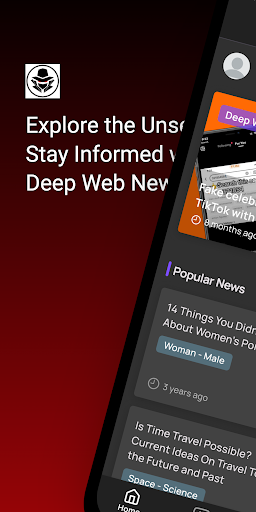
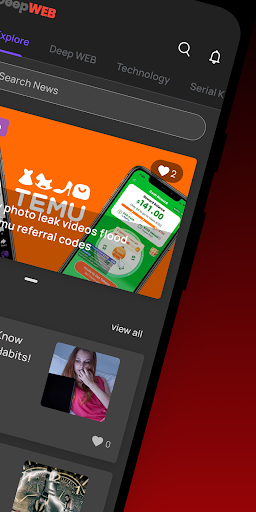
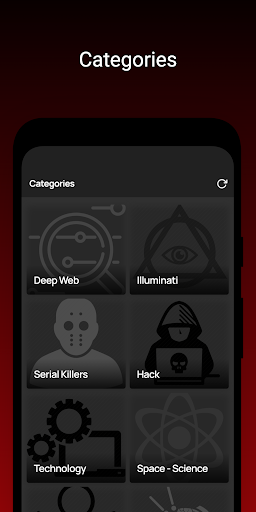
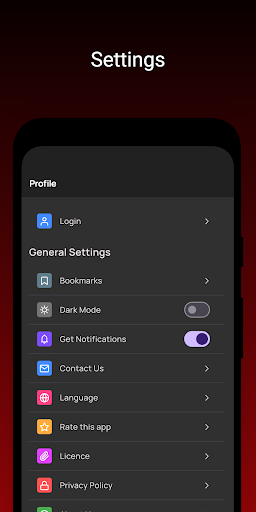
Are you ready to discover the facts? Then stop and start reading immediately.
Kategorien :
- Deep Web
- Dark Web
- Illuminati
- Mystical Forces
- Interesting Psychology ,
- Tor Browser
- Horror Stories
- Thoughts
- Archives
- Serial Killers
- Myths
- Mysteries
- Interesting Information
Maybe if you think the world you live in is really a dream? What if you think the real thing is a game your brain is playing? Are you ready to explore at any time? Then stop and download immediately and start reading!
If you think so, please join us and start learning the deepest details immediately!
Warning: Contains in-depth information! ! !
Unless we notify you in advance, we will not sell, trade or otherwise transfer your personally identifiable information to third parties. This does not include website hosting partners and other parties who assist us in operating the website, conducting business or providing services to you, as long as these parties agree to keep this information confidential. We may also release your information when we believe that the release is suitable to comply with the law, enforce our website policies or protect our or others' rights, property or safety.
However, non-personally identifiable visitor information can be provided to other parties for marketing, advertising or other purposes.
Third party link
We will not include or provide third-party products or services on our website.
Más detalles

1. Descargar el instalador de MEmu y finalice la instalación

2. Iniciar MEmu y abrir Google Play en la página de inicio

3. Buscar Deep Web - Dark Web: knowledge en Google Play
Install
4. Descargar y instalar Deep Web - Dark Web: knowledge
5. Hacer click al icono para iniciar

6. Experiencia Deep Web - Dark Web: knowledge en PC con MEmu
MEmu App Player es el mejor emulador de Android gratuito y 50 millones de personas ya están disfrutando su magnífica experiencia de aplicación en Android. La tecnología de virtualización de MEmu te permite jugar a miles de aplicaciones Android suavemente en tu PC, incluso los más intensivos gráficamente.
Pantalla más grande con mejores gráficos; Larga duración, sin limitación de batería o datos móviles.
Soporte completo de keymapping para un control preciso del teclado y el mouse o gamepad.
Múltiples cuentas de juegos o tareas en una sola PC a la vez con el administrador de instancias múltiples.
Use Deep Web - Dark Web: knowledge on PC by following steps: