
iSmarport
Actualizada
Versión actual
1.76
Ofrecida por

Deje de preocuparse por los recargos cuando use iSmarport en su teléfono celular, libérese de la pequeña pantalla y disfrute usando la aplicación en una pantalla mucho más grande. A partir de ahora, obtenga una experiencia de pantalla completa de su aplicación con teclado y mouse. MEmu le ofrece todas las características sorprendentes que esperaba: instalación rápida y configuración fácil, controles intuitivos, no más limitaciones de batería, datos móviles y llamadas molestas. El nuevo MEmu 9 es la mejor opción para usar iSmarport en su computadora. Codificado con nuestra absorción, el administrador de instancias múltiples hace posible abrir 2 o más cuentas al mismo tiempo. Y lo más importante, nuestro exclusivo motor de emulación puede liberar todo el potencial de su PC, hacer que todo sea fluido y agradable.
Más detalles
Descargar iSmarport en PC con MEmu Android Emulador. Disfruta jugando en la pentalla grande. "iSmarport" is an application that is used in conjunction with our company's smartwatch (model HJ08), hereinafter called the HJ08 Watch.
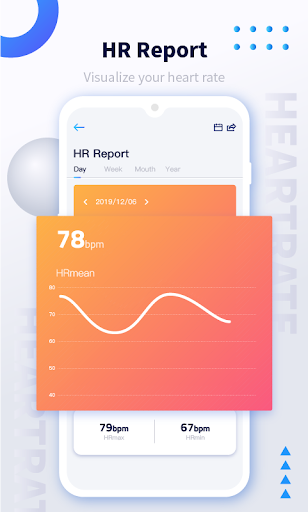
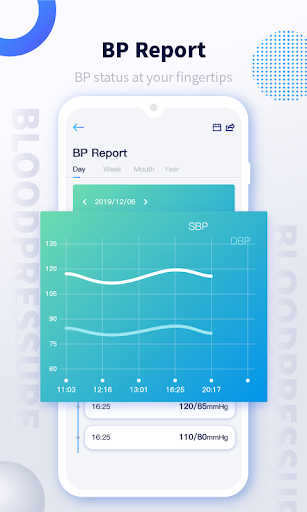
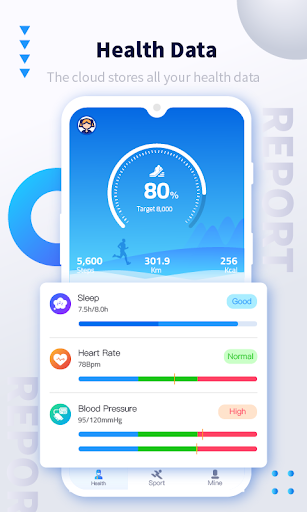
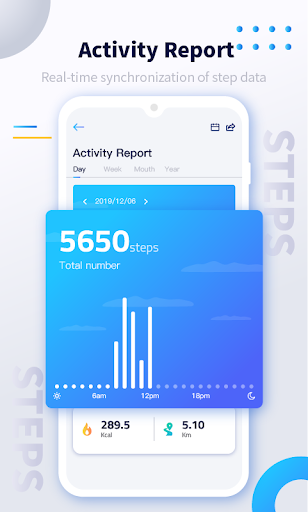
"iSmarport" is an application that is used in conjunction with our company's smartwatch (model HJ08), hereinafter called the HJ08 Watch.By connecting to the HJ08 watch, the application does the following:
1. "iSmarport" connects to the HJ08 watch to send the notifications and SMS received by the user's mobile phone to HJ08. The user can read the SMS and the contents of the notification directly on the HJ08 watch;
2. "iSmarport" connects to the HJ08 watch and can operate the user's mobile phone to make and receive calls. Users can receive and make calls directly on the HJ08 watch without opening the mobile phone;
3. In the app, the user's heart rate, blood pressure, oxygen, sleep and exercise data measured by the HJ08 watch will be made into a statistical table for the user to view;
4. In the "Atrol" application, the application will locate the user's geographical location through the location information function when the user starts running mode, and draw the user's movement track after the end of running, so that the user can more intuitively understand the health data generated during running;
Más detalles

1. Descargar el instalador de MEmu y finalice la instalación

2. Iniciar MEmu y abrir Google Play en la página de inicio

3. Buscar iSmarport en Google Play
Install
4. Descargar y instalar iSmarport
5. Hacer click al icono para iniciar

6. Experiencia iSmarport en PC con MEmu
MEmu App Player es el mejor emulador de Android gratuito y 50 millones de personas ya están disfrutando su magnífica experiencia de aplicación en Android. La tecnología de virtualización de MEmu te permite jugar a miles de aplicaciones Android suavemente en tu PC, incluso los más intensivos gráficamente.
Pantalla más grande con mejores gráficos; Larga duración, sin limitación de batería o datos móviles.
Soporte completo de keymapping para un control preciso del teclado y el mouse o gamepad.
Múltiples cuentas de juegos o tareas en una sola PC a la vez con el administrador de instancias múltiples.
Use iSmarport on PC by following steps: