
Jira Cloud by Atlassian
Actualizada
Versión actual
159.1.3
Ofrecida por

Deje de preocuparse por los recargos cuando use Jira Cloud by Atlassian en su teléfono celular, libérese de la pequeña pantalla y disfrute usando la aplicación en una pantalla mucho más grande. A partir de ahora, obtenga una experiencia de pantalla completa de su aplicación con teclado y mouse. MEmu le ofrece todas las características sorprendentes que esperaba: instalación rápida y configuración fácil, controles intuitivos, no más limitaciones de batería, datos móviles y llamadas molestas. El nuevo MEmu 9 es la mejor opción para usar Jira Cloud by Atlassian en su computadora. Codificado con nuestra absorción, el administrador de instancias múltiples hace posible abrir 2 o más cuentas al mismo tiempo. Y lo más importante, nuestro exclusivo motor de emulación puede liberar todo el potencial de su PC, hacer que todo sea fluido y agradable.
Más detalles
Descargar Jira Cloud by Atlassian en PC con MEmu Android Emulador. Disfruta jugando en la pentalla grande. Create, update, edit, plan, track, analyze – all in the palm of your hand with the Jira mobile app by Atlassian.
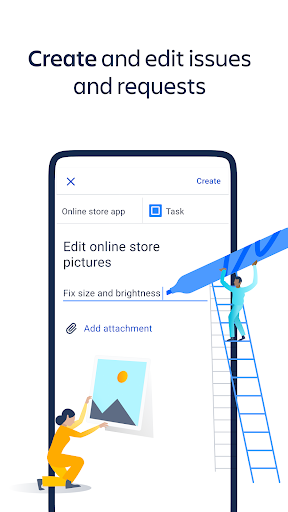
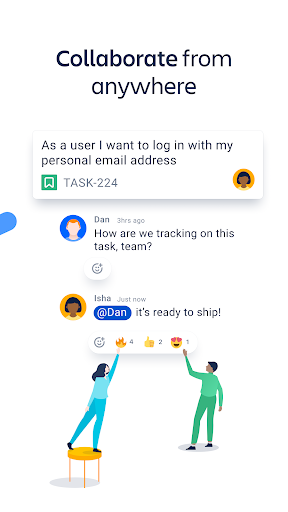
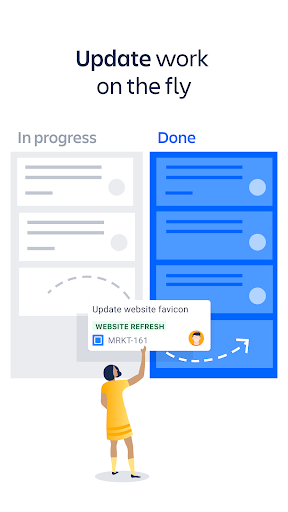
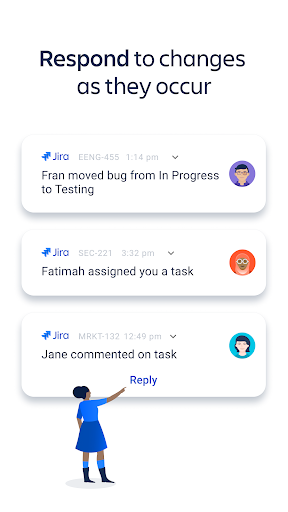
Create, update, edit, plan, track, analyze – all in the palm of your hand with the Jira mobile app by Atlassian. It’s the accelerated collaboration tool for teams, including software teams, service delivery teams, ITSM teams, and DevOps.
MOVE WORK FORWARD ANYWHERE, ANYTIME
Powerful and palm-sized, Jira Cloud for Android lets you move work forward from anywhere. Create, update, plan, track, and analyze on-the-go. Collaboration and project management is faster and easier than ever with the Jira mobile app.
SCRUM, KANBAN, BUG TRACKING
Create a project and select scrum or kanban agile methodologies, or manage your tasks with simplified task-tracking boards.
REAL-TIME NOTIFICATIONS
Stay updated with real-time push notifications; respond to work on-the-fly; collaborate faster; sync with teammates anywhere. Choose which events to get notified about: issues you’re assigned, issues you’re watching, status changes, and more. Snooze all notifications. Set your working hours.
CREATE & UPDATE ISSUES
Create, update, transition, and comment on issues. View development details within issues, including git branches, commits, and pull requests.
ORGANIZE YOUR BACKLOG
Rank issues according to priority; create and edit sprints; quickly collapse sprints and backlog issues to streamline your view and maximize your productivity. Grooming your to-do list is easier than ever with Jira.
MANAGE YOUR BOARD
Create new columns; rename column titles; set column limits; view multiple statuses mapped to a single column in team-managed projects.
SEARCH FOR ISSUES WITH FILTERS
Find issues faster using filters on the board and backlog. Filter by reporter, assignee, epic, label, status, type.
PLAN WITH ROADMAPS
Editing a long-term project’s roadmap in the palm of your hand is a powerful feeling. Try it. Create epics; choose to plan in weeks, months, or quarters; view the roadmap as a list or chart. Roadmaps are similar to Gantt charts -- perfect for large-scale project planning.
MONITOR PROGRESS WITH DASHBOARDS
Dashboards help you stay on top of multiple moving parts. They can display progress and updates of your most important pieces of work, giving you an overview at a glance.
APPROVE & DECLINE SERVICE REQUESTS
Approve or decline service requests; edit request participants; stay on top of service desk and help desk requests on-the-go.
MANAGE RELEASES
Create and edit versions with ease.
TRACK PROGRESS WITH REPORTS
Track and analyze your team’s workflow with velocity charts, burndown charts, and cumulative flow diagrams.
GO DARK WITH DARK MODE
Night owl? We’ve got you covered. Enable dark mode via your account settings in the app, and embrace your productivity once the sun goes down.
Download the app and create an account for free, or login using your existing details.
Más detalles

1. Descargar el instalador de MEmu y finalice la instalación

2. Iniciar MEmu y abrir Google Play en la página de inicio

3. Buscar Jira Cloud by Atlassian en Google Play
Install
4. Descargar y instalar Jira Cloud by Atlassian
5. Hacer click al icono para iniciar

6. Experiencia Jira Cloud by Atlassian en PC con MEmu
MEmu App Player es el mejor emulador de Android gratuito y 50 millones de personas ya están disfrutando su magnífica experiencia de aplicación en Android. La tecnología de virtualización de MEmu te permite jugar a miles de aplicaciones Android suavemente en tu PC, incluso los más intensivos gráficamente.
Pantalla más grande con mejores gráficos; Larga duración, sin limitación de batería o datos móviles.
Soporte completo de keymapping para un control preciso del teclado y el mouse o gamepad.
Múltiples cuentas de juegos o tareas en una sola PC a la vez con el administrador de instancias múltiples.
Use Jira Cloud by Atlassian on PC by following steps: