
JoJo - Short Video Status Maker
Actualizada
Versión actual
1.19
Ofrecida por

Deje de preocuparse por los recargos cuando use JoJo - Short Video Status Maker en su teléfono celular, libérese de la pequeña pantalla y disfrute usando la aplicación en una pantalla mucho más grande. A partir de ahora, obtenga una experiencia de pantalla completa de su aplicación con teclado y mouse. MEmu le ofrece todas las características sorprendentes que esperaba: instalación rápida y configuración fácil, controles intuitivos, no más limitaciones de batería, datos móviles y llamadas molestas. El nuevo MEmu 9 es la mejor opción para usar JoJo - Short Video Status Maker en su computadora. Codificado con nuestra absorción, el administrador de instancias múltiples hace posible abrir 2 o más cuentas al mismo tiempo. Y lo más importante, nuestro exclusivo motor de emulación puede liberar todo el potencial de su PC, hacer que todo sea fluido y agradable.
Más detalles
Descargar JoJo - Short Video Status Maker en PC con MEmu Android Emulador. Disfruta jugando en la pentalla grande. JoJo - Short Video Status MakerThis is one stop solution for Video Maker, Video Status Maker & Photo lyrical video maker with Music.


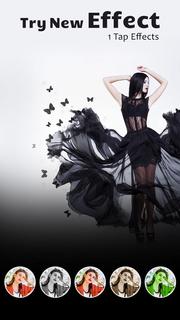

JoJo - Short Video Status MakerThis is one stop solution for Video Maker, Video Status Maker & Photo lyrical video maker with Music.Just pick your beautiful image and select a shape if you want to make it more prettier. Select any lyrical Story video and add your image to video easily.JoJo - Short Video Status Maker has something new concept you can make Photo Video of your own beautiful photos.JoJo - Short Video Status Maker has large lyrical video song library you can select your favorite audio and create one romantic song in 2-3 minute. people love to make lyrical video and share that lyrics video on social media..JoJo - Short Video Status Maker App - Video status maker is the easiest video editing tool/slideshow maker/effect camera to make stylish videos and photos.JoJo - Short Video Status Maker App - is best video editing tool to create stylish status videos and photos with magic effects, magic filters, popular lyrical themes, special text effects, gif memes, slideshow animation, gif stickers, hot music will be shown in our movie(lyrical video) maker online app.JoJo - Short Video Status Maker app have large collection of all latest song and with that you will edit your all love wish lyrics into your videos and change every day status with tap on your mobile screen.Share your feelings with your love using your photo lyrical video maker.How to use JoJo - Short Video Status Maker✔ Select video templates.✔ Add your Photos or Videos.✔ Click on Create and save your status.✔ Your video is ready to share in whatsapp, facebook and social media.If you have any questions or suggestions, please mail us at [email protected].Music Disclaimer :We do not modify any content (Music). We respect to the owner of original music and giving credit to the owner.
Más detalles

1. Descargar el instalador de MEmu y finalice la instalación

2. Iniciar MEmu y abrir Google Play en la página de inicio

3. Buscar JoJo - Short Video Status Maker en Google Play
Install
4. Descargar y instalar JoJo - Short Video Status Maker
5. Hacer click al icono para iniciar

6. Experiencia JoJo - Short Video Status Maker en PC con MEmu
MEmu App Player es el mejor emulador de Android gratuito y 50 millones de personas ya están disfrutando su magnífica experiencia de aplicación en Android. La tecnología de virtualización de MEmu te permite jugar a miles de aplicaciones Android suavemente en tu PC, incluso los más intensivos gráficamente.
Pantalla más grande con mejores gráficos; Larga duración, sin limitación de batería o datos móviles.
Soporte completo de keymapping para un control preciso del teclado y el mouse o gamepad.
Múltiples cuentas de juegos o tareas en una sola PC a la vez con el administrador de instancias múltiples.
Use JoJo - Short Video Status Maker on PC by following steps: