Teleprompter with Video Audio
Actualizada
Versión actual
3.0.18
Ofrecida por

Deje de preocuparse por los recargos cuando use Teleprompter with Video Audio en su teléfono celular, libérese de la pequeña pantalla y disfrute usando la aplicación en una pantalla mucho más grande. A partir de ahora, obtenga una experiencia de pantalla completa de su aplicación con teclado y mouse. MEmu le ofrece todas las características sorprendentes que esperaba: instalación rápida y configuración fácil, controles intuitivos, no más limitaciones de batería, datos móviles y llamadas molestas. El nuevo MEmu 9 es la mejor opción para usar Teleprompter with Video Audio en su computadora. Codificado con nuestra absorción, el administrador de instancias múltiples hace posible abrir 2 o más cuentas al mismo tiempo. Y lo más importante, nuestro exclusivo motor de emulación puede liberar todo el potencial de su PC, hacer que todo sea fluido y agradable.
Más detalles
Descargar Teleprompter with Video Audio en PC con MEmu Android Emulador. Disfruta jugando en la pentalla grande. Best Teleprompter app for Mobile.
Best Teleprompter app for Mobile.
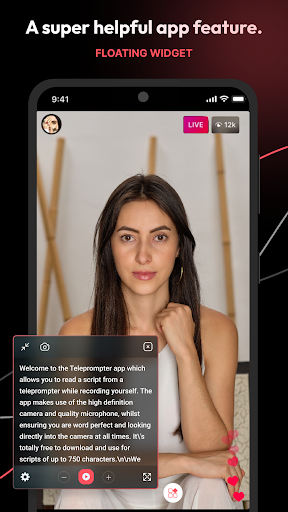
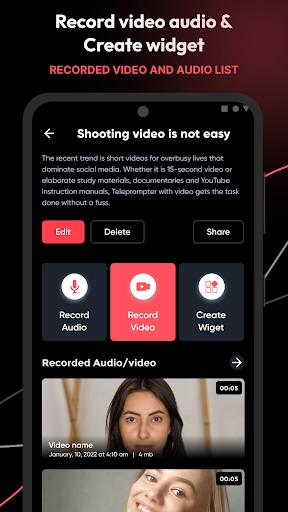
Read your script with a teleprompter app and record a video from the camera or mobile phone.
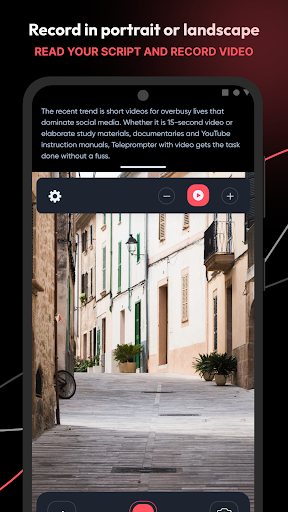
You read a pre-prepared script while recording yourself using the front/back-facing camera. Simply press record and read the script as it scrolls down the screen. As the script scrolls next to the camera lens, so you look like you're talking to your audience when you are actually reading!
This Teleprompter app will reduce your time to record video, and make your presentation more confident and attractive.
Best features of Teleprompter with video audio WITHOUT EXPENSIVE DEVICE
* Using front and rear-facing cameras record your video.
* Record your video in landscape or portrait.
* Record HD video with high frame rate based on what your device supports.
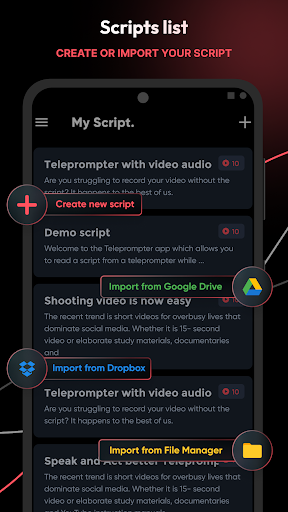
* TXT, DOCX, DOC and PDF file script import supported.
* Easy way to change Text size
* Change the text speed with easy way
* Record Audio using in-built and external microphones.
* Display a 3x3 or 4*4 grid to help you position yourself.
* Add your brand logo on your recorder device.
* Save without any watermark.
* Add your brand to your stories with the Teleprompter with video audio. Add your Quality title and your custom logo.
* Widget supported.
Simple to use Teleprompter app
* Set a countdown on settings to get into position.
* Control the teleprompter app with a Bluetooth or wired with OTG keyboard. Using a keyboard you can control the scrolling script (SPACE KEY = play pause scrolling script, UP KEY = Increase scrolling speed, DOWN KEY = decrease scrolling speed).
* Mirror the script for use in a pro teleprompter rig device.
* Do Settings for Adjust font size, scrolling speed and Other.
Upgrade is AVAILABLE:
Teleprompter with Video audio free version allows up to 750 characters which is enough for video of around 1 minute. upgrade version available if you need to use longer scripts.
* After upgrade allow unlimited scripts and Add your own logo to your videos
Más detalles

1. Descargar el instalador de MEmu y finalice la instalación

2. Iniciar MEmu y abrir Google Play en la página de inicio

3. Buscar Teleprompter with Video Audio en Google Play
Install
4. Descargar y instalar Teleprompter with Video Audio
5. Hacer click al icono para iniciar

6. Experiencia Teleprompter with Video Audio en PC con MEmu
MEmu App Player es el mejor emulador de Android gratuito y 50 millones de personas ya están disfrutando su magnífica experiencia de aplicación en Android. La tecnología de virtualización de MEmu te permite jugar a miles de aplicaciones Android suavemente en tu PC, incluso los más intensivos gráficamente.
Pantalla más grande con mejores gráficos; Larga duración, sin limitación de batería o datos móviles.
Soporte completo de keymapping para un control preciso del teclado y el mouse o gamepad.
Múltiples cuentas de juegos o tareas en una sola PC a la vez con el administrador de instancias múltiples.
Use Teleprompter with Video Audio on PC by following steps: