
Tendo by Tonik
Actualizada
Versión actual
3.1.6
Ofrecida por

Deje de preocuparse por los recargos cuando use Tendo by Tonik en su teléfono celular, libérese de la pequeña pantalla y disfrute usando la aplicación en una pantalla mucho más grande. A partir de ahora, obtenga una experiencia de pantalla completa de su aplicación con teclado y mouse. MEmu le ofrece todas las características sorprendentes que esperaba: instalación rápida y configuración fácil, controles intuitivos, no más limitaciones de batería, datos móviles y llamadas molestas. El nuevo MEmu 9 es la mejor opción para usar Tendo by Tonik en su computadora. Codificado con nuestra absorción, el administrador de instancias múltiples hace posible abrir 2 o más cuentas al mismo tiempo. Y lo más importante, nuestro exclusivo motor de emulación puede liberar todo el potencial de su PC, hacer que todo sea fluido y agradable.
Más detalles
Descargar Tendo by Tonik en PC con MEmu Android Emulador. Disfruta jugando en la pentalla grande. Tendo by Tonik gives you access to a full-suite of financial services right at your fingertips.

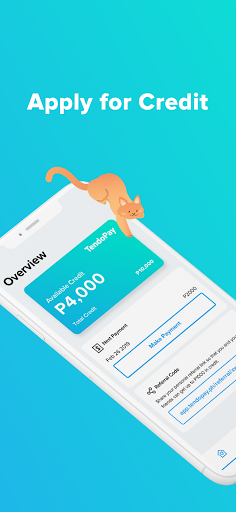

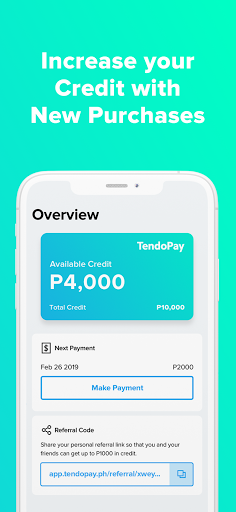
Tendo by Tonik gives you access to a full-suite of financial services right at your fingertips. Our app allows you to sign up, log in, make purchases, pay bills, set your financial goals, track your expenses, and much more.
Tendo by Tonik helps you:
• Budget your finances - Short on cash for your expenses? You can make a Cash Loan with your Tendo credit limit to meet your needs and repay it in installments.
• Reach your goals - Meet your financial goals with our automated savings and get up to 6% interest per year with our partner banks!
• Pay bills - Remove the hassle of paying bills by paying them directly on our app using your credit limit.
• Get insured - Gain access to a wide variety of premium insurance products which you can get for yourself or your loved ones.
• Pay on installments- Need new appliances, furniture, or just want to treat yourself? Get as low as 0% interest installments by purchasing with any of our partner merchants!
Interested in partnering with Tendo by Tonik? Reach out to us at info@tendopay.ph
Loan Terms
• Monthly interest rates range from 0.00% - 4.00%
• 0.00% loans are available at selected merchants
• Loan repayment terms range from 2 - 18 months
• Loan terms are determined by the creditworthiness and risk profile of a borrower.
• No hidden fees such as origination, service, or bank fees
• Maximum Annual Percentage Rate (APR) = 48.00%
Sample Loan Calculation - Example A
Loan Principal: ₱10,000
Repayment terms: 3 months
Interest rate: 0.50% per month
Total Repayment Amount: ₱10,150
Total interest payable: ₱150
Other Fees: ₱0.00
Semi-monthly installment amount: ₱1,691.67
APR = 6.00%
Sample Loan Calculation - Example B
Loan Principal: ₱10,000
Repayment terms: 6 months
Interest rate: 1.5% per month
Total Repayment Amount: ₱10,900
Total interest payable: ₱900
Other Fees: ₱0.00
Semi-monthly installment amount: ₱908.33
APR = 18.00%
Tendo by Tonik is fully compliant with BSP (Central Bank of the Philippines) and SEC regulations, including SEC circular no.3, series f 2022 on the ceiling interest rates and other fees charged by lending companies, financing companies and their online lending platforms.
Got a question or feedback? We’d be happy to hear from you!
Email: helpdesk@tendopay.ph
Website: https://tendopay.ph
Facebook: https://facebook.com/tendopay
All loans under Tendo and Tendo by Tonik are financed by Templetech Finance Corp. (SEC Registration No. CS201820732, Certificate of Authority No. 1228)
Please study the terms and conditions in the Disclosure Statement before proceeding with the loan transaction.
Más detalles

1. Descargar el instalador de MEmu y finalice la instalación

2. Iniciar MEmu y abrir Google Play en la página de inicio

3. Buscar Tendo by Tonik en Google Play
Install
4. Descargar y instalar Tendo by Tonik
5. Hacer click al icono para iniciar

6. Experiencia Tendo by Tonik en PC con MEmu
MEmu App Player es el mejor emulador de Android gratuito y 50 millones de personas ya están disfrutando su magnífica experiencia de aplicación en Android. La tecnología de virtualización de MEmu te permite jugar a miles de aplicaciones Android suavemente en tu PC, incluso los más intensivos gráficamente.
Pantalla más grande con mejores gráficos; Larga duración, sin limitación de batería o datos móviles.
Soporte completo de keymapping para un control preciso del teclado y el mouse o gamepad.
Múltiples cuentas de juegos o tareas en una sola PC a la vez con el administrador de instancias múltiples.
Use Tendo by Tonik on PC by following steps: