Win 98 Simulator
تاریخ بهروزرسانی
نسخه کنونی
1.4.4
ارائهکننده

با تمام اشتیاق شما به بازی Win 98 Simulator، قرار نیست دست های شما روی صفحه نمایش کوچک گوشی شما محدود شود. مانند یک حرفه ای بازی کنید و کنترل کامل بازی خود را با صفحه کلید و ماوس بدست آورید.MEmu همه ی انتظاراتی که دارید را برآورده می کند.Win 98 Simulator را بر روی رایانه شخصی دانلود و بازی کنید. تا زمانی که می خواهید بازی کنید، دیگر محدودیتی در باتری، داده تلفن همراه و تماس های مزاحم وجود ندارد.MEmu 9 کاملاً جدید و بهترین انتخاب برای بازی Win 98 Simulator روی رایانه شخصی است. با تخصص ما، سیستم keymapping از پیش تعیین شده عالی،Win 98 Simulator را به یک بازی رایانه شخصی واقعی تبدیل می کند.مدیریت چند موردی MEmu امکان اجرای 2 یا چندین حساب در یک دستگاه را فراهم می کند.و مهمتر از همه، موتور شبیهسازی انحصاری ما میتواند پتانسیل کامل رایانه شما را آزاد کند و همه چیز را روان کند.
بیشتر نشان بده
دانلود بازی Win 98 Simulator برای کامپیوتر با MEmu Play. از بازی روی صفحه نمایش بزرگ لذت ببرید. Win 98 Simulator helps users who want a familiar retro workspace on a mobile screen.
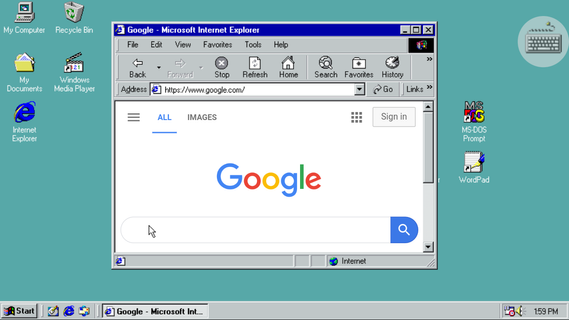
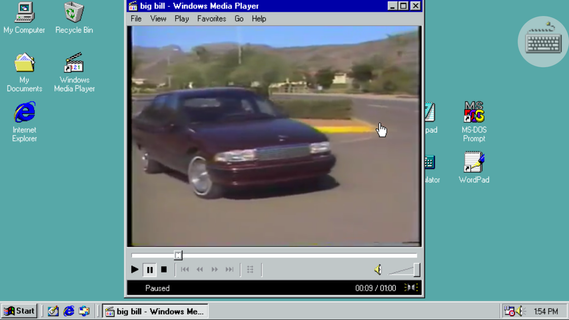
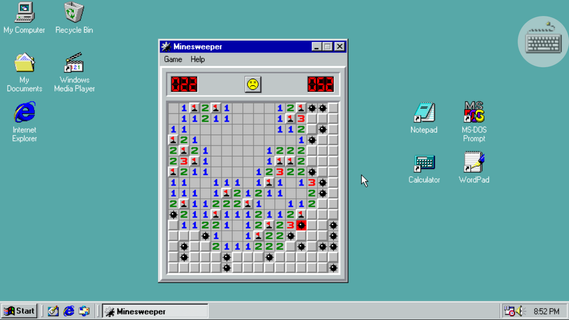
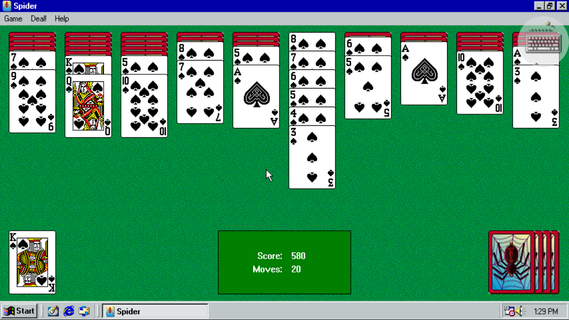
Win 98 Simulator helps users who want a familiar retro workspace on a mobile screen. It mirrors the look and behavior of a classic computer, so windows, menus, and folders feel recognizable. This can suit light tasks and casual use, while keeping controls straightforward for quick actions. For Android, the Win 98 Simulator APK offers an easy way to explore the environment without a desktop PC.Win 98 Simulator FeaturesClassic desktop and Start MenuWin 98 Simulator presents the original Start Menu and familiar window controls. You can open programs, switch between tasks, and access desktop properties with a right click. This layout helps you navigate like a traditional PC.Browsing and writing toolsFor everyday tasks, you can use Internet Explorer for basic web browsing, then write or edit text with Notepad or WordPad. These simple tools keep common actions clear and easy to handle.Built-in classic gamesWhen you want a break, play Minesweeper, Solitaire, Spider Solitaire, or FreeCell. The games load quickly and follow the standard rules users expect, so you can jump in without learning new controls.Media, files, and input supportYou can play music and videos with Windows Media Player, and browse device files in Windows Explorer. Additionally, change wallpapers through Desktop Properties, and connect a USB or Bluetooth mouse for precise control.Start using the retro desktopThis app recreates familiar tools and games in a compact environment on your phone. To try it on your device, download Win 98 Simulator and follow the on-screen prompts. Users can explore at their own pace without extra setup.
بیشتر نشان بده

1. نصب کننده Memu را دانلود کرده و راه اندازی را تمام کنید

2. Memu را اجرا کنید و سپس گوگل پلی را بر روی دستکتاپ باز کنید

3. Win 98 Simulator را بر روی گوگل پلی جستجو کنید
Install
4. Win 98 Simulator را دانلود و نصب کنید
5. پس از اتمام نصب روی آیکون کلیک کنید تا اجرا شود

6. از بازی کردن Win 98 Simulator بر روی رایانه شخصی با MEmu لذت ببرید
MEmu بهترین نمونه ساز رایگان اندروید است و پیش از این 50 میلیون نفر از تجربه بسیار خوب بازی اندروید در آن لذت برده اند. تکنولوژی مجازی ساز MEmu شما را قادر می سازد هزاران بازی اندرویدی را در کامپیوتر به طور روان اجرا کنید، حتی آنهایی که گرافیک سنگین تری دارند.
صفحه نمایش بزرگتر با گرافیک بهتر؛ زمان طولانی تر، بدون محدودیت باتری یا داده تلفن همراه.
پشتیبانی کامل از Keymapping برای کنترل دقیق صفحه کلید و ماوس یا گیم پد.
چندین حساب بازی یا وظایف در یک رایانه شخصی در یک زمان با مدیریت همزمان همه
Play Win 98 Simulator on PC by following steps: