Win 98 Simulator
Aktualizováno
Aktuální verze
1.4.4
Od vývojáře

With all your passion for playing Win 98 Simulator, you hands are not supposed to be limited on a tiny screen of your phone. Play like a pro and get full control of your game with keyboard and mouse. MEmu offers you all the things that you are expecting. Download and play Win 98 Simulator on PC. Play as long as you want, no more limitations of battery, mobile data and disturbing calls. The brand new MEmu 9 is the best choice of playing Win 98 Simulator on PC. Prepared with our expertise, the exquisite preset keymapping system makes Win 98 Simulator a real PC game. MEmu multi-instance manager makes playing 2 or more accounts on the same device possible. And the most important, our exclusive emulation engine can release full potential of your PC, make everything smooth.
Show more
Vychutnejte si vynikající zážitek z přehrávání Win 98 Simulator na PC s MEMU App Player. Je to silný bezplatný emulátor pro Android, který vám umožní hrát tisíce her v systému Android. Win 98 Simulator helps users who want a familiar retro workspace on a mobile screen.
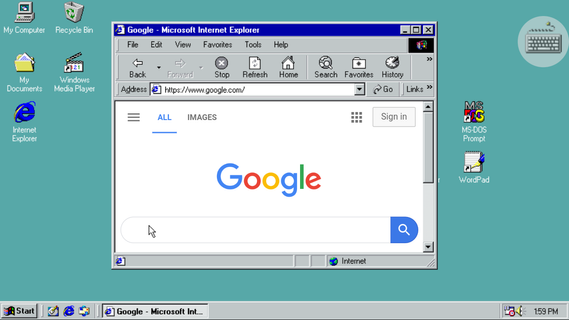
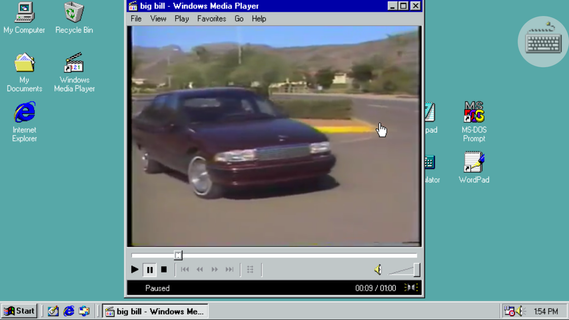
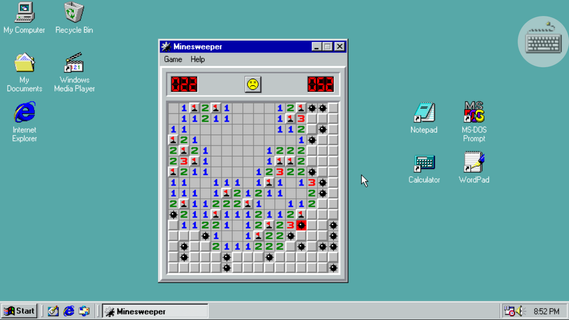
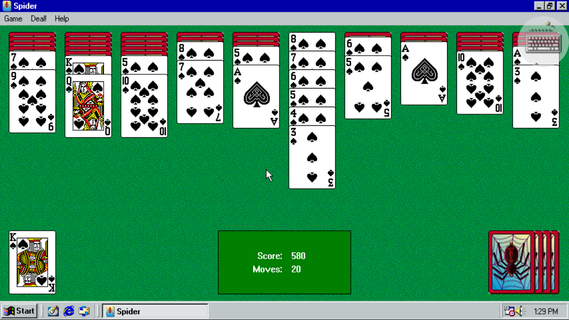
Win 98 Simulator helps users who want a familiar retro workspace on a mobile screen. It mirrors the look and behavior of a classic computer, so windows, menus, and folders feel recognizable. This can suit light tasks and casual use, while keeping controls straightforward for quick actions. For Android, the Win 98 Simulator APK offers an easy way to explore the environment without a desktop PC.Win 98 Simulator FeaturesClassic desktop and Start MenuWin 98 Simulator presents the original Start Menu and familiar window controls. You can open programs, switch between tasks, and access desktop properties with a right click. This layout helps you navigate like a traditional PC.Browsing and writing toolsFor everyday tasks, you can use Internet Explorer for basic web browsing, then write or edit text with Notepad or WordPad. These simple tools keep common actions clear and easy to handle.Built-in classic gamesWhen you want a break, play Minesweeper, Solitaire, Spider Solitaire, or FreeCell. The games load quickly and follow the standard rules users expect, so you can jump in without learning new controls.Media, files, and input supportYou can play music and videos with Windows Media Player, and browse device files in Windows Explorer. Additionally, change wallpapers through Desktop Properties, and connect a USB or Bluetooth mouse for precise control.Start using the retro desktopThis app recreates familiar tools and games in a compact environment on your phone. To try it on your device, download Win 98 Simulator and follow the on-screen prompts. Users can explore at their own pace without extra setup.
Show more

1. Stáhněte si instalační program MEmu a dokončete instalaci

2. Spusťte MEmu a poté otevřete Google Play na ploše

3. Vyhledejte Win 98 Simulator v Google Play
Install
4. Stáhněte a nainstalujte Win 98 Simulator
5. Po dokončení instalace klikněte na ikonu pro spuštění

6. Užijte si hraní Win 98 Simulator na PC s MEmu
MEmu je zdarma a ten nejlepší Android emulátor. 50 milionů lidí si užívá jeho nejlepší herní zážitky. Technologie virtualizace MEmu ti dovolí plynule hrát Android hry na PC a to i ty nejnáročnější.
Větší obrazovka s lepší grafikou; Dlouhá výdrž bez omezení baterie nebo mobilních dat.
Plná podpora mapování kláves pro přesné ovládání klávesnice a myši nebo gamepadu.
Více herních účtů nebo úkolů na jednom počítači najednou s Multi-Instance Managerem.
Play Win 98 Simulator on PC by following steps: