BGMI LITE
Mise à jour
Version actuelle
Proposée par

Avec toute la passion que vous avez à jouer BGMI LITE, vos mains ne sont pas sensées se limiter à l’infime écran de votre téléphone. Jouez comme un pro et ayez le contrôle total de votre jeu à l’aide du clavier et de la souris. MEmu satisfait toutes vos attentes. Téléchargez et jouez BGMI LITE sur PC. Jouez aussi longtemps que vous souhaitez sans aucune limitation de batterie, de données mobiles et d’appels embêtants. La toute nouvelle version de MEmu 9 est la meilleure option de jouer BGMI LITE sur PC. Réalisé par nos experts, l’e magnifique système d’affectation de touches prédéfini fait de BGMI LITE un jeu réaliste sur PC. Le gestionnaire multi-instances de MEmu permet 2 ou plusieurs comptes de jeu sur le même appareil. Et le plus important, le moteur d’émulation exclusif peut libérer le plein potentiel de votre PC, ce qui facilite tout.
Afficher plus
Téléchargez BGMI LITE avec le simulateur d’Android MEmu sur votre PC. Profitez de jouer sur un grand écran. You asked for a lighter way to play.


You asked for a lighter way to play. We heard you.
BGMI LITE is the new LITE game from Battlegrounds Mobile India - India's biggest battle royale, now in a lighter, more accessible avatar. The same high-quality multiplayer shooting game experience, built for players who want to jump into battle faster, save more storage, and reduce the burden on their device. Optimized for all devices. Pre-register now!
[NOT A SMALLER GAME. A LIGHTER ONE.]
BGMI LITE is not about a smaller game with a smaller experience. It's about keeping the high-quality BGMI standard while giving you a lighter, faster and more flexible way to play this battle royale - easier on your phone, easier on your storage, smooth in the middle of every gunfight.
[STRAIGHT INTO THE BATTLEGROUNDS]
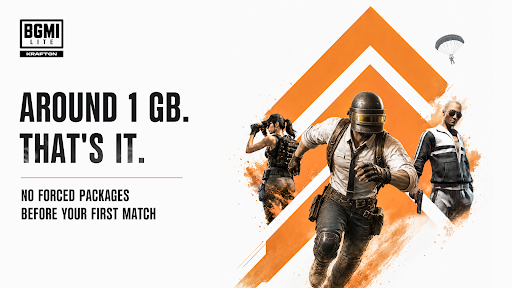
No extra mandatory package before your first match. Once the download is complete, load in and get straight into the battlegrounds. Install, open, drop - that's how fast this action game moves.
[YOUR GAME, YOUR CHOICE]
You told us you want control, so we built flexibility in. Choose which extra modules to download based on how you like to play. Don't need it? Don't download it. Don't play it anymore? Remove it anytime. Your game, your storage, your rules.
[AUTHENTIC AND UNCOMPROMISED]
The classic Erangel map, the supplies, the core combat - all designed to match BGMI, so the battle experience stays authentic and uncompromised. Drop in with 100 players in this survival shooting game, loot weapons and gear, outlast the shrinking zone, grab that iconic helmet, and stand at the end as the lone survivor. Winner Winner Chicken Dinner.
[ONE BGMI FAMILY, TWO WAYS TO PLAY]
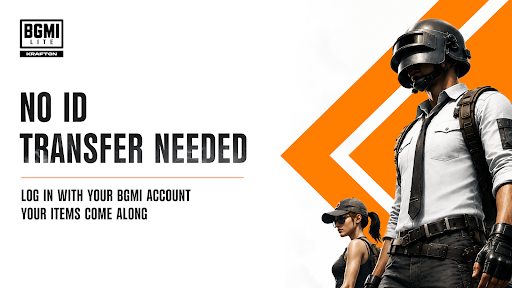
Already have a BGMI account? Log in with it on BGMI LITE - your owned items carry over, so you can keep using the outfits you love. Want the fullest BGMI experience with the richest content? The main game remains the best choice. Two apps, one battlegrounds: pick what fits your phone and your day.
[NO SOCIAL BARRIERS]
Team up with your friends on BGMI directly from BGMI LITE, so your squad stays together - solo, duo or squad, in one multiplayer lobby. Nobody gets left behind.
[GROWING TOGETHER]
BGMI LITE will stay updated alongside BGMI, so players of both games enjoy new content together.
[PRE-REGISTER NOW]
One of the most anticipated free games of the year, targeting official launch later this year. Pre-register in the store now.
Whether you're discovering the battlegrounds for the first time or you've played a thousand matches - BGMI LITE was built to welcome you.
Winner Winner, Chicken Dinner. See you on the battlegrounds.
Follow Us On
YouTube: https://www.youtube.com/@bgmi_lite_official
Instagram: https://www.instagram.com/bgmi_lite.official/
Afficher plus

1. Téléchargez l'installateur MEmu et terminez l'installation

2. Démarrez MEmu puis ouvrez Google Play sur la page d'accueil

3. Recherchez BGMI LITE dans Google Play
Install
4. Téléchargez et installez BGMI LITE
5. Une fois l'installation terminée, cliquez sur l'icône pour démarrer

6. Profitez de jouer BGMI LITE sur PC avec MEmu
Le lecteur d'application MEmu est le meilleur émulateur Android gratuit, et 50 millions de personnes profitent déjà de sa fantastique expérience de jeu Android. La technologie de virtualisation MEmu vous donne la possibilité de jouer à des milliers de jeux Android sur votre PC sans aucune difficulté, même aux plus gourmands.
L’écran plus grand avec de meilleurs graphismes; Une longue durée, sans limitation de batterie ou de données mobiles.
Soutien du Keymapping pour un contrôle précis du clavier et de la souris ou de la manette de jeu
Plusieurs comptes de jeu ou tâches sur un seul PC en même temps avec le gestionnaire de multi-instance.
Play BGMI LITE on PC by following steps: