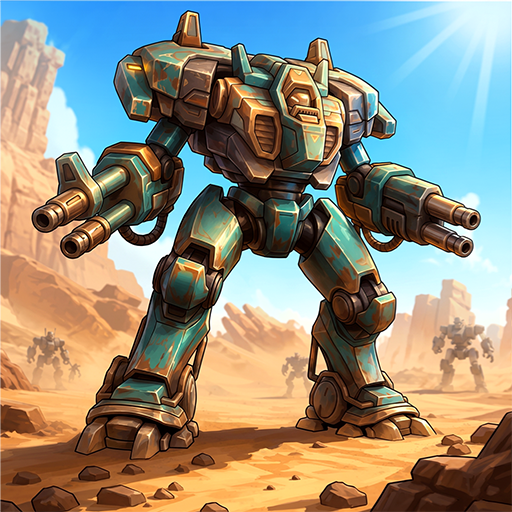
Mecha Warrior: Robot Idle TD
Mise à jour
Version actuelle
Proposée par

Avec toute la passion que vous avez à jouer Mecha Warrior: Robot Idle TD, vos mains ne sont pas sensées se limiter à l’infime écran de votre téléphone. Jouez comme un pro et ayez le contrôle total de votre jeu à l’aide du clavier et de la souris. MEmu satisfait toutes vos attentes. Téléchargez et jouez Mecha Warrior: Robot Idle TD sur PC. Jouez aussi longtemps que vous souhaitez sans aucune limitation de batterie, de données mobiles et d’appels embêtants. La toute nouvelle version de MEmu 9 est la meilleure option de jouer Mecha Warrior: Robot Idle TD sur PC. Réalisé par nos experts, l’e magnifique système d’affectation de touches prédéfini fait de Mecha Warrior: Robot Idle TD un jeu réaliste sur PC. Le gestionnaire multi-instances de MEmu permet 2 ou plusieurs comptes de jeu sur le même appareil. Et le plus important, le moteur d’émulation exclusif peut libérer le plein potentiel de votre PC, ce qui facilite tout.
Afficher plus
Téléchargez Mecha Warrior: Robot Idle TD avec le simulateur d’Android MEmu sur votre PC. Profitez de jouer sur un grand écran. Mecha Warrior is an idle tower defense and robot game for td games fans.
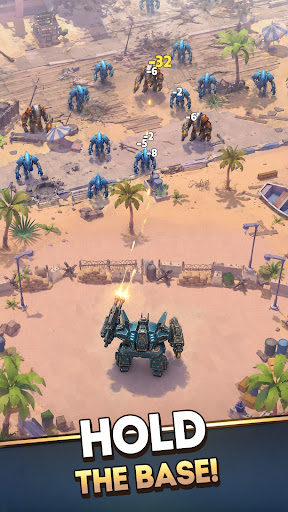
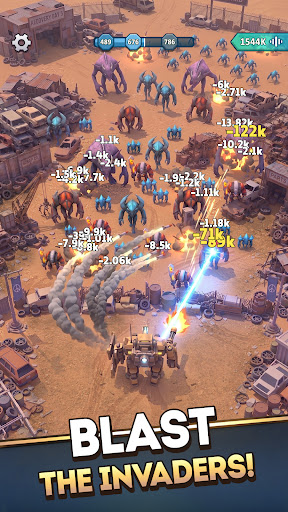
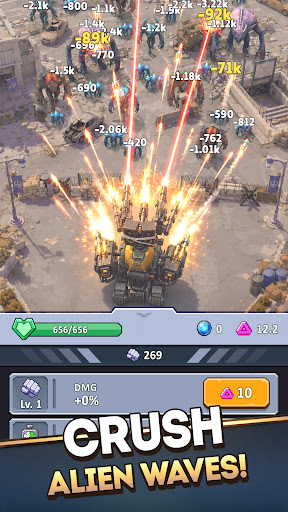
Mecha Warrior is an idle tower defense and robot game for td games fans. You command a towering war machine to defend humanity's last space base. This idle tower defense robot game gives td games veterans a sci-fi front line where every wave demands sharper tactics and faster upgrades to survive.
Among tower defense games, Mecha Warrior leans hard into tactics. Turn your space base into a fortified mecha fortress, hold the line, and outthink the swarm the way the smartest strategy defense games reward you. Of all the sci fi games on mobile, few make defense this tactical. Among the deepest sci fi games, and across science fiction games, it is a tower defense game about decisions, not raw power, and it belongs beside the sci fi games that take strategy seriously.
STRATEGIC UPGRADES IN THE HEAT OF BATTLE
Boost your mecha's stats in real time and adapt your strategy as the fight unfolds. Strengthen damage, durability, and combat performance mid-battle to outmaneuver escalating alien threats and keep your mecha fortress standing.
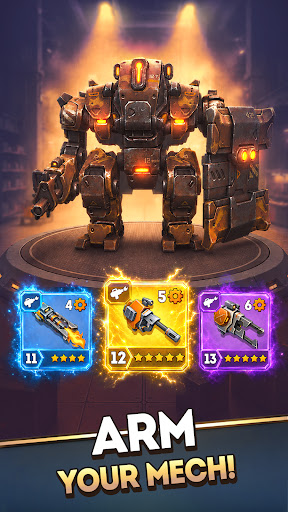
CRAFT WEAPONS AND PLAN YOUR LOADOUT
Forge a powerful arsenal and build the perfect tactical loadout. Few robot games give you this much control over your gear: craft new weapons to counter each alien wave and defend the base your way.
ARMOR UP YOUR DEFENSES
Reinforce your robot with upgraded armor and advanced equipment. Every enhancement turns your machine into a towering mega tower of steel, built to outlast the deadliest invasions the way only the toughest robot games can.
DEPLOY DRONE ALLIES
You do not defend alone. Bring drone companions into battle and use smart tactics to multiply your firepower and turn the tide when the odds look impossible. It is the kind of depth a great idle tower defense run is built on.
INTENSE BOSS BATTLES AND NONSTOP ACTION
When the swarm cannot break your mega tower, the aliens send their champions. Face massive alien bosses in fast-paced, action-packed showdowns of explosive combat that test every weapon, upgrade, and tactical plan you own. Few idle tower defense battles hit this hard.
CHALLENGES, REWARDS, AND PROGRESSION
Take on a wide range of challenges and claim powerful rewards. Each victory pushes your strategy further and unlocks the gear you need, just as the best tower defense games keep you coming back, the mark of a tower defense game done right.
CLIMB THE GLOBAL LEADERBOARD
Every alien you destroy is counted. Track your stats, compete in the global online leaderboard, and prove you are the most strategic commander in the galaxy. Among science fiction games and tower defense games alike, this is where the real defenders rise, holding the strongest mega tower and the deadliest mecha fortress across the apex of strategy defense games.
Plan your defenses and command your war machine to outlast the endless alien tide. Download Mecha Warrior now: the idle tower defense robot game td games fans have been waiting for.
Afficher plus

1. Téléchargez l'installateur MEmu et terminez l'installation

2. Démarrez MEmu puis ouvrez Google Play sur la page d'accueil

3. Recherchez Mecha Warrior: Robot Idle TD dans Google Play
Install
4. Téléchargez et installez Mecha Warrior: Robot Idle TD
5. Une fois l'installation terminée, cliquez sur l'icône pour démarrer

6. Profitez de jouer Mecha Warrior: Robot Idle TD sur PC avec MEmu
Le lecteur d'application MEmu est le meilleur émulateur Android gratuit, et 50 millions de personnes profitent déjà de sa fantastique expérience de jeu Android. La technologie de virtualisation MEmu vous donne la possibilité de jouer à des milliers de jeux Android sur votre PC sans aucune difficulté, même aux plus gourmands.
L’écran plus grand avec de meilleurs graphismes; Une longue durée, sans limitation de batterie ou de données mobiles.
Soutien du Keymapping pour un contrôle précis du clavier et de la souris ou de la manette de jeu
Plusieurs comptes de jeu ou tâches sur un seul PC en même temps avec le gestionnaire de multi-instance.
Play Mecha Warrior: Robot Idle TD on PC by following steps: