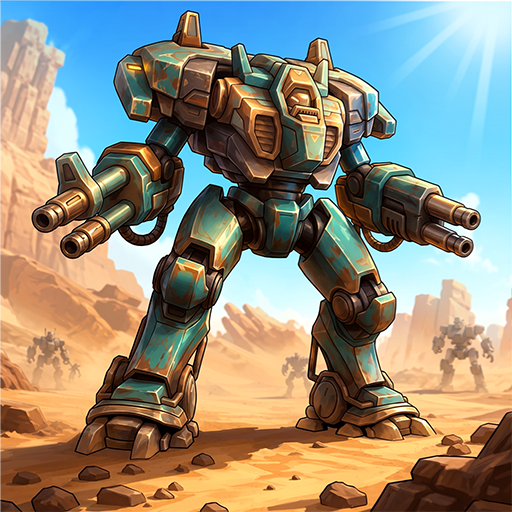
Mecha Warrior: Robot Idle TD
Zaktualizowano
Aktualna wersja
Sprzedawca

Przy całej swojej pasji do grania w Mecha Warrior: Robot Idle TD, twoje ręce nie powinny być ograniczone na małym ekranie telefonu. Graj jak zawodowiec i uzyskaj pełną kontrolę nad grą za pomocą klawiatury i myszy. MEmu oferuje ci wszystko, czego oczekujesz. Pobierz i graj Mecha Warrior: Robot Idle TD na PC. Graj tak długo, jak chcesz, bez ograniczeń baterii, danych komórkowych i niepokojących połączeń. Zupełnie nowy MEmu 9 to najlepszy wybór do grania w Mecha Warrior: Robot Idle TD na PC. Przygotowany dzięki naszej wiedzy, znakomity, wstępnie ustawiony system mapowania klawiszy sprawia, że Mecha Warrior: Robot Idle TD jest prawdziwą grą na PC. Zakodowany naszą absorpcją, menedżer wielu instancji umożliwia granie na 2 lub więcej kontach na tym samym urządzeniu. A co najważniejsze, nasz emulator może uwolnić pełny potencjał twojego komputera, sprawić, że wszystko będzie płynne. Dbamy nie tylko o to, jak grasz, ale także o cały proces czerpania radości z grania.
Pokaż więcej
Ciesz się wspaniałym doświadczeniem podczas grania w Mecha Warrior: Robot Idle TD na komputerze z aplikacją MEMU App Player. Jest to potężny darmowy emulator Androida pozwalający grać w tysiące gier na Androida. Mecha Warrior is an idle tower defense and robot game for td games fans.
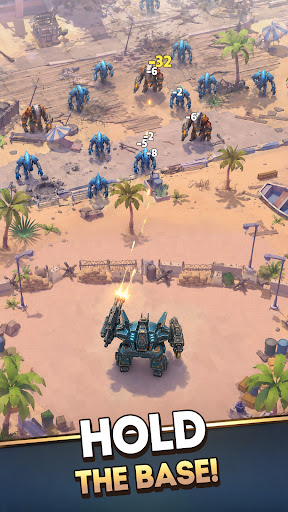
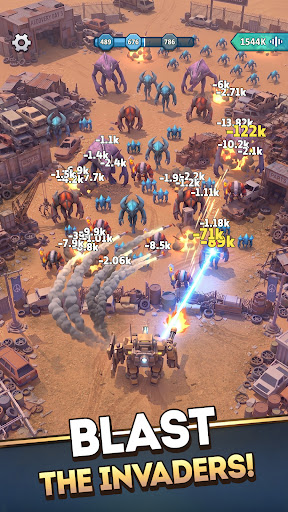
Mecha Warrior is an idle tower defense and robot game for td games fans. You command a towering war machine to defend humanity's last space base. This idle tower defense robot game gives td games veterans a sci-fi front line where every wave demands sharper tactics and faster upgrades to survive.
Among tower defense games, Mecha Warrior leans hard into tactics. Turn your space base into a fortified mecha fortress, hold the line, and outthink the swarm the way the smartest strategy defense games reward you. Of all the sci fi games on mobile, few make defense this tactical. Among the deepest sci fi games, and across science fiction games, it is a tower defense game about decisions, not raw power, and it belongs beside the sci fi games that take strategy seriously.
STRATEGIC UPGRADES IN THE HEAT OF BATTLE
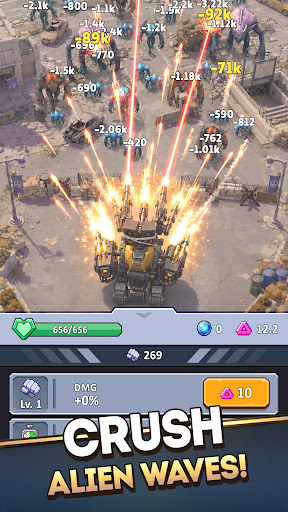
Boost your mecha's stats in real time and adapt your strategy as the fight unfolds. Strengthen damage, durability, and combat performance mid-battle to outmaneuver escalating alien threats and keep your mecha fortress standing.
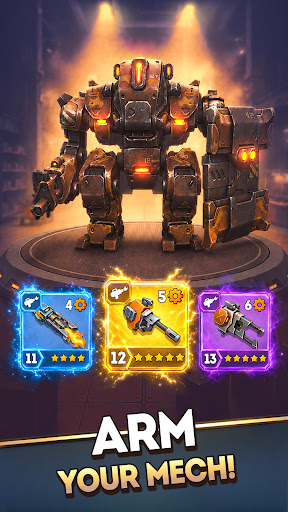
CRAFT WEAPONS AND PLAN YOUR LOADOUT
Forge a powerful arsenal and build the perfect tactical loadout. Few robot games give you this much control over your gear: craft new weapons to counter each alien wave and defend the base your way.
ARMOR UP YOUR DEFENSES
Reinforce your robot with upgraded armor and advanced equipment. Every enhancement turns your machine into a towering mega tower of steel, built to outlast the deadliest invasions the way only the toughest robot games can.
DEPLOY DRONE ALLIES
You do not defend alone. Bring drone companions into battle and use smart tactics to multiply your firepower and turn the tide when the odds look impossible. It is the kind of depth a great idle tower defense run is built on.
INTENSE BOSS BATTLES AND NONSTOP ACTION
When the swarm cannot break your mega tower, the aliens send their champions. Face massive alien bosses in fast-paced, action-packed showdowns of explosive combat that test every weapon, upgrade, and tactical plan you own. Few idle tower defense battles hit this hard.
CHALLENGES, REWARDS, AND PROGRESSION
Take on a wide range of challenges and claim powerful rewards. Each victory pushes your strategy further and unlocks the gear you need, just as the best tower defense games keep you coming back, the mark of a tower defense game done right.
CLIMB THE GLOBAL LEADERBOARD
Every alien you destroy is counted. Track your stats, compete in the global online leaderboard, and prove you are the most strategic commander in the galaxy. Among science fiction games and tower defense games alike, this is where the real defenders rise, holding the strongest mega tower and the deadliest mecha fortress across the apex of strategy defense games.
Plan your defenses and command your war machine to outlast the endless alien tide. Download Mecha Warrior now: the idle tower defense robot game td games fans have been waiting for.
Pokaż więcej

1. Pobierz instalator MEmu i zakończ instalację

2. Uruchom MEmu, a następnie otwórz Google Play na pulpicie

3. Wyszukaj Mecha Warrior: Robot Idle TD w Google Play
Install
4. Pobierz i zainstaluj Mecha Warrior: Robot Idle TD
5. Po zakończeniu instalacji kliknij ikonę, aby rozpocząć

6. Ciesz się grą Mecha Warrior: Robot Idle TD na PC z MEmu
MEmu Play to najlepszy emulator Androida, a 100 milionów ludzi już korzysta z jego i dosta doskonałe wrażenia z gier na Androida. Technologia wirtualizacji MEmu umożliwia płynne granie w tysiące gier Androida na komputerze, nawet tych najbardziej wymagających grafiki.
Większy ekran z lepszą grafiką; Długi czas, bez ograniczeń baterii lub danych mobilnych.
Pełna obsługa mapowania klawiszy dla precyzyjnego sterowania klawiaturą i myszą lub gamepadem.
Wiele kont gier lub zadań na jednym komputerze jednocześnie z menedżerem wielu instancji.
Play Mecha Warrior: Robot Idle TD on PC by following steps: