Mecha Warrior: Robot Idle TD
Atualizada
Versão atual
Oferecido por

Com toda a sua paixão por jogar Mecha Warrior: Robot Idle TD, não deixe os polegares te atrapalharem em uma pequena tela do seu celular. Jogue como um profissional e tenha controle total do seu jogo com teclado e mouse. O MEmu oferece todas as coisas que você está esperando. Baixe e jogue Mecha Warrior: Robot Idle TD no PC. Jogue o tempo que quiser, sem mais limitações de bateria, dados móveis e aquelas ligações enquanto estiver jogando. O novíssimo MEmu 9 é a melhor escolha de jogar Mecha Warrior: Robot Idle TD no PC. Com grandes novidades no sistema de mapeamento que faz Mecha Warrior: Robot Idle TD um jogo de PC real. Nossa equipe melhorou o gerenciamento de várias instâncias do Android, reduzindo tempo de reprodução de 2 ou mais contas no mesmo dispositivo. O mais importante, nosso mecanimos de emulação exclusivo pode liberar todo o potencial do seu PC sem travamentos, rodando tudo liso. Nós nos preocupamos não apenas com você joga, mas com todo o processo de desfrutar de 100% do seu jogo favorito.
Mostre mais
Download do Mecha Warrior: Robot Idle TD no PC com MEmu Android Emulador: Divirta-se jogando na tela grande. Mecha Warrior is an idle tower defense and robot game for td games fans.
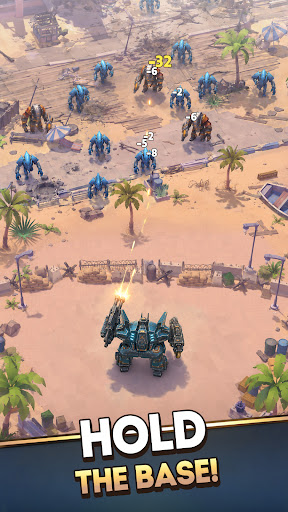
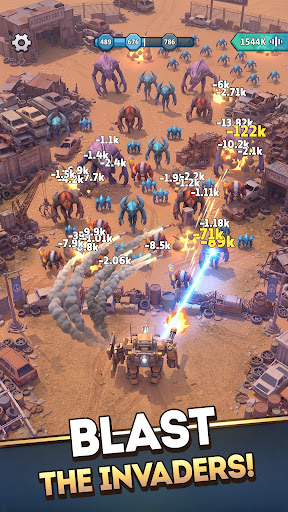
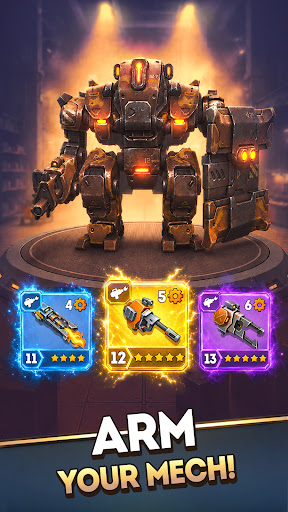
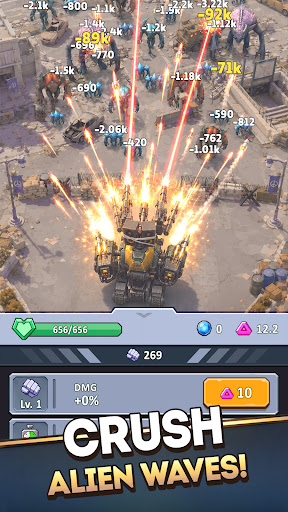
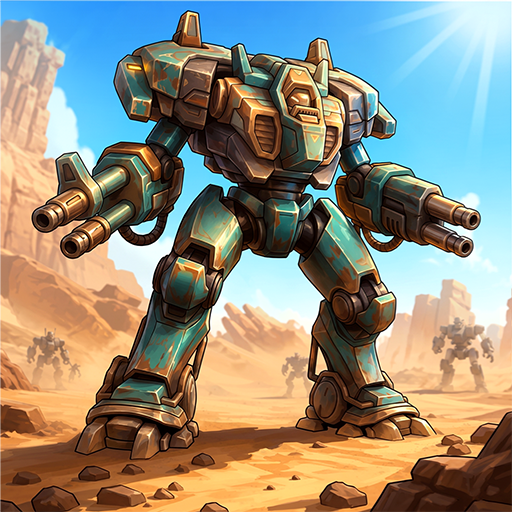
Mecha Warrior is an idle tower defense and robot game for td games fans. You command a towering war machine to defend humanity's last space base. This idle tower defense robot game gives td games veterans a sci-fi front line where every wave demands sharper tactics and faster upgrades to survive.
Among tower defense games, Mecha Warrior leans hard into tactics. Turn your space base into a fortified mecha fortress, hold the line, and outthink the swarm the way the smartest strategy defense games reward you. Of all the sci fi games on mobile, few make defense this tactical. Among the deepest sci fi games, and across science fiction games, it is a tower defense game about decisions, not raw power, and it belongs beside the sci fi games that take strategy seriously.
STRATEGIC UPGRADES IN THE HEAT OF BATTLE
Boost your mecha's stats in real time and adapt your strategy as the fight unfolds. Strengthen damage, durability, and combat performance mid-battle to outmaneuver escalating alien threats and keep your mecha fortress standing.
CRAFT WEAPONS AND PLAN YOUR LOADOUT
Forge a powerful arsenal and build the perfect tactical loadout. Few robot games give you this much control over your gear: craft new weapons to counter each alien wave and defend the base your way.
ARMOR UP YOUR DEFENSES
Reinforce your robot with upgraded armor and advanced equipment. Every enhancement turns your machine into a towering mega tower of steel, built to outlast the deadliest invasions the way only the toughest robot games can.
DEPLOY DRONE ALLIES
You do not defend alone. Bring drone companions into battle and use smart tactics to multiply your firepower and turn the tide when the odds look impossible. It is the kind of depth a great idle tower defense run is built on.
INTENSE BOSS BATTLES AND NONSTOP ACTION
When the swarm cannot break your mega tower, the aliens send their champions. Face massive alien bosses in fast-paced, action-packed showdowns of explosive combat that test every weapon, upgrade, and tactical plan you own. Few idle tower defense battles hit this hard.
CHALLENGES, REWARDS, AND PROGRESSION
Take on a wide range of challenges and claim powerful rewards. Each victory pushes your strategy further and unlocks the gear you need, just as the best tower defense games keep you coming back, the mark of a tower defense game done right.
CLIMB THE GLOBAL LEADERBOARD
Every alien you destroy is counted. Track your stats, compete in the global online leaderboard, and prove you are the most strategic commander in the galaxy. Among science fiction games and tower defense games alike, this is where the real defenders rise, holding the strongest mega tower and the deadliest mecha fortress across the apex of strategy defense games.
Plan your defenses and command your war machine to outlast the endless alien tide. Download Mecha Warrior now: the idle tower defense robot game td games fans have been waiting for.
Mostre mais

1. Faça o download do instalador do MEmu e conclua a instalação

2. Inicie o MEmu e depois abra o Google Play na página inicial

3. Pesquise Mecha Warrior: Robot Idle TD no Google Play
Install
4. Baixe e Instale Mecha Warrior: Robot Idle TD
5. Na conclusão da instalação, clique no ícone para iniciar

6. Divirta-se jogando Mecha Warrior: Robot Idle TD no PC com MEmu
O MEmu App Player é o melhor emulador de Android grátis e 50 milhões de pessoas já desfrutam de sua excelente experiência de jogos no Android. A tecnologia de virtualização do MEmu permite que você jogue milhares de jogos do Android sem problemas no seu PC, mesmo os com gráficos mais intensivos.
Tela maior com gráficos melhores; Longa duração e sem limitação de bateria ou dados móveis.
Suporte completo ao Mapaeamento de Teclas para controle preciso do teclado e mouse ou gamepad.
Várias contas de jogos ou tarefas em um único PC de uma só vez com o Gerenciador de várias instâncias.
Play Mecha Warrior: Robot Idle TD on PC by following steps: