Mini jeu relaxant - pop it
Mise à jour
Version actuelle
9.6
Proposée par

Avec toute la passion que vous avez à jouer Mini jeu relaxant - pop it, vos mains ne sont pas sensées se limiter à l’infime écran de votre téléphone. Jouez comme un pro et ayez le contrôle total de votre jeu à l’aide du clavier et de la souris. MEmu satisfait toutes vos attentes. Téléchargez et jouez Mini jeu relaxant - pop it sur PC. Jouez aussi longtemps que vous souhaitez sans aucune limitation de batterie, de données mobiles et d’appels embêtants. La toute nouvelle version de MEmu 9 est la meilleure option de jouer Mini jeu relaxant - pop it sur PC. Réalisé par nos experts, l’e magnifique système d’affectation de touches prédéfini fait de Mini jeu relaxant - pop it un jeu réaliste sur PC. Le gestionnaire multi-instances de MEmu permet 2 ou plusieurs comptes de jeu sur le même appareil. Et le plus important, le moteur d’émulation exclusif peut libérer le plein potentiel de votre PC, ce qui facilite tout.
Afficher plus
Téléchargez Mini jeu relaxant - pop it avec le simulateur d’Android MEmu sur votre PC. Profitez de jouer sur un grand écran. Unwind with Mini Relaxing Game: Pop It Toy.
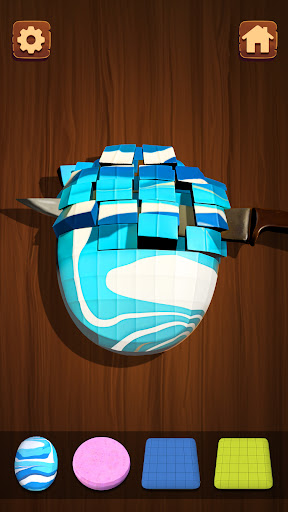
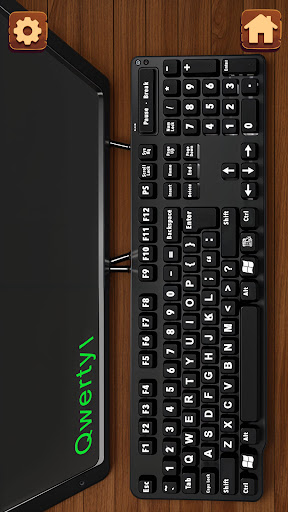
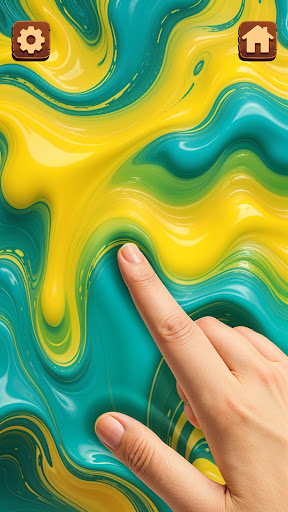
Unwind with Mini Relaxing Game: Pop It Toy
Escape the daily grind and immerse yourself in a world of tranquility with a Mini Relaxing Game. This puppet game is exactly designed to calm your mind, reduce anxiety, and promote focus.
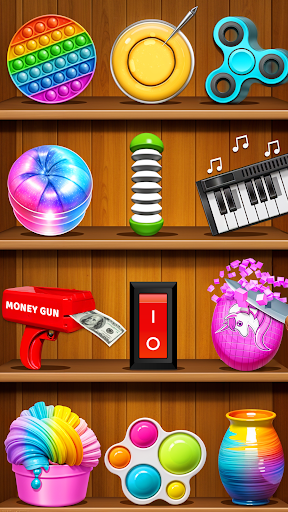
Indulge in a vast collection of soothing fidget toys, each offering a unique sensory experience. Pop satisfying bubbles with Pop It, spin mesmerizing fidget spinners, and experience the calming sensation of popping balloons. Balance cradle balls with precision, pluck petals with ease, and engage in a pocket game all in one for a therapeutic release.
Explore the world of pottery in puppet games, where you can mold clay into calming shapes. Experiment with slime games, indulge in dalgona cookie cutting, and witness the mesmerizing power of the hydraulic press. Unwind with fireworks.
Whether you prefer the gentle touch of a money gun, the satisfying sound of iron balls, or the calming effects of ASMR, you'll find your perfect stress-relieving companion here.
Step into the tranquil realm of Mini Relaxing Game and transform your device into a sanctuary of relaxation.
Afficher plus

1. Téléchargez l'installateur MEmu et terminez l'installation

2. Démarrez MEmu puis ouvrez Google Play sur la page d'accueil

3. Recherchez Mini jeu relaxant - pop it dans Google Play
Install
4. Téléchargez et installez Mini jeu relaxant - pop it
5. Une fois l'installation terminée, cliquez sur l'icône pour démarrer

6. Profitez de jouer Mini jeu relaxant - pop it sur PC avec MEmu
Le lecteur d'application MEmu est le meilleur émulateur Android gratuit, et 50 millions de personnes profitent déjà de sa fantastique expérience de jeu Android. La technologie de virtualisation MEmu vous donne la possibilité de jouer à des milliers de jeux Android sur votre PC sans aucune difficulté, même aux plus gourmands.
L’écran plus grand avec de meilleurs graphismes; Une longue durée, sans limitation de batterie ou de données mobiles.
Soutien du Keymapping pour un contrôle précis du clavier et de la souris ou de la manette de jeu
Plusieurs comptes de jeu ou tâches sur un seul PC en même temps avec le gestionnaire de multi-instance.
Play Mini jeu relaxant - pop it on PC by following steps: