Mini juego relajante: pop it
Actualizada
Versión actual
10.4
Ofrecida por

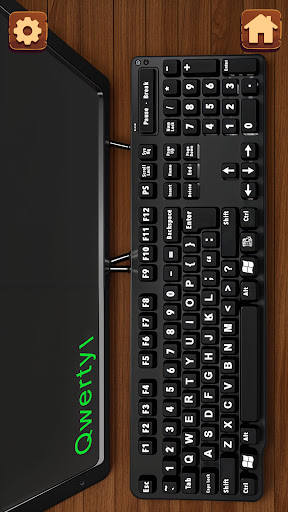
Con toda tu pasión para jugar Mini juego relajante: pop it, no se supone que tus manos estén limitadas en una pequeña pantalla de tu teléfono. Juega como un profesional y obtén el control total de tu juego con el teclado y el mouse. MEmu le ofrece todas las cosas que espera. Descargar y jugar Mini juego relajante: pop it en PC. Juega todo el tiempo que quieras, sin más limitaciones de batería, datos móviles y llamadas molestas. El nuevo MEmu 9 es la mejor opción para jugar Mini juego relajante: pop it en PC. Preparado con nuestra experiencia, el exquisito sistema de keymapping preestablecido convierte a Mini juego relajante: pop it en un verdadero juego de PC. Codificado con nuestra absorción, el administrador de instancias múltiples hace posible jugar 2 o más cuentas en el mismo dispositivo. Y lo más importante, nuestro exclusivo motor de emulación puede liberar todo el potencial de su PC, hacer que todo sea más fluido. Nos importa no solo cómo juegas, sino también todo el proceso de disfrutar de la felicidad de los juegos.
Más detalles
Descargar Mini juego relajante: pop it en PC con MEmu Android Emulador. Disfruta jugando en la pentalla grande. ¿Necesitas relajarte después de un largo día?
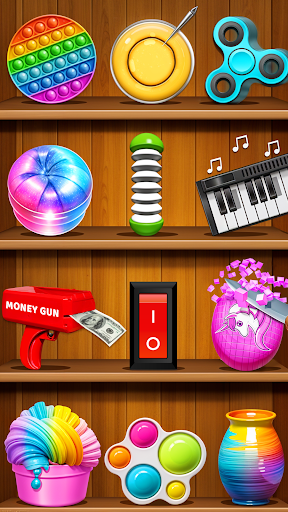
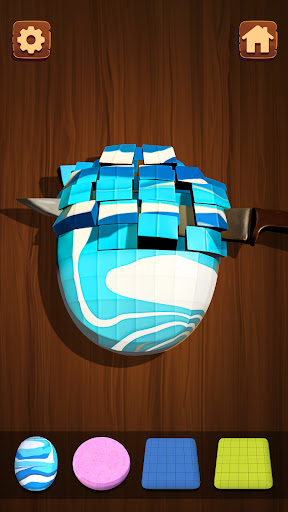

¿Necesitas relajarte después de un largo día? Adéntrate en un mundo de calma con los juguetes antiestrés relajantes. Este juego pop it está diseñado para ayudarte a relajarte, concentrarte y encontrar la paz. Explora una variedad de juguetes relajantes pop it y juegos para aliviar el estrés que estimulan la experiencia satisfactoria de los juegos de marionetas y los ejercicios de atención plena. Interactúa con varios juguetes de relajación, cada uno con interacciones únicas y sonidos calmantes.
Los mejores juegos antiestrés ASMR están diseñados para aliviar el estrés y calmar tu mente. Explora una colección diversa de juguetes antiestrés, que incluyen pelotas antiestrés, juguetes pop it, fidget spinners y más. Cada juguete ofrece una experiencia sensorial única para ayudarte a relajarte y desestresarte.
Hemos compilado una lista de más de 50 juguetes antiestrés sensoriales.
Algunas características de nuestro juego:
Juguete antiestrés Pop it
Fidget spinner
Globos que explotan
Pelotas de equilibrio en forma de cuna
Pétalos que arrancan
Recorte ASMR
Cerámica: juega con la arcilla
Juegos de slime
Corte de galletas Dalgona
Prensa hidráulica
Fuegos artificiales relajantes
Pistola de dinero
Bolas de hierro
y muchos más...
Mini Relaxing Game es el escape perfecto del ajetreo y el bullicio de la vida diaria.
¡Deshazte del estrés!
Más detalles

1. Descargar el instalador de MEmu y finalice la instalación

2. Iniciar MEmu y abrir Google Play en la página de inicio

3. Buscar Mini juego relajante: pop it en Google Play
Install
4. Descargar y instalar Mini juego relajante: pop it
5. Hacer click al icono para iniciar

6. Disfruta jugando Mini juego relajante: pop it en PC con MEmu
MEmu App Player es el mejor emulador de Android gratuito y 50 millones de personas ya están disfrutando su magnífica experiencia jugando en Android. La tecnología de virtualización de MEmu te permite jugar a miles de juegos Android suavemente en tu PC, incluso los más intensivos gráficamente.
Pantalla más grande con mejores gráficos; Larga duración, sin limitación de batería o datos móviles.
Soporte completo de keymapping para un control preciso del teclado y el mouse o gamepad.
Múltiples cuentas de juegos o tareas en una sola PC a la vez con el administrador de instancias múltiples.
Play Mini juego relajante: pop it on PC by following steps: