Warp knights: Tower offense
Mise à jour
Version actuelle
Proposée par

Avec toute la passion que vous avez à jouer Warp knights: Tower offense, vos mains ne sont pas sensées se limiter à l’infime écran de votre téléphone. Jouez comme un pro et ayez le contrôle total de votre jeu à l’aide du clavier et de la souris. MEmu satisfait toutes vos attentes. Téléchargez et jouez Warp knights: Tower offense sur PC. Jouez aussi longtemps que vous souhaitez sans aucune limitation de batterie, de données mobiles et d’appels embêtants. La toute nouvelle version de MEmu 9 est la meilleure option de jouer Warp knights: Tower offense sur PC. Réalisé par nos experts, l’e magnifique système d’affectation de touches prédéfini fait de Warp knights: Tower offense un jeu réaliste sur PC. Le gestionnaire multi-instances de MEmu permet 2 ou plusieurs comptes de jeu sur le même appareil. Et le plus important, le moteur d’émulation exclusif peut libérer le plein potentiel de votre PC, ce qui facilite tout.
Afficher plus
Téléchargez Warp knights: Tower offense avec le simulateur d’Android MEmu sur votre PC. Profitez de jouer sur un grand écran. Warp Knights - Outthink.
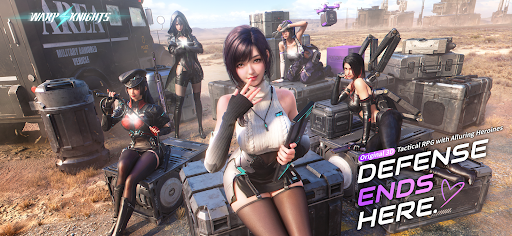
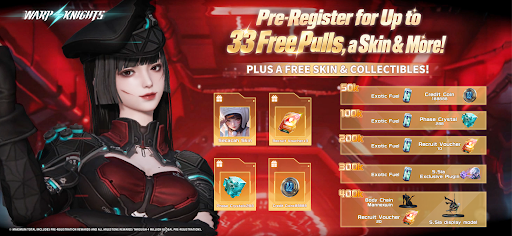
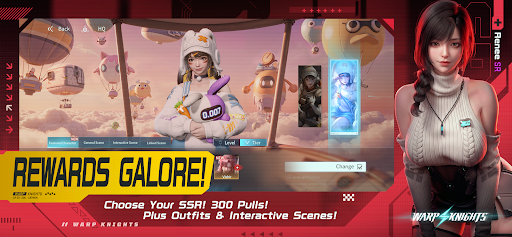
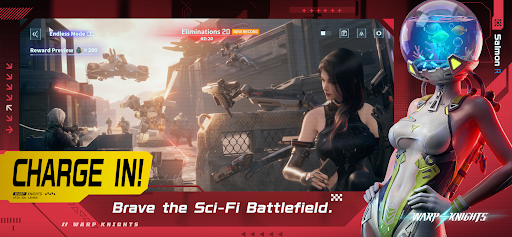
Warp Knights - Outthink. Outflank. Outgun.
Turn defense into offense in a 3D sci-fi tactical RPG. Command a squad of striking Operatives, break through enemy lines with smart positioning, and get to know the people behind the firepower.
Take the Offensive
"Don't just hold the line. Break through it."
Put your squad on the front foot. Choose where to deploy, use cover to your advantage, and strike from the flanks. Read the enemy formation and find your opening. Every position matters, and your next move could turn the battle around.
Build Your Squad
"Your strategy. Their firepower."
Bring together Operatives with different abilities and combat roles. Decide who takes the lead, who provides support, and how their strengths work together. Plan your formation, adapt to the battle, and find the combinations that suit your style of command.
Gear Up. Skill Up.
"Give your squad the edge."
Develop your Operatives, upgrade their weapons, and unlock new skills. Turn your favorites into the core of your team and prepare them for the challenges ahead. A powerful squad starts with the choices you make before the fighting begins.
Get Closer Off Duty
"There's more to your squad than combat."
Step away from the battlefield and spend time with your Operatives in beautifully crafted 3D scenes. Discover their personalities, share special moments, and deepen the bonds you build together. Get to know a side of them that no combat report could ever capture.
Put Your Collection on Display
"Make room for your favorites."
Collect in-game display pieces and arrange them on your desk. Set the desk as your in-game home screen to keep your collection in view whenever you return. Between battles, enjoy a space that reflects your own taste.
The Battlefield Is Yours to Change
Watch your plans unfold in real-time combat. Counter enemy positions, coordinate your squad, and push through their defenses. When one approach falls short, rethink your formation and try a different angle.
Firepower Meets Personality
Detailed 3D characters bring your squad to life, both in battle and in quieter moments. Enjoy the thrill of a tactical breakthrough, the satisfaction of a stronger team, and the chance to grow closer to your favorite Operatives.
Your squad is ready, Commander.
Warp in. Take over.
Afficher plus

1. Téléchargez l'installateur MEmu et terminez l'installation

2. Démarrez MEmu puis ouvrez Google Play sur la page d'accueil

3. Recherchez Warp knights: Tower offense dans Google Play
Install
4. Téléchargez et installez Warp knights: Tower offense
5. Une fois l'installation terminée, cliquez sur l'icône pour démarrer

6. Profitez de jouer Warp knights: Tower offense sur PC avec MEmu
Le lecteur d'application MEmu est le meilleur émulateur Android gratuit, et 50 millions de personnes profitent déjà de sa fantastique expérience de jeu Android. La technologie de virtualisation MEmu vous donne la possibilité de jouer à des milliers de jeux Android sur votre PC sans aucune difficulté, même aux plus gourmands.
L’écran plus grand avec de meilleurs graphismes; Une longue durée, sans limitation de batterie ou de données mobiles.
Soutien du Keymapping pour un contrôle précis du clavier et de la souris ou de la manette de jeu
Plusieurs comptes de jeu ou tâches sur un seul PC en même temps avec le gestionnaire de multi-instance.
Play Warp knights: Tower offense on PC by following steps: