Warp knights: Tower offense
Updated
Current Version
Offered By

With your passion for Warp knights: Tower offense, you shouldn’t have to limit yourself to the small screen of a phone. Play like a pro and take full control of the game using a keyboard and mouse. MEmu gives you everything you’re looking for. Download and play Warp knights: Tower offense on PC. Play as long as you want — no more worries about battery life, mobile data, or unexpected calls. The all-new MEmu 9 is the best way to play Warp knights: Tower offense on PC. With our expertly designed keymapping system, Warp knights: Tower offense feels just like a real PC game. The MEmu multi-instance manager lets you run two or more accounts on the same device at the same time. Most importantly, our exclusive emulation engine unlocks your PC’s full potential, delivering smooth and seamless performance.
Show more
Download Warp knights: Tower offense on PC with MEmu Android Emulator. Enjoy playing on big screen. Warp Knights - Outthink.
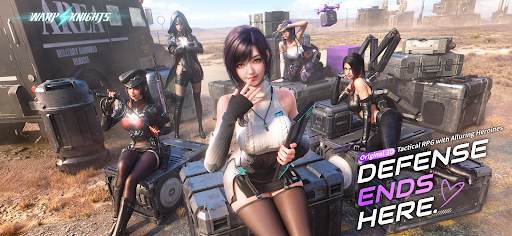
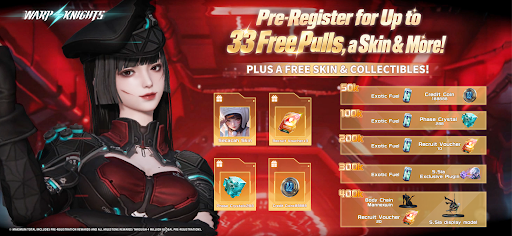
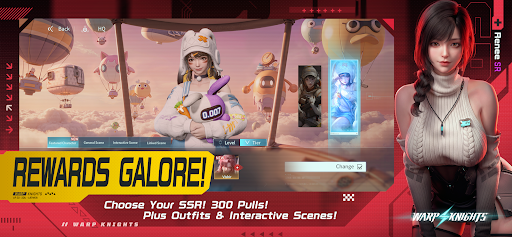
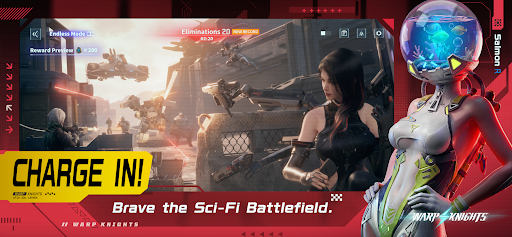
Warp Knights - Outthink. Outflank. Outgun.
Turn defense into offense in a 3D sci-fi tactical RPG. Command a squad of striking Operatives, break through enemy lines with smart positioning, and get to know the people behind the firepower.
Take the Offensive
"Don't just hold the line. Break through it."
Put your squad on the front foot. Choose where to deploy, use cover to your advantage, and strike from the flanks. Read the enemy formation and find your opening. Every position matters, and your next move could turn the battle around.
Build Your Squad
"Your strategy. Their firepower."
Bring together Operatives with different abilities and combat roles. Decide who takes the lead, who provides support, and how their strengths work together. Plan your formation, adapt to the battle, and find the combinations that suit your style of command.
Gear Up. Skill Up.
"Give your squad the edge."
Develop your Operatives, upgrade their weapons, and unlock new skills. Turn your favorites into the core of your team and prepare them for the challenges ahead. A powerful squad starts with the choices you make before the fighting begins.
Get Closer Off Duty
"There's more to your squad than combat."
Step away from the battlefield and spend time with your Operatives in beautifully crafted 3D scenes. Discover their personalities, share special moments, and deepen the bonds you build together. Get to know a side of them that no combat report could ever capture.
Put Your Collection on Display
"Make room for your favorites."
Collect in-game display pieces and arrange them on your desk. Set the desk as your in-game home screen to keep your collection in view whenever you return. Between battles, enjoy a space that reflects your own taste.
The Battlefield Is Yours to Change
Watch your plans unfold in real-time combat. Counter enemy positions, coordinate your squad, and push through their defenses. When one approach falls short, rethink your formation and try a different angle.
Firepower Meets Personality
Detailed 3D characters bring your squad to life, both in battle and in quieter moments. Enjoy the thrill of a tactical breakthrough, the satisfaction of a stronger team, and the chance to grow closer to your favorite Operatives.
Your squad is ready, Commander.
Warp in. Take over.
Show more

1. Download MEmu installer and finish the setup

2. Start MEmu then open Google Play on the desktop

3. Search Warp knights: Tower offense in Google Play
Install
4. Download and Install Warp knights: Tower offense
5. On install completion click the icon to start

6. Enjoy playing Warp knights: Tower offense on PC with MEmu
MEmu Play is the best Android emulator and 100 million people already enjoy its superb Android gaming experience. The MEmu virtualization technology empowers you to play thousands of Android games smoothly on your PC, even the most graphic-intensive ones.
Bigger screen with better graphics; Long duration, without limitation of battery or mobile data.
Full Keymapping support for precise control of keyboard and mouse or gamepad.
Multiple game accounts or tasks on single PC at one time with Multi-Instance manager.
Play Warp knights: Tower offense on PC by following steps: