Warp knights: Tower offense
Aktualisiert
Aktuelle Version
Angeboten von

Bei all Ihrer Leidenschaft für das Spielen von Warp knights: Tower offense sollten Ihre Hände nicht auf einen winzigen Bildschirm Ihres Telefons beschränkt sein. Spielen Sie wie ein Profi und übernehmen Sie die volle Kontrolle über Ihr Spiel mit Tastatur und Maus. MEmu bietet Ihnen all die Dinge, die Sie erwarten. Laden Sie Warp knights: Tower offense herunter und spielen Sie es auf dem PC. Spielen Sie so lange, wie Sie wollen, ohne Grenzwerte für Akku, mobile Daten und störende Anrufe. Das brandneue MEmu 9 ist die beste Wahl, um Warp knights: Tower offense auf dem PC zu spielen. Das exquisite voreingestellte Tastaturbelegungssystem, das mit unserem Fachwissen vorbereitet wurde, macht Warp knights: Tower offense zu einem echten PC-Spiel. Der MEmu Multi-Instanz-Manager ermöglicht das Spielen von 2 oder mehr Konten auf demselben Gerät. Und das Wichtigste: Unsere exklusive Emulations-Engine kann das volle Potenzial Ihres PCs freisetzen und für reibungslose Abläufe sorgen.
Mehr anzeigen
Laden Sie Play Warp knights: Tower offense auf dem PC mit MEmu Android Emulator. Viel Spaß beim Spielen auf großmundieren. Warp Knights - Outthink.
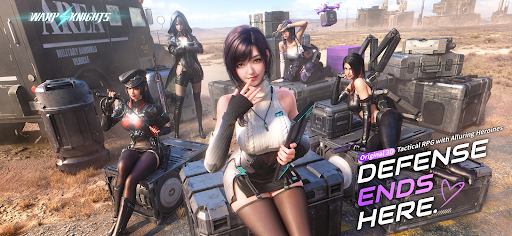
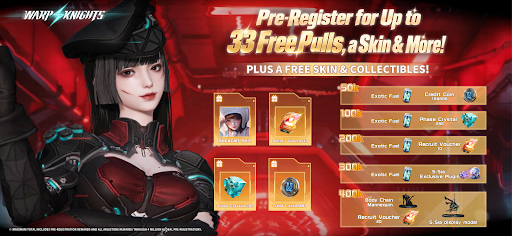
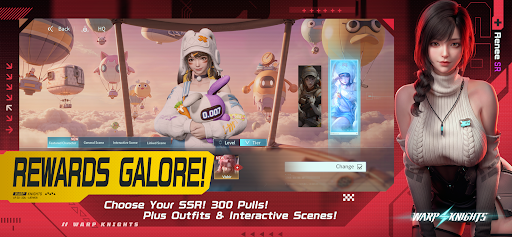
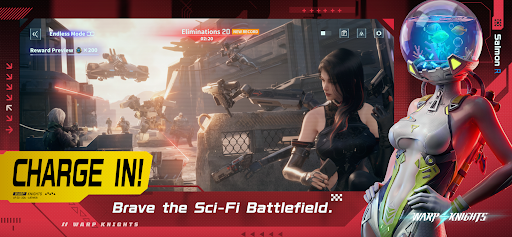
Warp Knights - Outthink. Outflank. Outgun.
Turn defense into offense in a 3D sci-fi tactical RPG. Command a squad of striking Operatives, break through enemy lines with smart positioning, and get to know the people behind the firepower.
Take the Offensive
"Don't just hold the line. Break through it."
Put your squad on the front foot. Choose where to deploy, use cover to your advantage, and strike from the flanks. Read the enemy formation and find your opening. Every position matters, and your next move could turn the battle around.
Build Your Squad
"Your strategy. Their firepower."
Bring together Operatives with different abilities and combat roles. Decide who takes the lead, who provides support, and how their strengths work together. Plan your formation, adapt to the battle, and find the combinations that suit your style of command.
Gear Up. Skill Up.
"Give your squad the edge."
Develop your Operatives, upgrade their weapons, and unlock new skills. Turn your favorites into the core of your team and prepare them for the challenges ahead. A powerful squad starts with the choices you make before the fighting begins.
Get Closer Off Duty
"There's more to your squad than combat."
Step away from the battlefield and spend time with your Operatives in beautifully crafted 3D scenes. Discover their personalities, share special moments, and deepen the bonds you build together. Get to know a side of them that no combat report could ever capture.
Put Your Collection on Display
"Make room for your favorites."
Collect in-game display pieces and arrange them on your desk. Set the desk as your in-game home screen to keep your collection in view whenever you return. Between battles, enjoy a space that reflects your own taste.
The Battlefield Is Yours to Change
Watch your plans unfold in real-time combat. Counter enemy positions, coordinate your squad, and push through their defenses. When one approach falls short, rethink your formation and try a different angle.
Firepower Meets Personality
Detailed 3D characters bring your squad to life, both in battle and in quieter moments. Enjoy the thrill of a tactical breakthrough, the satisfaction of a stronger team, and the chance to grow closer to your favorite Operatives.
Your squad is ready, Commander.
Warp in. Take over.
Mehr anzeigen

1. Laden das MEmu-Installationsprogramm herunter und beenden die Installation

2. MEmu starten und Google Play auf der Homepage öffnen

3. Suchen Warp knights: Tower offense in Google Play
Install
4. Herunterladen und Installieren Warp knights: Tower offense
5. Klicken nach Abschluss der Installation auf das Symbol, um es zu starten

6. Viel Spaß beim Spielen von Warp knights: Tower offense auf dem PC mit MEmu
MEmu App Player ist der beste kostenlose Android-Emulator und 50 Millionen Menschen genießen bereits seine hervorragende Android-Gaming-Erfahrung. Mit der MEmu-Virtualisierungstechnologie können Sie Tausende von Android-Spielen problemlos auf Ihrem PC spielen, selbst bei grafikintensiven Spielen.
BGrößeres Bild mit besserer Grafik; Keine unterbrechungen, keine sorgen um Akku
Komplette Tastenbelegung unterstützt mit Maus und Tastatur oder Controller
Mit dem „Multi-Instance-Manager“ können Sie mehrere Spielkonten oder Spiele gleichzeitig auf einem PC ausführen.
Play Warp knights: Tower offense on PC by following steps: