iLauncher
Mise à jour
Version actuelle
2.1.1
Proposée par

Ne vous inquiétez plus des surcharges lorsque vous utilisez iLauncher sur votre téléphone portable, libérez-vous de l'écran minuscule et profitez de l'application sur un écran beaucoup plus grand. Désormais, vous pouvez utiliser votre application en plein écran avec le clavier et la souris. MEmu vous offre toutes les fonctionnalités surprenantes que vous attendiez : installation rapide et configuration facile, commandes intuitives, plus de limitations de batterie, de données mobiles et d'appels dérangeants. Le tout nouveau MEmu 9 est le meilleur choix pour utiliser iLauncher sur votre ordinateur. Codé avec notre absorption, le gestionnaire multi-instance permet d'ouvrir 2 ou plusieurs comptes en même temps. Et le plus important, notre moteur d'émulation exclusif peut libérer tout le potentiel de votre PC, rendre tout cela fluide et agréable.
Afficher plus
Téléchargez iLauncher avec le simulateur d’Android MEmu sur votre PC. Profitez de jouer sur un grand écran. iLauncher is a powerful launcher to make your phone personalize and aesthetic.
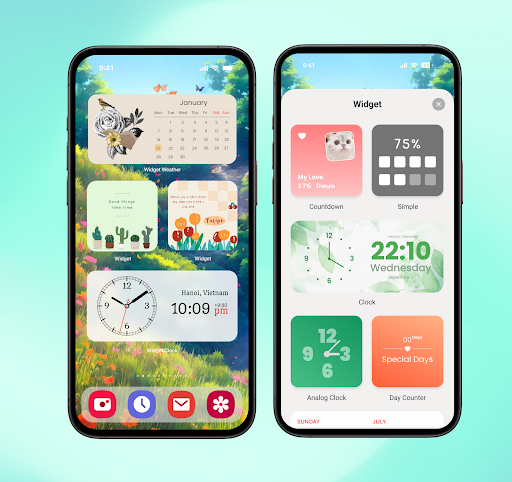
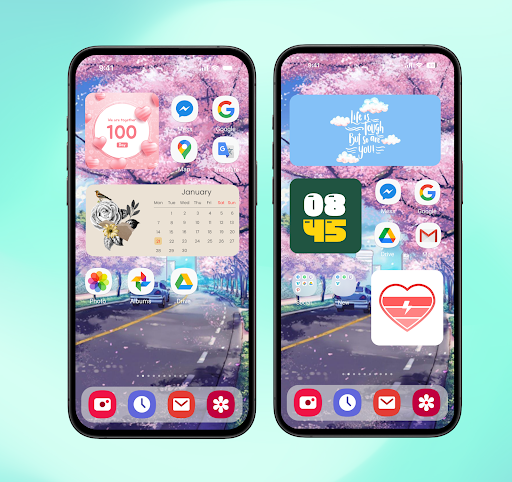
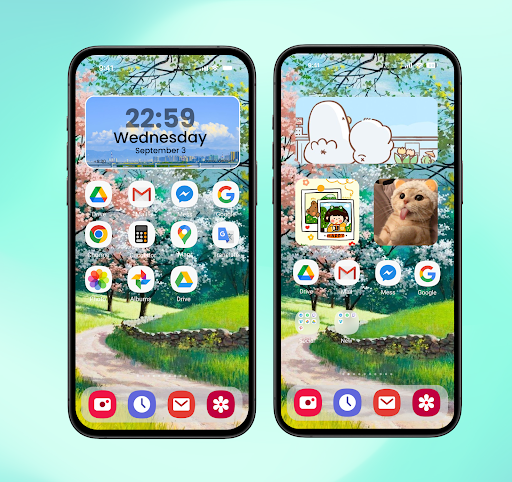
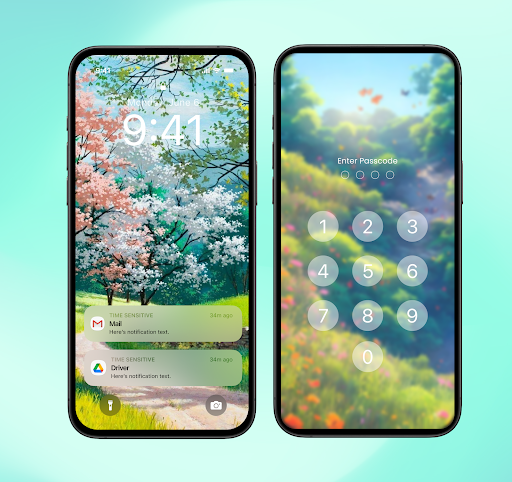
iLauncher is a powerful launcher to make your phone personalize and aesthetic. It has many more useful features than your native launcher. It contains various cool themes for you choice. Just get and try iLauncher, you will love it.
Main features:
- Allows you to Hide apps you don't want displayed on HOME in the launcher.
- Create and Customize your own widgets with a lot of aesthetic widget Styles. Many widgets style: Calendar widget, photo widget, Battery widget, Weather widget, Clock widget, Color clock widget, Contacts widget and more
- Customize your lock screen. Support lock screen display with passcode, pattern lock
- Quick Bar (Accessed Apps): Your frequently accessed App can be found quickly (Siri suggestions). You can open all apps through the drop-down, which will show your recently used apps, or you can customize the search bar with shortcuts and apps of your choosing.
- Personalization: Change desktop grid, endless scrolling, show or hide the search bar, customize the folder view, and many more options!
ACCESSIBILITY
The application commits not to collect or share any user information about this accessibility right.
Apps need accessibility permission for the following purposes:
To use functions: go home, recent apps, go back, lock screen...
Set up the lock screen and display the Control Center.
Listen to the open application to use the "Animation App" function.
Afficher plus

1. Téléchargez l'installateur MEmu et terminez l'installation

2. Démarrez MEmu puis ouvrez Google Play sur la page d'accueil

3. Recherchez iLauncher dans Google Play
Install
4. Téléchargez et installez iLauncher
5. Une fois l'installation terminée, cliquez sur l'icône pour démarrer

6. Utiliser MEmu pour utiliser iLauncher sur votre ordinateur
MEmu Play est actuellement le meilleur émulateur Android gratuit, avec 50 millions d'utilisateurs qui profitent d'une expérience Android exceptionnelle. La technologie de virtualisation de MEmu vous permet de jouer facilement à des milliers d'applications Android sur votre ordinateur, même les plus gourmandes en ressources.
L’écran plus grand avec de meilleurs graphismes; Une longue durée, sans limitation de batterie ou de données mobiles.
Soutien du Keymapping pour un contrôle précis du clavier et de la souris ou de la manette de jeu
Plusieurs comptes de jeu ou tâches sur un seul PC en même temps avec le gestionnaire de multi-instance.
Use iLauncher on PC by following steps:




![Color Changer Pro [root] PC](https://dl.memuplay.com/new_market/img/mobi.omegacentauri.red_pro.icon.2025-01-18-10-09-08.png)