Nekopoi
Mise à jour
Version actuelle
2.5.4.2
Proposée par

Ne vous inquiétez plus des surcharges lorsque vous utilisez Nekopoi sur votre téléphone portable, libérez-vous de l'écran minuscule et profitez de l'application sur un écran beaucoup plus grand. Désormais, vous pouvez utiliser votre application en plein écran avec le clavier et la souris. MEmu vous offre toutes les fonctionnalités surprenantes que vous attendiez : installation rapide et configuration facile, commandes intuitives, plus de limitations de batterie, de données mobiles et d'appels dérangeants. Le tout nouveau MEmu 9 est le meilleur choix pour utiliser Nekopoi sur votre ordinateur. Codé avec notre absorption, le gestionnaire multi-instance permet d'ouvrir 2 ou plusieurs comptes en même temps. Et le plus important, notre moteur d'émulation exclusif peut libérer tout le potentiel de votre PC, rendre tout cela fluide et agréable.
Afficher plus
Téléchargez Nekopoi avec le simulateur d’Android MEmu sur votre PC. Profitez de jouer sur un grand écran. NekoPoi is a video streaming app that is dedicated to providing Japanese anime content to individuals of all ages.
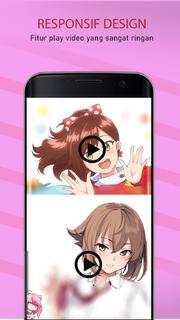

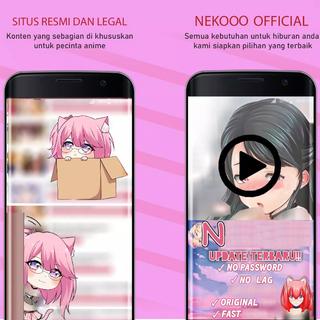
NekoPoi is a video streaming app that is dedicated to providing Japanese anime content to individuals of all ages. >>How to Use NekoPoi on My Android Phone?<<To use NekoPoi, you must first register using your email address. Once you have registered, the app developer will send you a code to authenticate your login, and you will gain access to the main homepage. 【Main Features】1. A wide collection of popular and trending Japanese anime movies and TV shows to stream online.2. From kids to adults, everyone will find their favorite video content on NekoPoi.3. Easy-to-navigate menu and intuitive User interface. Non-Japanese people can also enjoy seamless user experiences.4. Download to watch offline, at any time and anywhere.5. High-quality video content. Multiple video quality options to select from.6. Custom search option available. Easy to find your favorite anime movies or TV shows. [Enjoy Non-stop entertainment with a wide selection of anime video content.]Featuring a large library of movies, programs, and TV shows that are suitable for adults and children, NekoPoi is perfect for those who are Japanese anime enthusiasts. If you are on the hunt for a free Japanese anime streaming app, you may want to put NekoPoi on your wish list! Get the NekoPoi in the palm of your hands today and binge on numerous anime movies and TV shows to have a lot of fun! [Navigate the app and manipulate the elements with ease.]It is worth noting that the app is primarily in Japanese, which may pose a challenge for non-Japanese users. However, the app's intuitive design ensures that it is user-friendly for everyone, even those who only know a little Japanese. The app's interface is simple and straightforward, making it easy to navigate through the app. The homepage displays the latest releases, making it convenient for users to find new content. The app also provides a section for popular anime movies and shows, allowing users to quickly access their favorite titles. [Watch offline without an internet connection.]One of the most notable features of NekoPoi is its ability to download movies and shows for offline viewing. This feature enhances the flexibility of your entertainment experience, allowing you to watch your favorite anime content without an internet connection. The app also provides multiple video quality options, allowing users to choose the best quality based on their internet speed and device capabilities. [Locate your favorite anime video content with the quick search feature.]NekoPoi also provides a custom search feature, allowing you to easily find your favorite anime movies, programs, and children's shows. The app's search function is powerful and accurate, ensuring that you can quickly find the content you are looking for. The app also provides a synopsis of each movie and show, giving users an idea of what to expect before they start watching. [Always find something new anime movies/programs to watch.]The app's content is regularly updated with new releases, ensuring that users have access to the latest anime content.
Afficher plus

1. Téléchargez l'installateur MEmu et terminez l'installation

2. Démarrez MEmu puis ouvrez Google Play sur la page d'accueil

3. Recherchez Nekopoi dans Google Play
Install
4. Téléchargez et installez Nekopoi
5. Une fois l'installation terminée, cliquez sur l'icône pour démarrer

6. Utiliser MEmu pour utiliser Nekopoi sur votre ordinateur
MEmu Play est actuellement le meilleur émulateur Android gratuit, avec 50 millions d'utilisateurs qui profitent d'une expérience Android exceptionnelle. La technologie de virtualisation de MEmu vous permet de jouer facilement à des milliers d'applications Android sur votre ordinateur, même les plus gourmandes en ressources.
L’écran plus grand avec de meilleurs graphismes; Une longue durée, sans limitation de batterie ou de données mobiles.
Soutien du Keymapping pour un contrôle précis du clavier et de la souris ou de la manette de jeu
Plusieurs comptes de jeu ou tâches sur un seul PC en même temps avec le gestionnaire de multi-instance.
Use Nekopoi on PC by following steps: