Nekopoi
Zaktualizowano
Aktualna wersja
2.5.4.2
Sprzedawca

Przestań martwić się nadmiernymi opłatami podczas korzystania z Nekopoi na telefonie komórkowym, uwolnij się od małego ekranu i ciesz się korzystaniem z aplikacji na znacznie większym wyświetlaczu. Od teraz korzystaj z aplikacji na pełnym ekranie za pomocą klawiatury i myszy. MEmu oferuje wszystkie zaskakujące funkcje, których się spodziewałeś: szybką instalację i łatwą konfigurację, intuicyjne sterowanie, koniec z ograniczeniami baterii, danych mobilnych i niepokojących połączeń. Zupełnie nowy MEmu 9 to najlepszy wybór do używania Nekopoi na twoim komputerze. Zakodowany przez naszą absorpcję, menedżer wielu instancji umożliwia otwarcie 2 lub więcej kont w tym samym czasie. A co najważniejsze, nasz ekskluzywny emulator może uwolnić pełny potencjał twojego komputera, sprawić, że wszystko będzie płynne i przyjemne.
Pokaż więcej
Ciesz się wspaniałym doświadczeniem podczas grania w Nekopoi na komputerze z aplikacją MEMU App Player. Jest to potężny darmowy emulator Androida pozwalający grać w tysiące gier na Androida. NekoPoi is a video streaming app that is dedicated to providing Japanese anime content to individuals of all ages.
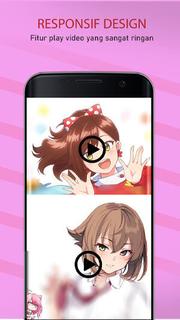

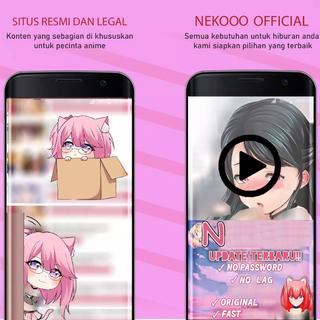
NekoPoi is a video streaming app that is dedicated to providing Japanese anime content to individuals of all ages. >>How to Use NekoPoi on My Android Phone?<<To use NekoPoi, you must first register using your email address. Once you have registered, the app developer will send you a code to authenticate your login, and you will gain access to the main homepage. 【Main Features】1. A wide collection of popular and trending Japanese anime movies and TV shows to stream online.2. From kids to adults, everyone will find their favorite video content on NekoPoi.3. Easy-to-navigate menu and intuitive User interface. Non-Japanese people can also enjoy seamless user experiences.4. Download to watch offline, at any time and anywhere.5. High-quality video content. Multiple video quality options to select from.6. Custom search option available. Easy to find your favorite anime movies or TV shows. [Enjoy Non-stop entertainment with a wide selection of anime video content.]Featuring a large library of movies, programs, and TV shows that are suitable for adults and children, NekoPoi is perfect for those who are Japanese anime enthusiasts. If you are on the hunt for a free Japanese anime streaming app, you may want to put NekoPoi on your wish list! Get the NekoPoi in the palm of your hands today and binge on numerous anime movies and TV shows to have a lot of fun! [Navigate the app and manipulate the elements with ease.]It is worth noting that the app is primarily in Japanese, which may pose a challenge for non-Japanese users. However, the app's intuitive design ensures that it is user-friendly for everyone, even those who only know a little Japanese. The app's interface is simple and straightforward, making it easy to navigate through the app. The homepage displays the latest releases, making it convenient for users to find new content. The app also provides a section for popular anime movies and shows, allowing users to quickly access their favorite titles. [Watch offline without an internet connection.]One of the most notable features of NekoPoi is its ability to download movies and shows for offline viewing. This feature enhances the flexibility of your entertainment experience, allowing you to watch your favorite anime content without an internet connection. The app also provides multiple video quality options, allowing users to choose the best quality based on their internet speed and device capabilities. [Locate your favorite anime video content with the quick search feature.]NekoPoi also provides a custom search feature, allowing you to easily find your favorite anime movies, programs, and children's shows. The app's search function is powerful and accurate, ensuring that you can quickly find the content you are looking for. The app also provides a synopsis of each movie and show, giving users an idea of what to expect before they start watching. [Always find something new anime movies/programs to watch.]The app's content is regularly updated with new releases, ensuring that users have access to the latest anime content.
Pokaż więcej

1. Pobierz instalator MEmu i zakończ instalację

2. Uruchom MEmu, a następnie otwórz Google Play na pulpicie

3. Wyszukaj Nekopoi w Google Play
Install
4. Pobierz i zainstaluj Nekopoi
5. Po zakończeniu instalacji kliknij ikonę, aby rozpocząć

6. Użyj MEmu, aby doświadczyć Nekopoi na swoim komputerze
MEmu Play to najlepszy emulator Androida, z którego korzysta ponad 100 milionów użytkowników, ciesząc się wyjątkowym doświadczeniem aplikacji na Androida. Technologia wirtualizacji MEmu pozwala na płynne uruchamianie tysięcy aplikacji Androida na komputerze, nawet tych najbardziej wymagających.
Większy ekran z lepszą grafiką; Długi czas, bez ograniczeń baterii lub danych mobilnych.
Pełna obsługa mapowania klawiszy dla precyzyjnego sterowania klawiaturą i myszą lub gamepadem.
Wiele kont gier lub zadań na jednym komputerze jednocześnie z menedżerem wielu instancji.
Use Nekopoi on PC by following steps: