Prescription Scanner
Mise à jour
Version actuelle
5.40.1400
Proposée par

Ne vous inquiétez plus des surcharges lorsque vous utilisez Prescription Scanner sur votre téléphone portable, libérez-vous de l'écran minuscule et profitez de l'application sur un écran beaucoup plus grand. Désormais, vous pouvez utiliser votre application en plein écran avec le clavier et la souris. MEmu vous offre toutes les fonctionnalités surprenantes que vous attendiez : installation rapide et configuration facile, commandes intuitives, plus de limitations de batterie, de données mobiles et d'appels dérangeants. Le tout nouveau MEmu 9 est le meilleur choix pour utiliser Prescription Scanner sur votre ordinateur. Codé avec notre absorption, le gestionnaire multi-instance permet d'ouvrir 2 ou plusieurs comptes en même temps. Et le plus important, notre moteur d'émulation exclusif peut libérer tout le potentiel de votre PC, rendre tout cela fluide et agréable.
Afficher plus
Téléchargez Prescription Scanner avec le simulateur d’Android MEmu sur votre PC. Profitez de jouer sur un grand écran. Need your glasses prescription?
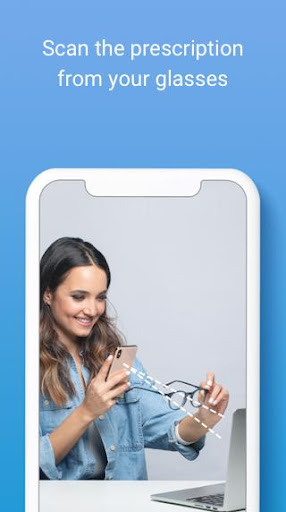
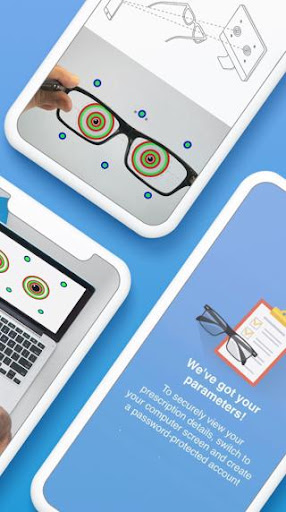
Need your glasses prescription? Try our FREE app!
Introducing Prescription Scanner: an easy, fast & FREE way of getting your prescription from your current eyeglasses without leaving the house. Just download the app, scan your glasses and shop a new pair online with your prescription at GlassesUSA.com.
Key Benefits:
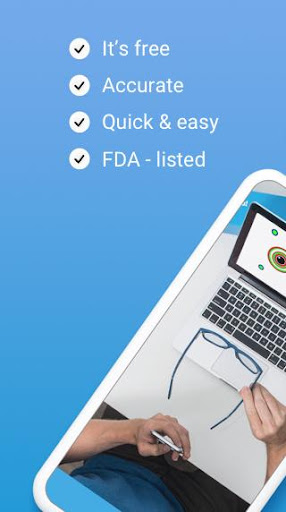
* Convenient: Scan from the comfort of home
* Easy & fast: Get your prescription in less than 5 minutes!
* App is completely FREE
* Accurate
* FDA-Listed
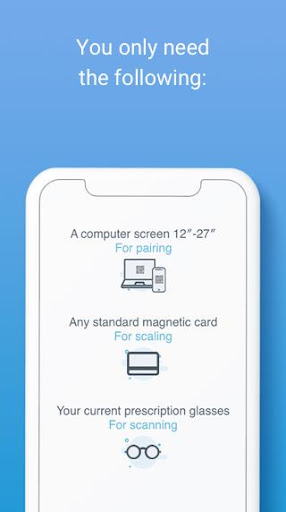
• All you need is a smartphone, computer and a standard-size magnetic card
How it works:
• Download the app & scan your current glasses using only a smartphone, computer screen and magnetic card.
• Get accurate results through a quick, simple process with audio & video tutorials to guide you every step of the way.
• Use the prescription to purchase new glasses online with an exclusive discount.
About us:
GlassesUSA.com is the #1 online retailer for prescription eyewear in the US, with a pair of glasses sold every minute! We’re proud of changing the way people buy glasses and making them affordable for everyone.
Discover 7000+ styles and a huge selection of brands including Ray-Ban, Oakley, Versace, Gucci and more. Find eyewear for every need including protective eyewear, blue light protection, prescription eyewear with anti-fog coatings, sports glasses, kids’ glasses, contact lenses and more. Try on any frame online from home with our Virtual Mirror to see how they look on you.
Enjoy free shipping on all orders right to your door, free returns and a 100% money-back guarantee.
Who can use the Prescription Scanner?
• Healthy individuals, 18 or older
• People with see well their current prescription
• Single vision prescription between -6.00 and +3.00
• Cylinder measurement lower than -2.50
Note: Please read our full Terms of Use. It includes, amongst other information, a detailed list of conditions and illnesses that are not eligible for accurate results.
You should not use Prescription Scanner if you:
• Have a progressive, multifocal, or bifocal prescription
• Have a prescription that includes prism
• Have a high single-vision (distance or reading) and/or astigmatism correction
• Take medication that affects your vision
• Have an illness or condition that affects eye health (refer to your doctor)
Distributed by GlassesUSA.com.
Manufactured by 6over6 Vision Ltd.
For more details go to https://6over6.com/
Afficher plus

1. Téléchargez l'installateur MEmu et terminez l'installation

2. Démarrez MEmu puis ouvrez Google Play sur la page d'accueil

3. Recherchez Prescription Scanner dans Google Play
Install
4. Téléchargez et installez Prescription Scanner
5. Une fois l'installation terminée, cliquez sur l'icône pour démarrer

6. Utiliser MEmu pour utiliser Prescription Scanner sur votre ordinateur
MEmu Play est actuellement le meilleur émulateur Android gratuit, avec 50 millions d'utilisateurs qui profitent d'une expérience Android exceptionnelle. La technologie de virtualisation de MEmu vous permet de jouer facilement à des milliers d'applications Android sur votre ordinateur, même les plus gourmandes en ressources.
L’écran plus grand avec de meilleurs graphismes; Une longue durée, sans limitation de batterie ou de données mobiles.
Soutien du Keymapping pour un contrôle précis du clavier et de la souris ou de la manette de jeu
Plusieurs comptes de jeu ou tâches sur un seul PC en même temps avec le gestionnaire de multi-instance.
Use Prescription Scanner on PC by following steps: