
Prescription Scanner
Actualizada
Versión actual
5.40.1400
Ofrecida por

Deje de preocuparse por los recargos cuando use Prescription Scanner en su teléfono celular, libérese de la pequeña pantalla y disfrute usando la aplicación en una pantalla mucho más grande. A partir de ahora, obtenga una experiencia de pantalla completa de su aplicación con teclado y mouse. MEmu le ofrece todas las características sorprendentes que esperaba: instalación rápida y configuración fácil, controles intuitivos, no más limitaciones de batería, datos móviles y llamadas molestas. El nuevo MEmu 9 es la mejor opción para usar Prescription Scanner en su computadora. Codificado con nuestra absorción, el administrador de instancias múltiples hace posible abrir 2 o más cuentas al mismo tiempo. Y lo más importante, nuestro exclusivo motor de emulación puede liberar todo el potencial de su PC, hacer que todo sea fluido y agradable.
Más detalles
Descargar Prescription Scanner en PC con MEmu Android Emulador. Disfruta jugando en la pentalla grande. Need your glasses prescription?
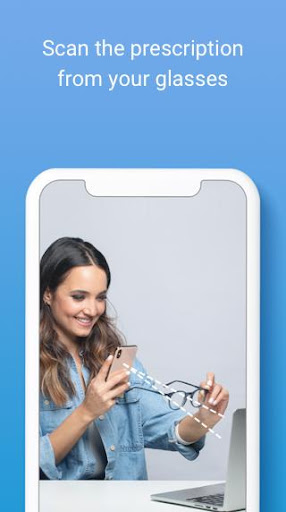
Need your glasses prescription? Try our FREE app!
Introducing Prescription Scanner: an easy, fast & FREE way of getting your prescription from your current eyeglasses without leaving the house. Just download the app, scan your glasses and shop a new pair online with your prescription at GlassesUSA.com.
Key Benefits:
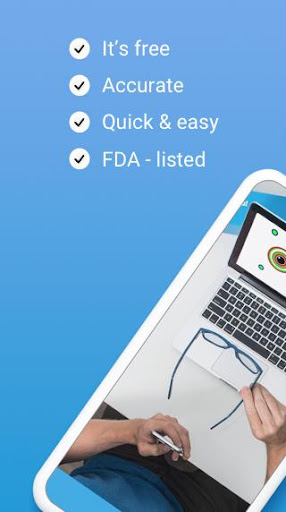
* Convenient: Scan from the comfort of home
* Easy & fast: Get your prescription in less than 5 minutes!
* App is completely FREE
* Accurate
* FDA-Listed
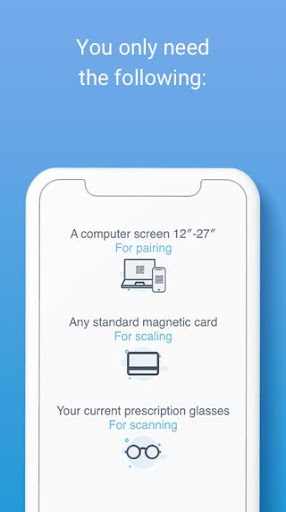
• All you need is a smartphone, computer and a standard-size magnetic card
How it works:
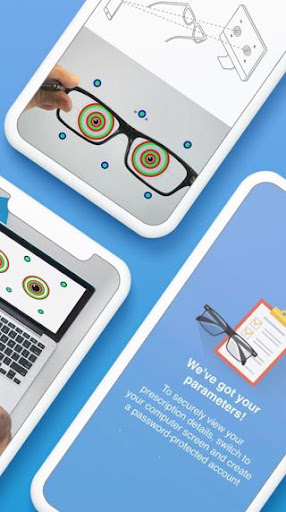
• Download the app & scan your current glasses using only a smartphone, computer screen and magnetic card.
• Get accurate results through a quick, simple process with audio & video tutorials to guide you every step of the way.
• Use the prescription to purchase new glasses online with an exclusive discount.
About us:
GlassesUSA.com is the #1 online retailer for prescription eyewear in the US, with a pair of glasses sold every minute! We’re proud of changing the way people buy glasses and making them affordable for everyone.
Discover 7000+ styles and a huge selection of brands including Ray-Ban, Oakley, Versace, Gucci and more. Find eyewear for every need including protective eyewear, blue light protection, prescription eyewear with anti-fog coatings, sports glasses, kids’ glasses, contact lenses and more. Try on any frame online from home with our Virtual Mirror to see how they look on you.
Enjoy free shipping on all orders right to your door, free returns and a 100% money-back guarantee.
Who can use the Prescription Scanner?
• Healthy individuals, 18 or older
• People with see well their current prescription
• Single vision prescription between -6.00 and +3.00
• Cylinder measurement lower than -2.50
Note: Please read our full Terms of Use. It includes, amongst other information, a detailed list of conditions and illnesses that are not eligible for accurate results.
You should not use Prescription Scanner if you:
• Have a progressive, multifocal, or bifocal prescription
• Have a prescription that includes prism
• Have a high single-vision (distance or reading) and/or astigmatism correction
• Take medication that affects your vision
• Have an illness or condition that affects eye health (refer to your doctor)
Distributed by GlassesUSA.com.
Manufactured by 6over6 Vision Ltd.
For more details go to https://6over6.com/
Más detalles

1. Descargar el instalador de MEmu y finalice la instalación

2. Iniciar MEmu y abrir Google Play en la página de inicio

3. Buscar Prescription Scanner en Google Play
Install
4. Descargar y instalar Prescription Scanner
5. Hacer click al icono para iniciar

6. Experiencia Prescription Scanner en PC con MEmu
MEmu App Player es el mejor emulador de Android gratuito y 50 millones de personas ya están disfrutando su magnífica experiencia de aplicación en Android. La tecnología de virtualización de MEmu te permite jugar a miles de aplicaciones Android suavemente en tu PC, incluso los más intensivos gráficamente.
Pantalla más grande con mejores gráficos; Larga duración, sin limitación de batería o datos móviles.
Soporte completo de keymapping para un control preciso del teclado y el mouse o gamepad.
Múltiples cuentas de juegos o tareas en una sola PC a la vez con el administrador de instancias múltiples.
Use Prescription Scanner on PC by following steps: